
Understanding the Importance of Alt Text in Trading Screenshot SEO
If you’re a trading educator, signal seller, or financial influencer, you probably invest a lot of time crafting compelling visual content to showcase your expertise. Screenshots from platforms like MetaTrader are gold mines for demonstrating past trade setups, market analysis, or performance stats. But have you ever stopped to think about how alt text can supercharge your SEO and engagement efforts?
Imagine Sarah, a trading educator, uploading her best trade screenshots to her blog. Without properly describing these images, search engines see just data files. This means missed opportunities to appear in search results when prospective clients look for trading tips or setups similar to hers. Alt text bridges that gap. It not only improves accessibility for users with visual impairments but also sends clear signals to search engines about what your images represent.

What Exactly is Alt Text and Why Does It Matter for Trading Screenshots?
Alt text, short for alternative text, is an HTML attribute added to <img> tags. Its primary purpose is to describe the content of an image in a concise, meaningful way. For trading screenshots — which often contain complex charts, indicators, or trade details — the alt text can highlight essential aspects that aren’t readable by search engines on their own.
Why should you care? Here are some key reasons:
- SEO Boost: Search engines index alt text to understand image content and context, positively affecting your page ranking.
- Accessibility: Screen readers rely on alt text to describe images to visually impaired users, improving your site’s inclusivity.
- Faster Load Fallback: When images don’t load (due to slow connections or errors), the alt text appears instead, keeping users informed.
- User Engagement: Well-crafted alt text increases the likelihood of visitors spending more time on your page, exploring your expertise.
Crafting Effective Alt Text for Your Trading Screenshots
Now that we understand why alt text matters, how do you write it in a way that maximizes SEO and user experience? Here’s a tailored approach for trading screenshots:
1. Be Descriptive, But Concise
Don’t just say “trading screenshot.” Instead, describe the image specifics.
- Example: “EUR/USD 15-minute chart showing bullish engulfing pattern and RSI breakout on MetaTrader”
This provides meaningful information that aligns with what users search for.
2. Include Relevant Keywords Naturally
Incorporate phrases your audience uses, such as:
-
– MetaTrader chart analysis
– Forex trade setup
– Signal performance screenshot
But avoid keyword stuffing — the alt text should always sound natural.
3. Highlight the Educational or Performance Aspect
Since many trading screenshots serve to educate or confirm results, mention this:
-
– Example: “Screenshot illustrating a successful breakout trade setup taught in the trading course”
– Example: “MetaTrader screenshot highlighting 80% win rate signal performance”
4. Avoid Redundancies and “Image of” Phrases
Alt text should get straight to the point. Search engines already know it’s an image, so no need for “image of” or “picture showing.”
5. Use Proper Length
Keep alt text between 100 to 125 characters. This length is optimal for screen readers and SEO algorithms.

Practical Tips to Implement Alt Text Seamlessly With Your Trading Screenshots
Integrating alt text well doesn’t have to be daunting. Here’s a checklist to make it part of your weekly content routine:
- When you generate screenshots with tools like Trading Screenshot Generator, plan your alt text at the same time you save the image.
- Create a spreadsheet or content management note with sample alt texts tailored for different trade types (forex, commodities, equities).
- Ask yourself: What unique insight does this image show? The breakout? The risk/reward? The strategy?
- Use your CMS (WordPress, Wix, etc.) to add alt text directly into the image properties when uploading.
- Review older posts and update missing or generic alt text to boost SEO consistency.
Case Study: How Alt Text Changed Alex’s Trading Blog Performance
Alex, a signal seller, initially uploaded trade screenshots without alt text. His traffic was flat, despite high-quality content. After adding descriptive alt text with targeted keywords like “MetaTrader signal performance screenshot” and “forex breakout trade setup,” he saw:
“A 35% increase in organic image search traffic and longer visitor engagement times within two months.”
This simple adjustment helped Alex stand out in a crowded finance blogging niche, proving the power of optimized alt text.

Common Mistakes to Avoid When Writing Alt Text for Trading Screenshots
Even seasoned content creators slip up when crafting alt text. Here are pitfalls to watch for:
- Leaving alt text blank: Missed SEO and accessibility opportunities.
- Using generic terms: Phrases like “chart” or “screenshot” alone don’t add value.
- Overloading with keywords: Makes alt text unreadable and penalized by search engines.
- Ignoring context: Failing to relate alt text to the specific trade or lesson shown.
- Repeating the same alt text: Duplicate descriptions can confuse crawling bots.
The Role of Alt Text in Building Trust and Conversions
Here’s something you might not have considered: a well-optimized alt text strategy subtly builds authority. When your images appear in Google Images or other search results related to trading, clients see professional, descriptive visuals connected to your brand. This consistency helps nurture trust and encourages more conversions.
In a world where financial trust is paramount, every detail counts — even what you write for alt tags. By combining high-quality screenshots generated by reliable tools and thoughtful alt text, you’re crafting a powerful marketing asset.

Wrapping Up: Make Your Trading Screenshots Work Harder for You
So, next time you upload that perfect MetaTrader screenshot to your blog or social media, don’t forget the alt text. It’s not just an accessibility requirement—it’s a secret weapon for SEO, brand building, and user engagement.
If you want to save time creating clean, professional screenshots with everything prepared for SEO success, check out Trading Screenshot Generator. This tool helps you produce visuals tailored for educators and influencers, so you can focus on what you do best—teaching, signaling, and inspiring trust.
Remember: the details in your alt text can be the difference between lost traffic and earned authority. Start optimizing today—you’ll thank yourself tomorrow!
Why Integrate Trading Screenshot Tools with Platforms Like Notion, Google Drive, or Zapier?
If you’re a trading educator, signal seller, or financial influencer, you know the importance of quality visual content. Screenshots of your MetaTrader platform showcasing live trades, analysis, or strategy setups are essential in building credibility and engaging your audience. But managing these screenshots — storing, organizing, and sharing them — can quickly become tedious if handled manually.
This is where the power of integration comes in. Imagine your screenshots seamlessly landing in a well-organized Google Drive folder or directly populating your Notion dashboards. Or even better, automatically triggering workflows via Zapier to notify your followers, back up images, or update your marketing channels. The possibilities are endless, and the benefits — incredible.

Understanding the Core Players: Notion, Google Drive, and Zapier
Before diving into integration specifics, let’s briefly explore each platform’s unique advantages:
- Notion: A workspace powerhouse combining notes, databases, and project management. Perfect for structuring educational content, trade logs, and strategy repositories.
- Google Drive: A cloud storage marvel allowing easy file sharing and accessibility across devices. Ideal for storing vast amounts of screenshots securely and in an organized manner.
- Zapier: The automation wizard connecting thousands of apps. It triggers automated workflows that save you time by handling repetitive tasks.
When paired with a dedicated tool like Trading Screenshot Generator, you elevate your content creation and distribution strategy to a whole new level.
Quick Anecdote: How Jake, a Trading Coach, Streamlined His Workflow
Take Jake, for example, a trading coach who used to spend hours every day sorting through screenshots, uploading files manually, and crafting posts for his community. After integrating the Trading Screenshot Generator with Google Drive and Zapier, he automated file uploads and notifications to his subscribers — reclaiming precious hours and improving engagement substantially.
Step-by-Step Guide to Integrating Your Trading Screenshots with Google Drive
Google Drive’s straightforward interface and extensive storage make it a logical choice for traders needing to archive and share screenshots.
1. Setting Up Your Google Drive Folder Structure
Organization is key. Start by creating dedicated folders tailored to your trading activity:
- Filters by month or week (e.g., “April 2025 Trades”)
- Folders for different instruments or strategies
- Separate folders for public sharing vs. private archives
2. Uploading Trading Screenshots Automatically
Using Trading Screenshot Generator, you can export images directly or save them locally before batch uploading. But why stop there?
By leveraging Zapier, you can automate the uploading process. Configure a Zap that watches a folder or webhook from your screenshot tool, and automatically uploads new images to Google Drive folders of your choice.
3. Sharing and Collaborating
Once your screenshots are on Google Drive, you can:
– Share direct folder links with clients or followers
– Control file permissions (view-only, comment) to protect your content
– Preview screenshots instantly without downloading
This smooth access improves trust and enables effective collaboration with your audience or team.

Integrating Trading Screenshots into Notion for Effective Trading Journals and Education
Notion’s modular approach lets you build comprehensive knowledge bases or trade journals enriched with visuals — a must-have for serious traders.
How to Embed Trading Screenshots into Notion Pages
After generating screenshots:
- Upload images to Notion directly (drag and drop or file picker)
- Use the embed block for external links (e.g., public Google Drive links)
- Create databases with image properties to track trade metrics alongside visuals
This approach turns your trading setups and historic trades into immersive, interactive content that your students or clients can revisit anytime.
Automate Updating Notion with New Screenshots
Zapier can also automate pushing new screenshots into Notion:
– Set a trigger when a new screenshot is saved (via webhook or folder scan)
– Create a new page or update database entries within Notion with the image and related metadata
This type of integration ensures your Notion workspace stays up-to-date without lifting a finger.
Zapier as the Ultimate Automation Hub for Trading Screenshot Workflows
Zapier’s role might seem opaque at first, but it’s the glue connecting your screenshot creation to the apps that power your brand.
Examples of Powerful Zapier Workflows for Trading Screenshots
1. Auto-Post on Social Media: Trigger a Twitter, Facebook, or LinkedIn post every time a new screenshot is generated, complete with customized captions and hashtags.
2. Notify Subscribers via Email or Messaging Apps: Use Gmail, Mailchimp, or Slack integrations to instantly alert your community when new trade analyses are published.
3. Archive and Tag Screenshots: Automatically save images to Google Drive or Dropbox and tag them with relevant metadata for easy searchability.
4. Update Team Project Management Tools: Add screenshots to Trello or Asana tasks to coordinate team insights and workflows more effectively.
Zapier saves you from the monotony of copying and pasting, making your entire content strategy more scalable and professional.

Best Practices for Maximizing Your Screenshot Integrations
Here are some golden rules to get the most from your trading screenshot workflows:
- Consistent Naming Conventions: Use clear, date- and strategy-based filenames to effortlessly find and sort your screenshots.
- Back-Up Regularly: Even automated systems benefit from an extra layer of backup, such as exporting periodically to an external hard drive.
- Optimize Image Quality vs. File Size: Choose settings that balance clarity and storage needs — especially important for quick sharing and web use.
- Maintain Privacy and Compliance: Be mindful of sensitive data and client privacy when sharing screenshots publicly.
- Audit Your Automations Monthly: Check your Zaps and integrations to fix any errors that might arise as platforms update.
Looking Ahead: The Future of Screenshot Automation in Trading Education
As platforms like Trading Screenshot Generator continue to evolve, expect even smoother integrations and smarter AI-enhanced workflows. Imagine automatically generated trade reports supplemented by annotated screenshots, shared instantly across all your community channels.
Wouldn’t that free you up to focus more on honing strategies, engaging with your audience, or long-term brand building?
“The most effective traders blend technical mastery with flawless communication — and tools like automated screenshot integration are the secret weapon.”
Final Thoughts: Start Automating Your Trading Screenshots Today
Leveraging integrations between Trading Screenshot Generator, Notion, Google Drive, and Zapier empowers trading educators and influencers to build professional, trust-enhancing content with minimal effort.
If you haven’t explored these integrations yet, there’s no better time than now. By creating automated, organized workflows, you can focus on what really matters: growing your audience and sharing your expertise.
Ready to revolutionize how you manage and publish your trading screenshots? Visit Trading Screenshot Generator and start integrating today!
The Timeless Power of Screenshots in Trading
Have you ever wondered what separates consistently successful traders from those who struggle to make sense of their trades over time? Beyond strategy, discipline, and market analysis, documentation plays a crucial role. And that’s where screenshots come into play — not just as mere images but as invaluable legacy tools.

Trading screenshots, especially those captured from platforms like MetaTrader, serve as a visual journal of your trading journey. They offer clarity, accountability, and a tangible record to revisit — sometimes years later — to learn from successes and mistakes alike. Yet, few traders truly harness this tool’s potential beyond casual use.
Why Are Screenshots Essential for Long-Term Traders?
Think about it: trading is inherently complex and riddled with emotion-driven decisions. Over time, you’ll find multiple reasons why well-crafted screenshots aren’t just nice-to-have but strategically indispensable:
- Track performance meticulously: Screenshots provide visual proof of executed trades, their parameters, and the market conditions at that specific time.
- Enhance learning and reflection: Reviewing past trades with a clear visual context helps dissect what worked and what didn’t.
- Build credibility and trust: For educators, signal providers, or influencers, clean, transparent visuals validate claims and show real-world proof.
- Simplify complex explanations: Nothing conveys a trading setup or strategy as effectively as a clear, annotated chart screenshot.
From Chaos to Clarity: How Organized Screenshots Improve Mentality
John, a fictitious but representative trader, once told me how screenshots “saved his trading sanity.” Early in his career, he relied solely on memory and brief notes — a recipe for overlooked mistakes and repeated errors. Once he began capturing and organizing screenshots of his setups and results, his confidence soared. It wasn’t just about the data, but the visual feedback loop that made improvements tangible.

Whether you’re a day trader trying to optimize entry points or a swing trader studying patterns, screenshots act as checkpoints on your trading roadmap. They turn fleeting moments into teachable assets.
How to Create Screenshots That Last Beyond the Moment?
Not all screenshots are created equal. The quality and customization of your images can influence how useful they become over time. Random, cluttered screen grabs may only add noise rather than insight. Here’s what distinguishes screenshots that serve as legacy tools:
- Clarity and high resolution: Sharp charts with readable details allow for future zoom and analysis without distortion.
- Relevant context: Include indicators, timeframe, entry and exit points, and performance stats.
- Customization for branding: Add your logo, timestamps, or notes to personalize and protect your content.
- Clean visual layout: Remove unnecessary platform elements or distractions to focus attention on key data.
Imagine trying to audit your trades a year later with an image cluttered by extra menus or poorly legible text. Frustrating, right?
Technological Edge: Leveraging Specialized Tools
This is where Trading Screenshot Generator shines as a game-changer for traders and educators alike. Instead of tediously cropping, annotating, and editing screenshots manually, this online tool automates the entire process, creating polished visuals with minimal effort.

- Instantly generate: Capture past trades with all crucial details in a clean image.
- Customize effortlessly: Add branding, notes, and performance overlays to reinforce authenticity.
- Boost conversions: Trustworthy visuals enhance your audience’s confidence, encouraging engagement and sales.
By automating these tasks, the tool helps you establish an efficient, reproducible habit of documenting trades — an essential practice for longevity in the markets.
How Screenshots Amplify Your Personal Trading Brand
More than just internal study aids, screenshots serve an important external function. For educators, signal sellers, or anyone building a trading community, the visual proofs of your expertise create trust almost immediately.
Consider Sarah, a trading coach who began sharing weekly trade screenshots with her subscribers. Within months, her perceived reliability skyrocketed. The images weren’t just evidence — they became an integral part of her teaching narrative, demonstrating step-by-step decision making.
She attributes a large portion of her brand growth to consistent, professional visuals that illustrated her live reasoning — impossible to fake or misinterpret. This transparency fostered loyal followers and opened opportunities for collaborations and partnerships.
Key Benefits for Influencers and Educators
- Authenticity: Real trades backed with screenshots cannot be easily questioned.
- Engagement: Visual content is far more captivating, boosting social media traction.
- Value-add: Tutorials gain clarity and effectiveness when accompanied by annotated visuals.
By mastering the art of screenshot storytelling, you transform your trades from generic data into compelling narratives.
Maintaining a Trade Screenshot Archive for the Future
Long-term traders often overlook the importance of organizing these screenshots into a structured archive. This digital diary evolves into a treasure trove of insights, accessible whenever you want to review your growth or share your journey.
Pro tip: organizing by date, strategy, outcome, or market conditions allows you to quickly reference specific scenarios. You might find patterns in losing streaks or identify setups that consistently perform well.
Regular archiving also protects these assets from loss due to computer errors or platform updates. Backing up your collection securely ensures that your trading legacy remains intact, accessible, and informative for years to come.
Final Thoughts: Make Screenshots Your Trading Legacy
Long-term success and learning in trading come down to more than just numbers on a screen. It’s about creating a lasting record that tells the story of your progress, reasoning, and adaptation. Screenshots transform intangible market moments into concrete, illustrative evidence — invaluable for both introspection and persuasion.
If you’re serious about raising your trading game, establishing credibility, or educating others, investing some time into capturing high-quality, customized screenshots can pay dividends many times over. Let tools like Trading Screenshot Generator make this effortless and professional.
So, why wait? Start building your trading legacy today, one screenshot at a time.
Understanding the Power of Screenshot Packs in Trading Presentations
Have you ever sat through a trading presentation and felt lost in a sea of numbers and convoluted charts? Or perhaps you’ve struggled to clearly communicate your trading strategies to your audience, whether they’re beginners, fellow traders, or potential clients? Chances are, the visuals used didn’t quite hit the mark. In the fast-paced, detail-heavy world of trading education and signal selling, presentation quality can make or break your credibility.
This is where selling screenshot packs for trading presentations enters the scene—a game-changing approach that can elevate your educational content and sales materials with clean, professional, and trustworthy visuals.
Why Are Screenshot Packs Essential for Trading Educators and Signal Sellers?
Screenshots aren’t just pretty pictures. They’re powerful storytelling tools that:
- Build trust: Transparent, clear screenshots of actual trades and setups demonstrate authenticity.
- Enhance understanding: Complex strategies become easier to grasp when visualized effectively.
- Boost engagement: Better visuals keep your audience interested and help them retain information.
- Increase conversions: With clearer proof of your performance, potential clients are more likely to subscribe or purchase.
Consider Maria, a trading educator who once relied on raw, cluttered screenshots from her MetaTrader platform. Her clients often complained about the difficulty in understanding her setup analysis. After switching to curated screenshot packs, her course completion rates and user feedback drastically improved. Suddenly, her lessons felt crisp, organized, and professional.
The MetaTrader Challenge
MetaTrader’s native screenshots often look cluttered and unpolished—overlapping indicators, messy background colors, inconsistent fonts. This can detract from the message you want to convey. A well-curated screenshot pack allows you to present only relevant data, controls the design elements, and thus shapes a coherent story.
What Exactly is a Trading Screenshot Pack?
In essence, a trading screenshot pack is a collection of high-quality, customized images derived from trading platforms like MetaTrader. These packs are thoughtfully designed to:
– Showcase specific trading setups, entries, and exits clearly
– Highlight key indicators and annotations without clutter
– Maintain visual consistency across your presentation or social media feed
– Include comprehensive performance snapshots to emphasize your trading proficiency
Unlike generic screenshots, these packs are tailored for educational and marketing purposes, often with branding overlays or captions that align with your personal or business identity.
Benefits of Selling Screenshot Packs
Many trading educators and signal providers have realized the potential of monetizing such curated content. If you create educational courses, newsletters, or offer subscriptions, selling access to professionally designed screenshot packs can:
1. Provide an additional revenue stream without extra time investment
2. Enhance the perceived value of your offerings
3. Differentiate your brand in a saturated market
4. Build a loyal community attracted by your transparency and quality
How to Create Irresistible Screenshot Packs
The million-dollar question, isn’t it? How do you consistently generate beautiful, credible trading screenshots without losing hours in Photoshop or complicated editing software?
Enter the Trading Screenshot Generator. This innovative web tool simplifies the entire process with these features:
- Seamless integration with MetaTrader: Import your trade data directly without manual work.
- Customizable templates: Choose layouts that match your brand style and the message you want to convey.
- Clean, professional visuals: Eliminate clutter and distractions, focusing on what truly matters.
- Fast export function: Generate multiple high-resolution screenshots within minutes, ready for presentations or social media.

By using this tool, you can also batch-create packs tailored to different trading styles or educational modules, saving valuable time.
Tips for Maximizing the Impact of Your Screenshot Packs
Even the best tools can’t replace strategic thinking. Here are some best practices to ensure your packs resonate deeply with your audience:
- Tell a story: Each screenshot should support a narrative, such as how you spotted a setup, executed the trade, and managed risk.
- Annotate wisely: Use arrows, highlights, or notes sparingly to emphasize critical information without overwhelming viewers.
- Maintain brand consistency: Use your colors, fonts, and logos where appropriate to reinforce brand recognition.
- Target your audience: Tailor packs to different skill levels—novice traders might need more basic setups, while advanced pack buyers might prefer in-depth analysis.
- Refresh regularly: Keep your packs updated with recent trade examples to maintain relevance and trust.
Real-Life Example: Turning Screenshots into a Premium Product
Let’s revisit the story of James, a financial influencer with a growing Telegram signal group. Initially, his clients received raw screenshots, spammed in the chat with minimal context. Engagement was lukewarm, and complaints about “no clarity” were common.
After embracing a futuristic approach—selling curated trade screenshot packs optimized with a dedicated generation tool—James noticed a dramatic spike in trust and repeat sales. He included exclusive access to these packs as part of a VIP membership, offering users:
– Weekly updated trade packs
– Educational annotations explaining his thought process
– Visual proof of risk management strategies
Result? A robust new income stream and a community that truly valued his transparency.

SEO Keywords Integrated Naturally:
To ensure you can connect with your audience and grow organically online, integrating the right keywords is crucial. This article seamlessly incorporates:
- trading screenshot packs
- trading presentations
- MetaTrader screenshots
- trading educators
- signal sellers
- customized trading visuals
- financial influencers
- professional trading screenshots
In Summary: Why Now Is the Time to Invest in Screenshot Packs
In a competitive trading education world, clarity, professionalism, and trustworthiness are non-negotiable. Designing and selling high-quality screenshot packs for your trading presentations can be the difference between being just another voice and becoming the trusted authority in your niche.
Don’t let poorly executed visuals undermine your expertise. Tap into modern solutions like the Trading Screenshot Generator to create stunning, effective screenshots with just a few clicks—and see your educational content and sales soar.

Ready to Elevate Your Trading Presentations?
Imagine your next webinar or marketing campaign enhanced with crystal-clear, branded screenshots that make your strategies impossible to ignore. Stop wasting time with messy manual edits and embrace automation with powerful customization features available at your fingertips.
Try the Trading Screenshot Generator today—and transform the way you communicate success.
Harnessing the Power of Trading Screenshots for High-Converting Ads
Picture this: you’re scrolling through your social media feed, and suddenly you stumble upon a trading ad. Instead of vague promises or flashy slogans, you see a crisp, clear snapshot of a recent trade with detailed indicators, numbers, and performance metrics—all neatly packaged and professional-looking. Curious, right? That little image instantly grabs your attention and builds credibility without saying a word. This is the magic of using high-quality trading screenshots in your advertising strategy.
Why Trading Screenshots Matter in Ads
In the crowded space of trading education, signal services, and financial influence, authenticity and trust are currency. Potential clients are bombarded with countless claims of success stories—but how many of them show the actual proof? A screenshot of a well-executed trade from platforms like MetaTrader conveys transparency and professionalism.
But more than just credibility, these screenshots:
- Visualize real results which increases trust instantly.
- Educate your audience by showcasing setups or entry/exit points.
- Enhance brand authority by consistently sharing clean, branded visuals.
- Drive conversions by appealing directly to traders’ logic and emotions.
If you’ve ever doubted whether such images can truly impact your ad outcomes, consider this: ads paired with authentic visuals perform up to 2x better in engagement—translating to more clicks and signups.
The Challenge: Creating Professional Screenshots
Here’s the catch—MetaTrader screenshots straight from your platform can often look cluttered, inconsistent, or worse, generic. This may talk against your brand’s professionalism. Manually editing these screenshots to highlight key data and polish the appearance consumes valuable time that could be invested in content or client interaction.
Enter the Trading Screenshot Generator. This innovative web tool is tailor-made for trading educators, signal providers, and financial influencers, enabling you to generate stunning, customized screenshots effortlessly.
Step-by-Step: Creating Ads That Convert Using Trading Screenshots
Let’s walk through how you can leverage trading screenshots to craft compelling, high-converting ads.
1. Select the Right Trades to Showcase
Not every trade tells a riveting story. Choose trades that:
- Highlight a successful strategy or signal that your audience can relate to.
- Demonstrate clear risk management or rewarding exit points.
- Include educational setups that spark curiosity.
Storytelling through your trades can turn cold prospects into engaged followers. Imagine showing a trade where the entry, stop loss, and take profit zones are clearly marked—this instantly taps into traders’ analytical mindset.
2. Use a Professional Tool to Generate Clean, Branded Screenshots
Instead of raw MetaTrader captures, tools like Trading Screenshot Generator offer the ability to clean up, customize, and brand your screenshots within moments.
- Add your logo, trading taglines, or educational notes.
- Highlight key metrics like profit, risk ratio, or entry signals.
- Choose consistent and visually pleasing color schemes.
Consistency in visuals builds recognition; professional visuals build trust.
3. Craft a Compelling Ad Copy Around the Screenshot
The image hooks readers, but your message converts them.
Pair your screenshots with persuasive, clear, and conversational copy that:
- Explains the setup or the edge behind the trade.
- Addresses common pain points, like “Tired of signal providers who don’t show results?”
- Includes a clear call-to-action (CTA) like “Learn how to master this strategy” or “Join our successful signals community today.”
When you combine the power of visual proof with relatable language, your ad stops being “just another promo”—it becomes an invitation.
4. Optimize Ad Formats for Each Platform
Remember, different social media channels have various ad formats (square, vertical, carousel). Customize your screenshots spatially so they look great whether in a Facebook newsfeed, an Instagram story, or a Twitter post.

5. Leverage User Testimonials and Performance Highlights Together
Enhance credibility further by pairing authentic trading screenshots with testimonials or reviews. Showing the actual trade with a real user story or performance metrics solidifies trust.
For instance, a caption like:
“I finally understood how to read charts effectively after following these setups! As you can see from this trade, the risk:reward was spot on, netting consistent profits.”
Try generating your own compelling trading screenshots here to build that authenticity in your campaigns.
SEO Tips: Increase Your Reach When Using Trading Screenshots in Ads
To attract the right audience organically and through paid ads, consider SEO and keyword strategies seamlessly integrated with your visuals.
Employ Relevant Keywords Naturally
- High-converting trading ads
- Trading screenshot generator
- MetaTrader screenshot tool
- Demonstrate trading results
Use these keywords in your blog posts, ad captions, and landing pages without stuffing—they should read naturally and flow conversationally.
Optimize Image SEO
Don’t forget to name your images descriptively and use alt texts like “Professional MetaTrader screenshot showing EUR/USD trade results.” Alt tags improve accessibility and SEO rankings.
Use Structured Data
Implement schema markup for products or reviews associated with your screenshots to help search engines display rich snippets, which attract more clicks.
Real-Life Success Story: How One Trader Boosted Conversions by 50%
Meet Sarah, a trading educator who struggled to gain traction despite offering valuable courses. She decided to revamp her ads by incorporating customized MetaTrader screenshots generated with Trading Screenshot Generator. Sarah:
- Selected key trades that illustrated her strategy’s effectiveness.
- Branded every screenshot with her logo and added concise explanations.
- Crafted ads focusing on pain points and proof rather than generic promises.
The result? Within two months, Sarah’s ads saw a 50% increase in click-through rates and a significant boost in course signups.
She shared, “Using clear, professional trading screenshots created with the right tool helped me build trust at a glance. People no longer questioned my credibility—they saw the proof.”
Wrapping It Up: Elevate Your Ads with Authentic Visual Proof
Too often, trading ads sound all talk and no show. Authentic screenshots that convey actual trades bridge the gap between skepticism and trust. When professionally designed, they act as a powerful conversion catalyst, drawing in your ideal audience with clarity and confidence.
Ready to transform your advertising game and present your trading results like a pro?
Explore Trading Screenshot Generator now and start crafting visuals that sell.
Understanding the Stakes: Subscription vs. Lifetime Access in Trading Signals
If you’ve ever dipped your toes into the world of trading education or signal selling, you know one thing immediately: monetizing trading signals is both an art and a science. A crucial crossroads you’ll encounter early on is deciding whether to offer your signals via a subscription model or a one-time lifetime access deal.
So, which approach should you take to maximize revenue, build trust, and retain loyal customers? This question keeps many budding trading influencers and educators up at night.

Why Monetization Strategy Matters in Trading Signals
Before diving into the pros and cons, it’s worth understanding why the monetization model you pick isn’t just a business decision, but a core part of your brand identity. Trading signals are intimate: your subscribers are trusting your expertise with their hard-earned money. Your pricing and accessibility model will, therefore, shape perception of your authority, transparency, and even your ethical approach.
In addition, these models impact cash flow, customer lifetime value, and how you can scale your operations. You don’t want to end up stuck with a payment structure that scares away growth or limits your ability to reinvest in your offering.
Subscription Model: Recurring Revenue with Ongoing Commitment
Let’s start by breaking down the beloved subscription model — a go-to for many modern signal providers.
What It Entails
- Subscribers pay a fixed amount every week, month, or quarter.
- Access is granted as long as the payment continues.
- Signals are often updated regularly, adding fresh value.
Think of it as a gym membership for trader signals. You pay to stay connected and receive continuous support and updates.

Pros of Subscription Model
- Predictable Cash Flow: Regular income helps with planning and reinvestment.
- Customer Engagement: Continuous contact encourages building trust and a sense of community.
- Allows Upgrades & Discounts: You can tweak plans easily, offer premium tiers, or bundle products.
- Technological Advantage: Tools like Trading Screenshot Generator complement subscription by delivering fresh, professional visuals to keep subscribers engaged.
The Flip Side: Cons
- Churn Risk: Customers might cancel if signals don’t consistently impress.
- Pressure to Constantly Deliver: You need a steady stream of high-quality signals to justify ongoing charges.
- Marketing Burden: You must continually attract new subscribers to replace churn.
Jane, a trading educator from Chicago, once told me, “Keeping subscribers happy is a full-time job. Without fresh, visually compelling proof of my winning trades, many would leave.”
That’s where elevating your signal presentation with professional screenshots can really tip the scales in your favor.
Lifetime Access: One Payment, Perpetual Value
Now let’s explore the less common, but equally intriguing lifetime access model.
How Lifetime Access Works
- Subscribers pay a one-time fee for indefinite access to your trading signals.
- Often bundled with all future updates or a specific set of signals.
- Appealing to those who want to avoid recurring payments and feel like they’re getting more value upfront.
Pros of Lifetime Access
- Immediate Cash Injection: Useful for new signal sellers needing initial capital.
- Appeals to Value Seekers: Many customers love the idea of “pay once and get forever.”
- Lower Marketing Effort Long-Term: After initial sales pushes, you can reduce customer acquisition costs.
- Less Customer Service: No worries about monthly cancellations or refunds.
But What About The Downsides?
- Revenue Ceiling: One-time fees limit your earning potential beyond initial sales.
- Support Expectations: Customers often expect lifetime updates and support, which can strain resources.
- Challenging Perceived Scarcity: Customers might procrastinate, waiting for discounted lifetime deals.
Mark, a signal seller who switched from lifetime access to subscription, shared once: “After my initial lifetime deals, I realized my revenue flatlined. Subscriptions gave me a sustainable business.”
How To Choose? Key Considerations
There’s no one-size-fits-all answer. Instead, consider the following:
- Audience Type: Are your clients beginners wanting steady guidance or advanced traders seeking long-term resources?
- Content Refresh Rate: If your strategies evolve quickly or you send frequent signals, subscriptions might be better.
- Cash Flow Needs: If you’re bootstrapping, lifetime fees can provide initial capital.
- Trust & Branding: Subscriptions often require consistent relationship building, benefiting from polished marketing assets.
An effective tip is to test hybrid approaches — offer both models with exclusive benefits tied to each. For example, lifetime buyers might get fewer updates or no priority support.
Boosting Conversions with Professional Trading Visuals
Regardless of your pricing model, one thing remains constant: the power of high-quality, trustworthy visuals to build credibility.
Imagine Jane or Mark shooting off emails or social posts packed with clean, customized MetaTrader screenshots illustrating real trade outcomes and setups. Suddenly, their pitch transforms from abstract promises to tangible evidence.
This is where a tool like the Trading Screenshot Generator shines:
- Easy Customization: Brand your screenshots with logos, timestamps, and notes.
- Fast Output: No fiddling with complicated software — just a few clicks.
- Professional Quality: Instills trust and can significantly increase conversions.
“Since integrating the Trading Screenshot Generator into my marketing, subscription sign-ups jumped by 30%. Seeing the trades visually made all the difference.” — Alex, Financial Influencer.
Summary: Subscription vs. Lifetime Access for Trading Signals
| Aspect | Subscription | Lifetime Access |
|---|---|---|
| Cash Flow | Predictable, recurring | Upfront lump sum |
| Customer Engagement | High, ongoing | Lower after purchase |
| Revenue Scaling Potential | Strong, with growth | Limited after initial period |
| Customer Expectations | Consistent delivery | Long-term support |
Ultimately, customizing your approach and leveraging the right tools will help you carve your niche in the competitive trading signals world.
Final Thoughts: The Power of Presentation in Your Monetization Journey
Choosing between subscription and lifetime access is a pivotal decision, but don’t underestimate how much your presentation can influence success. Clear, crisp trading screenshots, showcasing real, verifiable results, are invaluable assets for any business model.
If you want to elevate your trading signal marketing efforts and make your offers irresistible, consider trying the Trading Screenshot Generator. It’s designed to help educators, signal sellers, and influencers communicate trust and professionalism effortlessly.
After all, in the trading world—whether you’re offering subscriptions or lifetime access—your ability to visually prove your value could be the game-changer for your business.
Why Screenshots Are an Essential Tool for Getting Press Coverage
Have you ever wondered why some trading educators and financial influencers consistently land spots in top media outlets? It’s not just about having solid content or impressive trading results—it’s also about how they present their story visually. Screenshots, especially clean and professional ones, play a surprisingly powerful role in grabbing journalists’ attention and enhancing credibility.
In this digital age, journalists and bloggers receive hundreds of pitches daily. To stand out, you need to provide media-ready visuals that tell your story at a glance. Screenshots serve as concrete proof of your claims—whether it’s a winning trade, an insightful market setup, or consistent performance—which builds trust and makes it easier for press to feature your work.
How Effective Screenshots Capture Journalists’ Attention
Imagine a financial reporter scrolling through their inbox. They receive your pitch about your recent trading success or an educational initiative. Instead of a wall of text, they see a clean, visually appealing screenshot highlighting your trade details or educational chart setup. What would catch your eye?
- Clarity: Screenshots that are clutter-free and easy to interpret speed up journalists’ understanding.
- Relevance: Tailoring screenshots to the story you are pitching increases their impact.
- Professionalism: Well-designed visuals convey that you take your work seriously.
“Visual content is not just decorative—it’s often the first thing editors look at when deciding whether to run a story.” – Nieman Lab
By providing press-ready screenshots, you’re not only making a journalist’s job easier but also giving your story a better chance of being picked up.
5 Golden Rules for Using Screenshots to Boost Your Press Presence
Before you start sending screenshots alongside your press releases or pitches, here are some best practices to keep in mind.
1. Choose the Right Moments to Capture
Not every trade or chart is newsworthy. Select screenshots that highlight notable setups, exceptional performances, or educational value.
- Example: Snap a screenshot of a successful trade that aligns with a trending market event.
- Example: Capture a detailed chart illustrating a teaching point to support your educational content.
2. Customize and Brand Your Screenshots
A generic screenshot from MetaTrader might not convey your unique identity. Use tools that let you add your logo, captions, or annotations to boost brand recognition and storytelling quality.
3. Ensure Visual Clarity and Simplicity
Overly cluttered or pixelated screenshots are an instant turn-off. Crop to emphasize key information and use a high-resolution format.
4. Provide Context in Your Pitch
A screenshot alone won’t tell the full story. Accompany the visual with a concise explanation that highlights why this screenshot matters and how it relates to your news angle.
5. Use Ethical and Transparent Examples
Never manipulate or exaggerate your trading performance in screenshots. Integrity is vital for long-term press relationships and audience trust.

How Trading Screenshot Generator Simplifies the Process
Creating polished, trustworthy screenshots from platforms like MetaTrader can often be a technical headache. That’s where Trading Screenshot Generator shines. This innovative web tool is tailored for trading educators, signal sellers, and influencers who want to save time and look professional effortlessly.
- Instant Customization: Add your branding, notes, and personalized info with just a few clicks.
- Clean Interface: No unnecessary clutter—focus on the key trade data or charts you want to highlight.
- High Resolution: Perfect for digital and print media.
One user shared, “Before I found this tool, I’d spend at least an hour editing and branding screenshots. Now it’s down to five minutes, and journalists actually commend me on how easy it is to use these visuals!”
Leveraging Screenshots in Different Press Scenarios
Press Releases
Including screenshots in a press release instantly elevates its professionalism. Embed an annotated trade highlighting your latest strategy’s success or a chart explaining your market outlook. This supplies editors with both content and visuals in one concise package.
Media Pitches
When pitching story ideas or interviews, attaching example screenshots validates your expertise. Rather than simply saying “I teach profitable trades,” show proof with customized snapshots that speak louder than words.
Interviews and Podcasts
Send screenshots ahead of interviews to guide the discussion and provide visual references journalists can cite or share on social channels. This enriches their storytelling and increases your chances of wider coverage.
Social Media Sharing
Press love stories that have already gained traction on social platforms. Sharing sleek trading screenshots paired with relevant hashtags can generate buzz and even attract journalist outreach organically.
Common Mistakes to Avoid When Using Screenshots for Press
- Ignoring Quality: Avoid blurry or pixelated images—they discredit your professionalism.
- Overloading Screenshots: Too much info dilutes focus; spotlight only the essentials.
- Lack of Context: Always accompany screenshots with concise explanations.
- Failing to Brand: Missed opportunity to promote your name and services.
- Using Outdated Screenshots: Always use current, relevant visuals linked to the latest news.
Wrapping Up: Turn Your Screenshots into Press Magnets
In an oversaturated market, the way you present your trading results and educational content can make all the difference in earning press coverage. Screenshots are not just images—they are powerful storytelling tools that add credibility, engagement, and professionalism to your outreach.
Ready to take your press strategy to the next level? Discover how you can effortlessly generate eye-catching, customized, and brand-consistent screenshots that press outlets love by trying Trading Screenshot Generator today.
So, next time you craft a media pitch or press release, ask yourself: have I got the visuals that will make a journalist say, “Yes, this is worth sharing”? With the right screenshots, you’ll rarely have to wonder.
Why Screenshot Pitch Decks Are Game-Changers in Investor Outreach
Raising capital is no walk in the park. It demands clear communication, trustworthiness, and — above all else — a convincing narrative that captures both data and emotion. In today’s *fast-paced financial arena*, where first impressions often make or break deals, the way you present your track record can be the difference between a cold shoulder and a warm handshake.
Have you ever thought about the power of a well-crafted screenshot in your pitch deck? Not just any screenshots, but clean, professional, data-rich visuals directly from your trading platform that showcase real performance and strategy execution. These are what I call Screenshot Pitch Decks, and they’re revolutionizing how traders, educators, and fintech startups approach investor engagement.
The Traditional Investor Pitch Deck: What’s Missing?
Picture this: You’re sitting across from a potential investor, your laptop open to a slide deck filled with sleek graphs, bullet points, and market analysis. It looks good on the surface, but your raw trading performance? It’s usually missing. Why? Because most decks rely on third-party reports that can seem generic or overly complicated.
Without authentic trading proof, investors may question the validity of your claims or suspect embellishment. And in an industry where credibility is currency, that doubt can be fatal.
So, what if you could instantly and effortlessly generate on-demand, compelling screenshots?
- Showing exactly how trades played out, with clear entry, exit, and risk-management details.
- Highlighting different strategies or educational setups that prove your expertise.
- Customizing visuals with branding and informative overlays to impress even the most sophisticated investors.
This is exactly what a Screenshot Pitch Deck enables — giving investors concrete proof alongside your story.
Meet the Trading Screenshot Generator: Elevate Your Investor Decks
Enter the Trading Screenshot Generator, a web tool tailored to create high-quality, customized MetaTrader screenshots. Whether you’re an educator demonstrating strategy concepts, a signal service showcasing performance, or a fintech founder preparing for a funding round, this tool changes the game.

By simplifying what used to be a time-consuming, inconsistent process, the generator makes it possible to:
- Create professional visuals in just a few clicks — no graphic designer needed.
- Highlight specific trades or timeframes to narrate your investment thesis effectively.
- Include annotations and branding that establish a trustworthy, cohesive look.
The Psychology Behind Visual Proof in Investor Communications
Why do screenshot decks carry so much weight? Because humans are wired to respond to tangible evidence. Studies in behavioral finance show investors prefer data that offers transparency and traceability.
“Investors seek clear, credible signals amid the noise. Authentic screenshots help bridge the trust gap by visually validating trader expertise.” — Dr. Elena Korolov, Fintech Psychologist
Additionally, screenshots from native platforms like MetaTrader reassure buyers. They feel less like marketing fluff and more like factual confirmation — akin to a chef showing their perfectly plated dish instead of just describing it.
Key benefits of using screenshot pitch decks:
- Enhancing trust: Verified trading history increases confidence.
- Increasing conversion rates: Investors convert from curiosity to commitment faster.
- Building a personal brand: Consistent, branded screenshots elevate your market stature.
How to Craft Compelling Screenshot Pitch Decks
Now that you understand the “why,” let’s get practical. Here’s a step-by-step guide for assembling a pitch deck that leverages screenshots effectively:
1. Select Critical Trades That Tell Your Story
Don’t overwhelm your deck with every transaction. Choose trades that highlight:
- Strategic sophistication, such as multi-timeframe setups.
- Risk management disciplines, like tight stops or well-calculated position sizing.
- Consistent profitability over various market cycles.
2. Generate Clean, Annotated MetaTrader Screenshots
With the Trading Screenshot Generator, you can:
- Crop images to focus on crucial chart areas.
- Add callouts, arrows, and text boxes to explain your reasoning.
- Include timestamps and trade details directly in the image.
3. Integrate Screenshots Seamlessly Into Your Deck
Use slides to juxtapose raw data with your narrative. For instance, present the screenshot alongside the thought process and lessons learned behind each trade.
4. Brand Consistently
Include your logo, signature colors, and font styles within the screenshots and overall deck design. This reinforces your identity and enhances memorability.
5. End With a Call to Action
Encourage investors to engage further — whether it’s scheduling a meeting, requesting a live demo, or accessing performance audits.
Remember: your deck should inspire curiosity and confidence, not overwhelm.
Real-World Success Story: Amanda’s Investor Win
Amanda, a trading educator from Chicago, was struggling to convince investors to fund her educational platform. Despite great content and steady growth, traditional pitches weren’t converting.
After integrating professionally generated MetaTrader screenshots into her decks, something clicked. In her words:
“The screenshots gave my performance undeniable legitimacy. Investors appreciated seeing the exact setups and outcomes instead of just hearing about them. It was like adding the missing puzzle piece to my story.”
Within two pitching cycles, Amanda secured $500k in seed funding — a dramatic improvement credited largely to her enhanced visual approach.
Optimizing for SEO: Where Keywords Meet Value
When writing about “Screenshot Pitch Decks for Investor Outreach,” it’s vital to weave in keywords naturally, without sounding mechanical. A few strategies include:
- Using synonyms and related terms, like “investor pitch visuals,” “trading performance snapshots,” or “fundraising presentation images.”
- Incorporating long-tail keywords alongside shorter phrases, e.g. “customized MetaTrader screenshots for investor outreach.”
- Embedding keywords into headers, paragraphs, and image alt-text (as demonstrated in this article).
This approach not only boosts search rankings but makes the article more enjoyable and credible for readers.
Wrapping Up: Why You Should Start Using Screenshot Pitch Decks Today
If your goal is to build trust faster, mitigate investor skepticism, and shine professionally in a crowded market, adopting screenshot-driven pitch decks is an absolute must.
Don’t waste another fundraising round with generic slides or unverifiable claims. Instead, put your actual trading results front and center — visually, clearly, and persuasively.
Ready to revolutionize your investor outreach? Start crafting stunning, customized MetaTrader screenshots effortlessly using the Trading Screenshot Generator and watch your pitch decks transform from good to irresistible.

Further Reading and Resources
- How to Create an Investor Pitch Deck — Investopedia
- Introduction to Behavioral Finance
- MetaTrader 4 Official Site
Understanding the Temptation Behind Fake TradingView Screenshots
Imagine scrolling through social media and stumbling upon a trading account boasting hundreds of thousands in profits. The screenshots of their trading growth on TradingView look flawless, colorful, and impressive. Your curiosity kicks in, and you start wondering, how did they achieve such rapid growth? But what if I told you some of those screenshots might be fake—meticulously crafted illusions designed to simulate growth?
In today’s digital age, it’s surprisingly easy to create compelling visuals that seem genuine but are actually fabricated. This often leads to inflated expectations and can mislead inexperienced traders or followers who rely on these visuals as proof of performance. But why would anyone go to such lengths? And more importantly, how does one even create such fake screenshots?
Why Do People Create Fake TradingView Screenshots?
Before diving into the mechanics, let’s explore the motivations behind this behavior. It’s not uncommon for trading educators, signal sellers, and financial influencers to feel the pressure of establishing credibility quickly. After all, trust is the currency in the trading world.
- Establishing credibility: Newcomers might feel they have little to prove or slow performance, so they fabricate growth to appear successful and gain followers.
- Boosting sales and conversions: Attractive growth charts serve as potent sales tools, convincing users to buy signals, courses, or memberships.
- Building a personal brand: A strong brand often translates to higher engagement, collaborations, and income opportunities.
But at what cost? Fake screenshots erode trust when discovered, damaging reputations permanently.
“Transparency and authenticity are the bridges that connect traders with their followers. Anything less is a shortcut that leads to a dead end.”
How Are Fake TradingView Screenshots Created?
You might wonder: Isn’t it difficult to replicate a real TradingView growth chart convincingly? Not necessarily.
Several methods exist, some more sophisticated than others:
- Manual Editing: Using graphic design tools like Photoshop or Canva to alter numbers, lines, or indicators on a screenshot.
- Browser DevTools Manipulation: Opening TradingView charts in the browser and using developer tools to alter the DOM elements, changing data before taking a screenshot.
- Trading Screenshot Generator Tools: Specialized web-based platforms designed to generate professional, customizable trading screenshots without fiddling with complex graphic editors.
Among these, Trading Screenshot Generator stands out because it offers a unique blend of ease, quality, and authenticity for those who want to showcase their trading activity clearly—without crafting fakes—but it can also be used to simulate hypothetical scenarios for educational or illustrative purposes.
The Ethical Debate: Simulation Versus Deception
It’s worth pausing here to ask: where is the line between simulating growth for learning or marketing, and outright deceiving your audience?
Many traders use simulated accounts to demonstrate strategies without risking capital. Equipping these with clean, custom screenshots can help educators provide clear examples. For instance, preparing a visual showing step-by-step trade setups can be invaluable for teaching. Here, simulated screenshots enhance understanding and build credibility.
However, when such visuals are passed off as real, the implications are starkly different. Deception not only misleads followers but can damage the entire trading community’s reputation.
For trading educators and influencers, the goal should be framing every screenshot with transparency. Platforms like Trading Screenshot Generator offer tools that support authentic presentation with educational flair without crossing ethical boundaries.
Step-By-Step Guide: Creating Realistic TradingView Screenshots
Whether you want to simulate growth for learning or represent genuine past trades with clarity, here’s how you can create professional, trustworthy screenshots:
1. Use the Right Tool: Trading Screenshot Generator
This web tool is tailored for generating highly customizable screenshots directly from your MetaTrader or TradingView data. It offers:
– Easy input forms for trade parameters
– Selection of chart styles and layouts
– Options for adding annotations and branding elements
By avoiding clunky manual editing, you save time and ensure precision.
2. Prepare Your Trading Data
Pull your trade logs or simulated results. Focus on highlighting:
– Consecutive wins or key setups
– Risk/reward ratios
– Entry and exit points
Having clear data ensures your screenshot tells the full story.
3. Customize What Matters
Adjust chart timeframes, apply indicators that support your strategy, and add text boxes or arrows for emphasis. The tool lets you pick colors and themes that align with your personal branding.
4. Review and Cross-Check
Before saving, make sure the screenshot accurately reflects your trade details. Authenticity breeds trust.
5. Export and Share Responsibly
Once happy, download the image in high resolution and embed it within your educational content, social media posts, or newsletters—with clear disclaimers if the results are simulated.
SEO Tips for Trading Educators Sharing Screenshots Online
Let’s momentarily shift gears to optimizing your content. If you’re using screenshots to boost your blog or social media presence, make sure search engines and potential followers find your content easily:
– Optimize images: Use descriptive alt-text like “Trading screenshot showing bullish breakout pattern” to improve accessibility and ranking.
– Incorporate keywords naturally: Phrases like trading screenshot generator, TradingView growth simulation, or custom trade visuals should flow in your articles.
– Structure content with headings: Use <h2> and <h3> tags to organize key ideas.
– Internal linking: Guide readers to related content or your tool’s landing page (e.g., Trading Screenshot Generator).
– Share authentic stories: Anecdotes about your trading journey paired with snapshots build engagement.
Real-Life Example: From Simulated Growth to Real Trust
Consider Claire, a trading educator in London. Starting from scratch, she felt the pressure to showcase success but lacked a lengthy live track record. Instead of fabricating false results, she cleverly used simulated trades, enhanced with clean screenshots generated via the Trading Screenshot Generator.
Claire clearly labeled them as “simulated examples” in her course content. This transparent approach brought her thousands of subscribers, who appreciated her honesty and educational value. Over time, her real trades began matching her simulations, and her brand grew organically and sustainably.
“The key isn’t faking growth — it’s using simulated visuals as stepping stones to real expertise and trust.”
Risks and Consequences of Fake Screenshots
It’s tempting to take shortcuts, but relying on fake screenshots entails risks:
– Loss of credibility and followers once exposed
– Possible legal consequences for false advertising, depending on jurisdiction
– Damage to the wider trading community reputation
– Personal regret and ethical conflicts
Instead, embrace tools like the Trading Screenshot Generator for their power to boost your content underpinned by authenticity and professionalism.
Conclusion: Build Growth on a Solid Foundation
Simulating trading growth through fake TradingView screenshots might seem like a shortcut to success, but it’s a dangerous road marked by potential pitfalls. Professionalism, honesty, and the strategic use of tools to generate clear, trustworthy visuals offer a better path forward.
If you’re a trading educator or influencer aiming to enhance your brand and build genuine trust, consider a solution designed specifically for your needs. Visit the Trading Screenshot Generator to start creating high-quality, authentic screenshots that truly reflect your trading journey—no gimmicks required.

Why a Monthly Performance Report Matters for Traders
In the fast-paced world of trading, transparency isn’t just a buzzword—it’s a necessity. Whether you’re a financial influencer looking to boost credibility or a signal seller aiming to increase conversions, showcasing your monthly trading performance is key to building trust. But crafting a compelling, professional report that communicates your trading prowess can be time-consuming and technically challenging.
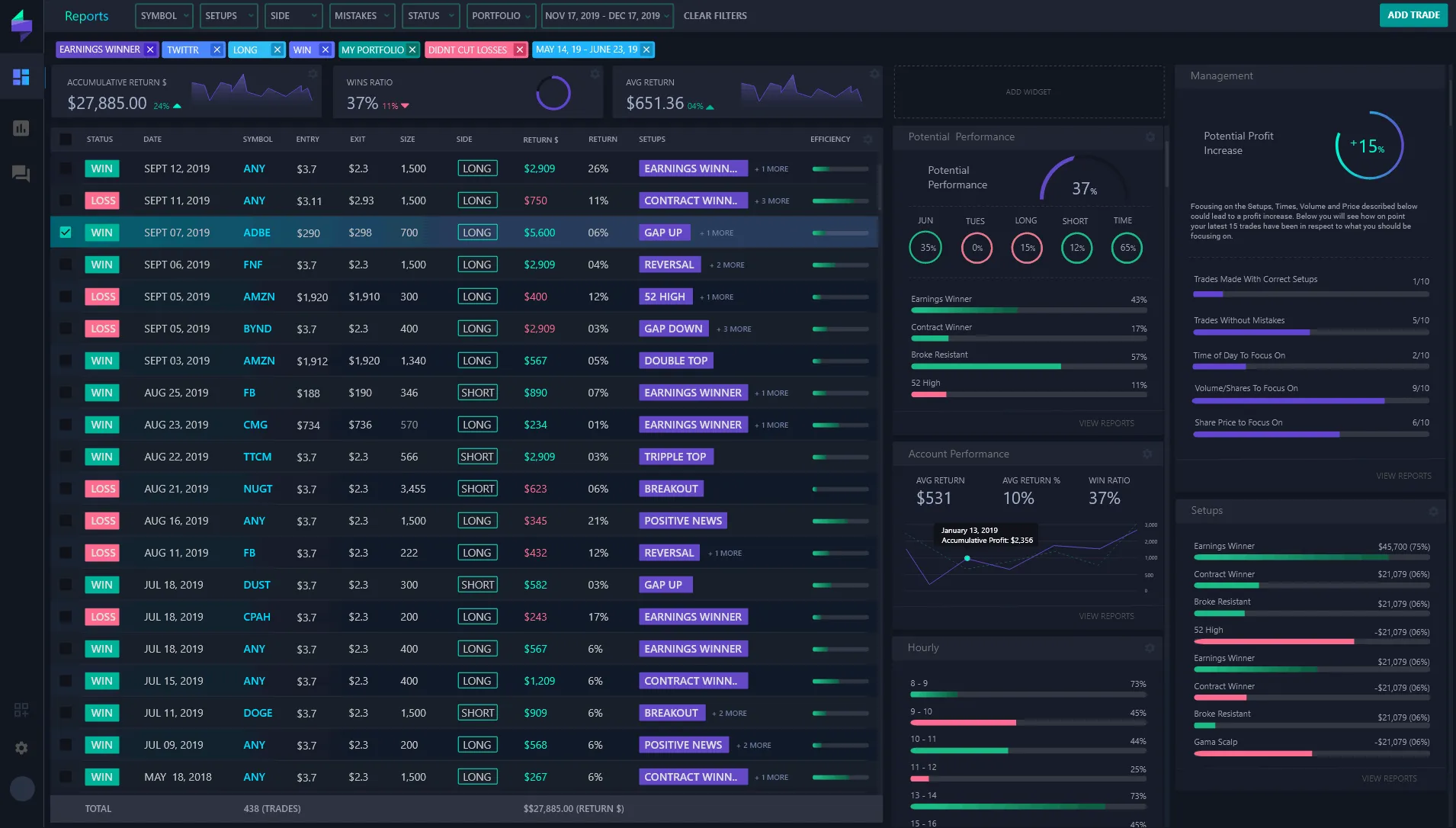
This is where a well-structured, screenshot-based monthly performance report steps in. Combining raw data with visual proof, it offers a clear, digestible snapshot of your trading results, helping you connect with your audience on a more authentic level.
What Makes a Good Monthly Performance Report?
Before diving into the “how-to,” let’s explore what qualities distinguish an impactful monthly performance report:
- Clarity: Readers should immediately grasp your results without getting bogged down in jargon or clutter.
- Authenticity: Verified data and real screenshots foster trust and demonstrate transparency.
- Consistency: Publishing reports regularly (monthly) builds a narrative that users can follow and rely on.
- Professionalism: Visually appealing layouts with clean graphics enhance your brand’s perceived value.
- Storytelling: Annotated screenshots and brief commentary add context, helping your audience understand your strategy and mindset.
Does this sound like a lot to handle? Not at all. With the right approach and tools, you’ll find yourself streamlining the whole process in no time.
Step-by-Step Guide to Building Your Monthly Trading Performance Report
1. Collect Your Trading Data
The foundation of any report is accurate data. Most traders use platforms like MetaTrader for order execution and tracking. Export your monthly trading history, focusing on:
- Open and close dates
- Entry and exit prices
- Profit and loss (P&L) figures
- Trade duration and size
For educational value, you might also want to highlight specific setups or patterns that worked particularly well.
2. Generate Customized Screenshots of Key Trades
This is where many traders hit a snag—getting professional, clean visuals directly from MetaTrader can be cumbersome. Imagine spending hours cropping screenshots or worse, resorting to pixelated images that undermine your credibility.
The Trading Screenshot Generator tool changes the game. With just a few clicks, it produces high-quality, tailored images from your MetaTrader data, highlighting:
- Profit margins
- Trade setups with entry/exit points
- Annotations to explain your reasoning
Pro tip: Consistently using these polished screenshots throughout your monthly reports creates a signature style that’s instantly recognizable.

3. Structure the Report for Maximum Readability
How you present your data is just as important as the data itself. A clear structure guides your audience through your trading journey seamlessly. Consider organizing your report as follows:
- Introduction: Summarize the market context and your goals for the month.
- Performance Summary: Highlight overall gains/losses with annotated screenshots.
- Top Trades: Dive deeper into your best and worst trades, explaining the strategy behind each.
- Educational Insights: Include lessons learned or adjustments you’ll make based on results.
- Closing Thoughts: Set expectations for the upcoming month and invite your audience to engage or follow.
This flow keeps readers engaged while positioning you as an expert who’s reflective and trustworthy.
4. Add Context with Annotations and Commentary
Numbers alone can be cold and impersonal. To really connect with your audience, share the “why” behind your trades. For example:
“In this EUR/USD swing trade, I targeted the support level around 1.1050, anticipating a bullish reversal. Notice how I exited early when momentum slowed—risk management is key to sustainable profits.”
Using tools like Trading Screenshot Generator allows you to incorporate annotations directly onto your screenshots. This not only clarifies your decisions but adds a storytelling element that readers appreciate.
5. Format for Easy Sharing and SEO Optimization
Whether you’re publishing on your blog, social media, or email newsletter, ensure your report is easy to navigate and SEO-friendly:
- Use descriptive headings with keywords like “Monthly Trading Report,” “MetaTrader Screenshot,” and “Trading Performance Summary.”
- Incorporate alt text for images to improve search engine indexing.
- Embed links naturally — for example, linking back to your trading education site or to the screenshot generation tool.
- Break up text with bullet points and pull quotes to maintain reader interest.
Optimizing your reports not only helps attract organic traffic but also boosts your professional credibility online.
Common Pitfalls and How to Avoid Them
Even seasoned traders can stumble when assembling reports. Here are some frequent challenges and tips to avoid them:
- Overloading with Data: Resist the urge to include every trade. Focus on highlights and educational value instead.
- Poor Image Quality: Always use high-resolution screenshots. Blurry images reduce trust.
- Lack of Consistency: Stick to a regular publishing schedule to keep your audience engaged.
- Ignoring Audience Feedback: Use comments and metrics to refine your reports and add the content your followers want.
Why Use an Automated Screenshot Tool Like Trading Screenshot Generator?
If you’re nodding along, thinking “I need a simpler way to make this work,” you’re not alone. The Trading Screenshot Generator streamlines the entire process from capture to presentation:
- Speed: Generate polished screenshots in minutes, not hours.
- Customization: Tailor visuals to fit your brand and trading style.
- Professionalism: Consistent and high-quality images increase perceived expertise.
- Ease of Use: No complex software needed, just a few clicks.
Imagine the time you’ll save—time you can invest back into your trading or connecting with your community.

Wrapping Up: Your Path to Building Trust and Growth
Building a monthly performance report that resonates is easier than it sounds once you have a clear structure and the right tools. Not only do these reports showcase your skills and authenticity, but they also serve as a cornerstone for your personal brand in the trading world.
One trader I know, Sarah, started sharing neat, annotated monthly reports using this exact method. Within six months, her follower count tripled, and her signal sales jumped impressively. The magic? Consistent transparency paired with visual proof.
So, why wait? Start crafting your own screenshot-based monthly report and watch your audience’s trust and engagement soar.
Ready to take the first step? Discover how Trading Screenshot Generator can transform your MetaTrader data into stunning visuals today.