
Why Embracing Drawdowns is Essential for Every Trader
Let’s face it: no matter how skilled or experienced you are, drawdowns are an inevitable part of trading. If you’re just getting started or even if you’ve been in the game for years, you’ve probably experienced moments when your account balance dips, sometimes significantly, and it feels like the market is just against you. It’s tempting to hide these moments, but explaining drawdowns with empathy can build trust and credibility with your audience.
Imagine you’re a trading educator or a financial influencer trying to connect with your followers. Showing only your wins can paint a misleading picture, potentially harming your reputation when reality hits. Instead, openly discussing drawdowns through clear, empathic visuals helps demystify the trading journey. How do you do this effectively? Using high-quality, customized screenshots can be a game-changer.

What Are Drawdowns and Why Should We Address Them Openly?
A drawdown refers to the decline from a peak in your trading account equity to a trough, before a new peak is achieved. It’s expressed as a percentage and represents the loss a trader experiences during a trading period. Understanding this is crucial because:
- It’s a reality of trading: Losses happen, no matter how skilled you are.
- It challenges your risk management: Drawdowns test your discipline and strategy.
- It impacts psychology: Emotional resilience often hinges on how you handle these dips.
Addressing drawdowns openly builds empathy with your followers. When educators and influencers show their real trading footprints, people appreciate transparency instead of polished perfection.
How to Use Screenshots Effectively to Explain Drawdowns with Empathy
Have you ever tried explaining a drawdown just through words? Complex and tedious, right? This is where customized, clean screenshots come into the picture. But not just any screenshot — you want ones that convey the story clearly without clutter. Here’s how:
1. Highlight the Drawdown Period Clearly
Use arrows, circles, or annotations to pinpoint exactly where the drawdown began and ended. This visual guide helps your audience follow along easily without getting lost in the chart noise.
2. Annotate With Narrative Notes
Even the best charts can be confusing at a glance. Adding empathetic notes like “Learning phase – testing new strategy” or “Unexpected market event caused this dip” makes your trading journey more relatable. It’s like telling a story instead of showing just numbers.
3. Use Consistent and Professional Formatting
Nothing builds trust like polished presentations. Screenshots that look professional, with uniform fonts, borders, and colors, reflect your brand’s credibility. This subtle professionalism makes an emotional impact, signaling to your audience that you take your craft seriously.
4. Show Recovery, Not Just Decline
Drawdowns are temporary, and your screenshots should tell this full story — from peak to valley and then recovery to new heights. This narrative arc gives hope and trust, reassuring your followers that losses are part of growth.

The Emotional Power of Visual Trade Recaps
What differentiates a good trading educator is their ability to connect emotionally with their audience. Showing a screenshot of a 15% drawdown might initially induce concern, but pairing it with a reassuring explanation and a chart displaying the bounce-back can build a strong emotional bond. Your followers feel like they’re part of your journey, not just passive watchers of an abstract market figure.
“After sharing my drawdowns openly, I noticed my community became more engaged and supportive — it transformed the way I connect with them.” — Anonymous Trader
Why Trading Educators and Influencers Need Tailored Screenshots
Let’s take a step back. You might be wondering, “Why can’t I just screenshot my MetaTrader window and be done with it?” Well, you could… but the difference is massive. Standard screenshots are cluttered, often revealing sensitive data or key details that distract your audience.
That’s where an innovative tool like the Trading Screenshot Generator earns its keep.
- Customization: Crop, annotate, and highlight only what matters.
- Clean deck: Remove irrelevant UI elements for a sleek, professional look.
- Branding: Add your watermark or logo for authenticity.
- Easy to create: Generate compelling visuals in just a few clicks.
Instead of spending hours fiddling with image editors, you can focus on crafting the narrative that brings empathy into the drawdown story.

Step-by-Step: Using Screenshots to Craft Empathic Drawdown Explanations
If you’re eager to start, here’s a practical workflow to get you going:
- Identify a drawdown trade period from your MetaTrader history.
- Log into Trading Screenshot Generator.
- Upload or capture your trade screen, trimming out distractions.
- Annotate key points: entry, drawdown depths, recovery.
- Add empathetic commentary, explaining the reasoning and emotions behind the trades.
- Brand the screenshot with your logo or handle.
- Share the clean, professional image on your blog, social media, or newsletters.
This method not only increases your audience’s understanding but *strengthens the relationship* you’re building.
Addressing Common Concerns: Transparency vs. Marketing
One hesitation many educators feel is whether showing drawdowns might hurt their “saleability.” But in truth, transparency builds trust and can actually increase conversions. A study from Investopedia highlights that traders who manage expectations openly tend to retain followers longer and enjoy more engaged communities.
So, could it be that showing drawdowns empathetically is not a weakness, but a strategic strength? Absolutely.
Final Thoughts: Turning Drawdowns Into Opportunities
At the end of the day, the most successful traders and educators don’t simply flaunt their wins — they share their challenges openly. Screenshots are one of the simplest yet most effective ways to bring this transparency to life with empathy.
If you haven’t tried creating tailored, professional screenshots that speak directly to your audience, give the Trading Screenshot Generator a shot. It might be the tool that elevates your communication and connection in the trading community.
Additional Resources
- BabyPips: Understanding Drawdowns in Forex Trading
- Investopedia: Drawdown Definition and Examples
- Trading Screenshot Generator Official Site
Understanding the Importance of a Unique Selling Proposition in Trading Signals
In the crowded and competitive world of trading signals, standing out can feel like an uphill battle. Whether you are a seasoned trading educator, a signal seller, or a financial influencer, the question remains: what makes your offering different and irresistible? This is where crafting a powerful Unique Selling Proposition (USP) becomes your secret weapon.

Your USP is not just a catchy phrase or a marketing gimmick — it is the core message that clearly communicates why your trading signals are worth choosing over others. It solves the critical problem all potential clients wrestle with: how can I trust you in a domain rife with uncertainty?
What Makes a Strong USP for Trading Signals?
Before diving into the practical steps of crafting your USP, let’s dissect what qualities make it effective, especially in the trading world.
- Clarity: It should immediately communicate what you offer without ambiguity.
- Relevance: Your USP must address your audience’s specific pain points or desires.
- Benefit-focused: Focus on outcomes—what tangible results can your signals deliver?
- Authenticity: In an industry flooded with overpromises, honesty sets you apart.
- Memorability: Use engaging language or unique value propositions to stick in the reader’s mind.
Consider this: a trader encountering dozens of signal providers every day might quickly scroll past generic promises like “high accuracy” or “best signals.” But what about “Signals verified by transparent, real-time screenshots easily accessed for every trade”? This is not just a claim; it’s proof and trust-building combined.
Crafting Your Unique Selling Proposition: Step-by-Step
Let’s walk through a simple, actionable process to shape your USP into a compelling, trust-inspiring statement.
1. Know Your Audience Inside Out
This might sound basic, but truly understanding your target audience’s motivations, fears, and goals is the foundation of a good USP. Are your clients novice traders looking for educational guidance? Experienced professionals seeking precision and speed? Or maybe social trading enthusiasts hungry for community and reliability?
_Imagine Sarah, a beginner trader overwhelmed by jargon and conflicting advice._ She’s looking for signal providers who not only predict market movements but also educate her on the “why” behind every trade. Your USP could highlight this educational edge rather than mere performance stats.
2. Pinpoint Your Core Strength
Reflect on what sets you apart — is it your methodology? Real-time verified performance? Personalized customer support? Or state-of-the-art technology behind your signals? For example, if you use MetaTrader and generate clean, verified trade screenshots, that’s a tangible, credible advantage worth emphasizing.
Trading Screenshot Generator – a cutting-edge tool, allows you to create professional, customized screenshots that prove your historical trading success with ease. Incorporating this into your USP boosts your reliability and visually showcases your edge.

3. Frame the Problem You Solve
Next, articulate the problem your service solves better than anyone else. For trading signals, common issues include lack of transparency, poor accuracy, or signals that don’t come with educational context. Are you giving your users:
- Real-world, verified proof of your trades?
- Simple-to-understand reasoning behind each signal?
- Speed and efficiency in signal delivery so they never miss an opportunity?
By focusing on these pain points, you demonstrate empathy and position yourself as the solution, not just another vendor.
4. Connect Benefits to Emotions & Logic
Trading is not just number crunching—it’s emotional and psychological. Your USP should balance the logical benefits like accuracy and transparency with emotional triggers like trust, confidence, and peace of mind.
“I always felt unsure trusting signals that showed no proof. When I started seeing clean, customized trade screenshots from my provider, my confidence skyrocketed.” — A happy subscriber
Including such testimonials or proof points in your messaging makes your USP believable and relatable.
5. Keep It Crisp and Repeatable
A great USP is your elevator pitch that should be easily repeatable and versatile across all platforms—website, social media, emails, and beyond. Sometimes less is more. For example:
“Trade smart, trade confident — verified signals with proof you can see.”
This communicates trust, verification, and user empowerment—all crucial in trading signals.
Examples of Effective USPs in the Trading Signal Space
Let these hypothetical examples inspire you:
- “Our signals come with real-time MetaTrader screenshots, proving every trade’s authenticity instantly.”
- “Learn why every signal works — educational insights paired with every trade alert.”
- “Precision and transparency combined: Over 85% success rate documented and shared monthly.”
- “Fast alerts with clear, visual proof that builds your trading confidence step-by-step.”

Leveraging Technology to Showcase Your USP: The Role of Verified Screenshots
Imagine trying to convince a skeptical audience with just words. You could say your signals are the best, but in trading, proof is king. That’s where leveraging tools to generate clean, professional screenshots from your MetaTrader platform can transform your USP from a claim into a powerful, tangible asset.
The Trading Screenshot Generator enables you to:
– Customize screenshots to highlight key trade details clearly
– Maintain a consistent visual identity for branding and professionalism
– Quickly produce evidence of past performance that signals authenticity
– Enhance educational content by visually demonstrating trade setups
This ease and professionalism can significantly improve client trust and increase subscription conversions. In fact, many top educators and signal providers attribute growth in follower engagement to simply making their trade proof more transparent and accessible.
Ready to Build Your Own USP?
As you start crafting your unique angle, consider the power of combining words and visuals. It’s not just about telling potential clients what you’re about—it’s about showing them with undeniable clarity. Easy-to-generate, high-quality screenshots can be the cornerstone that takes your USP—and your trading signals—to the next level.

Final Thoughts: A Unique Selling Proposition That Builds Trust & Converts
At the end of the day, your USP needs to summon trust, confidence, and a sense of security to your audience. The trading community is savvy—they demand evidence and clarity before committing.
Your Unique Selling Proposition should do more than just sell—it should educate and authenticate. Integrating tools like Trading Screenshot Generator to produce transparent, tailored visual proof can give you that unshakable edge in the marketplace.
Take the time to understand your audience deeply, identify your key strengths, and articulate your USP succinctly. Make it real, make it personal, and most importantly, make it backed by proof.
Want to see how professional screenshots can strengthen your USP and elevate your trading signals?
Try Trading Screenshot Generator today to start creating trusted, customized visuals that build credibility and boost your conversions.
Why a Screenshot Content Calendar is a Game-Changer for Traders
Have you ever found yourself scrambling to create content at the last minute, struggling to come up with fresh ideas that engage your audience? If you’re a trading educator, signal seller, or financial influencer, maintaining a consistent and professional visual presence on social media and blogs can be challenging. Enter the power of a well-structured screenshot content calendar.
Imagine having a detailed monthly plan where each week you share precisely themed trading screenshots that tell a compelling story—whether it’s highlighting past trades, explaining complex setups, or celebrating milestones. This isn’t just about staying organized; it’s about building trust, increasing conversions, and ultimately, growing your brand.
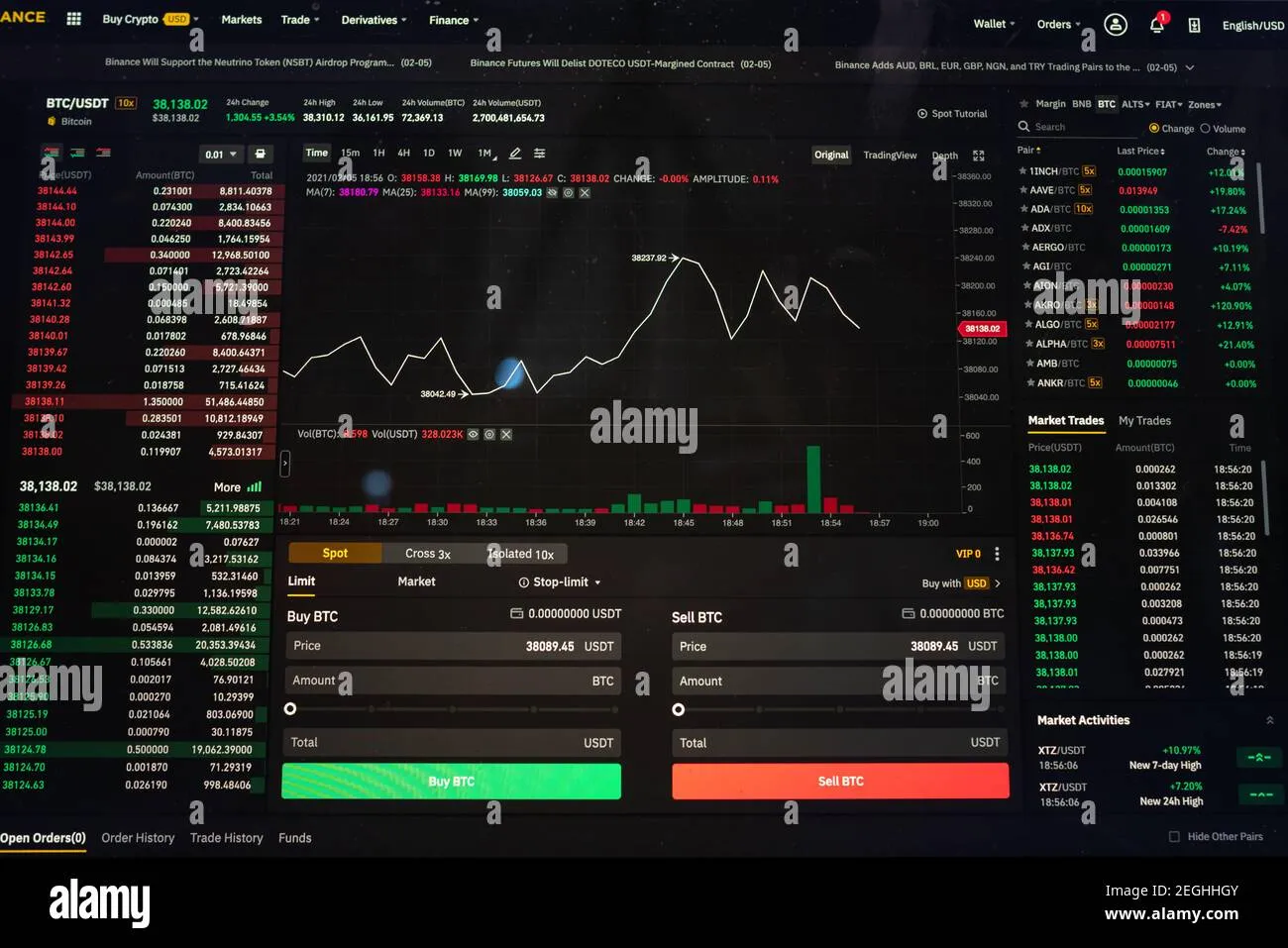
With Trading Screenshot Generator, creating stunning, customized MetaTrader screenshots becomes effortless, allowing you to fully leverage your content calendar strategy.

What Is a Screenshot Content Calendar?
A Screenshot Content Calendar is a schedule that maps out your content themes and specific posts based on trading screenshots over a month (or longer). Instead of sporadically posting screenshots, you plan the type of trade setups, educational tips, or performance recaps you’ll share weekly.
The benefits? They are huge:
- Consistent posting: Your audience learns when to expect valuable updates.
- Coherent messaging: Each theme builds on the previous, deepening engagement.
- Reduced stress: No more worrying about last-minute creative blocks.
- Enhanced professionalism: Custom, polished screenshots reflect your authority.
Let’s dive into how you can plan your monthly screenshot content calendar step by step.
Step 1: Determine Your Monthly Themes
Start by brainstorming broad themes that resonate with your audience. For example, themes might be:
- Week 1: Educational setups — teach a specific strategy with annotated screenshots.
- Week 2: Real trade reviews — show past trades with explanations and results.
- Week 3: Market analysis — share your chart readings or predictions.
- Week 4: Q&A or Myth-busting — respond to common trading misconceptions with examples.
This structure keeps content varied but focused and predictable. Your followers start to associate your profile with reliable, valuable trading insights.
Perhaps you recall a trader friend who once posted random screenshots without much context. They had moments of viral success but struggled to keep their audience engaged weeks later. Planning monthly themes could have turned those bursts into steady growth.

Step 2: Schedule Your Posting Frequency
Consistency is king, but quality always trumps quantity. Decide how often you realistically can post excellent screenshots. For many traders, 3-4 posts per week is a sweet spot.
- Monday: Kick off the week with a motivational trade or market insight.
- Wednesday: Post an educational setup screenshot with annotations.
- Friday: Wrap up with weekly performance highlights or lessons learned.
Mark these deadlines in your calendar. Trading Screenshot Generator saves you time by quickly producing professional visuals that fit your theme, so you don’t get overwhelmed midweek.
Step 3: Create and Customize Screenshots Using the Trading Screenshot Generator
One of the biggest challenges in maintaining a content calendar is actually creating the visuals. Raw MetaTrader screenshots often are cluttered or unprofessional-looking, detracting from your message.
That’s where Trading Screenshot Generator shines. This tool allows you to:
- Add overlays and labels highlighting entry, exit, and key levels.
- Choose clean templates that reinforce your branding.
- Blur or hide sensitive info effortlessly.
- Export high-resolution images optimized for social media and blogs.
Imagine prepping your screenshots every Friday in batch, perfectly aligned with your upcoming weekly themes. Your content workflow becomes seamless and stress-free.

Step 4: Mix Educational Value with Personal Branding
Why stop at screenshots? Incorporate personal insights, calls to action, or short stories behind your trades. This builds a deeper connection with your audience.
For instance, you might accompany a winning trade screenshot with a story of how patience and discipline helped you resist jumping in early. Or share a lesson learned from a losing trade, turning it into a valuable teaching moment.
“People don’t just buy trades; they buy the journey and trust behind the person.” – Jamie L., trading influencer
Use your screenshots as conversation starters. This brings your trading brand to life, rather than just posting static images.
Step 5: Optimize Your Content for SEO and Engagement
Well-crafted content is useless if it doesn’t reach your target audience. Here’s how to boost your discoverability:
- Relevant keywords: Sprinkle terms like trading screenshot tool, MetaTrader screenshots, trading education, and trade analysis visuals naturally in your post captions and blog text.
- Alt-texts for images: Clearly describe each screenshot to improve accessibility and SEO. (An example: “Annotated MetaTrader trade setup screenshot showing entry and stop loss levels.”)
- Engaging headlines: Use intriguing questions or promises (e.g., “How this simple screenshot boosted my trading students’ success.”)
- Internal linking: Connect to related blog posts, your signal service, or trading tutorials.
Don’t forget to check out Trading Screenshot Generator to help produce perfectly optimized images quickly for your SEO campaigns and social channels.
Month-at-a-Glance Example Calendar for Screenshot Content
| Week | Theme | Content Example | SEO Focus Keywords |
|---|---|---|---|
| 1 | Educational Setups | “Understanding Support & Resistance Zones,” annotated setup screenshot | trading education, chart analysis, setup screenshot |
| 2 | Trade Reviews | Winning trade with risk/reward explanation and result screenshot | trade review, trading screenshot, trade performance |
| 3 | Market Analysis | Weekly market outlook with trend lines and price projection screenshot | market analysis, MetaTrader screenshot, trading forecast |
| 4 | Q&A and Myth-Busting | Debunking “always use stop loss” myth with live trade example | trading myths, trading education, screenshot tutorial |
Pro Tips to Maximize Your Screenshot Content Calendar
- Batch create screenshots: Dedicate one day to produce all images for the week or month.
- Stay flexible: If a breaking market event happens, adapt your themes but keep your audience informed.
- Track performance: Use analytics to see what screenshots and themes resonate most, then double down.
- Engage actively: Don’t just post and ghost. Respond to comments and use screenshots to spark discussions.
By planning ahead and leveraging the features of Trading Screenshot Generator, the entire content creation process becomes less daunting and much more rewarding.
Closing Thoughts: Your Path to Consistent, High-Impact Trading Content
So, are you ready to transform your trading content strategy from haphazard snapshots to a powerful, engaging visual journey? Developing a monthly screenshot content calendar doesn’t just keep you organized—it elevates your authority and connects more meaningfully with your audience.
Remember, the secret is in the planning and the quality of your visuals. With the right tool in hand like Trading Screenshot Generator, the path is clear: create professional screenshots with ease, build trust, and watch your community and conversions grow.
Start planning your monthly themes today and unlock your full potential as a trading educator or influencer!
Why Visuals Are Crucial in Trading Education
When it comes to trading education, nothing captures attention quite like a well-crafted visual. Think about it: trading concepts can often feel abstract or overwhelming, especially for beginners. Numbers, charts, and market data can quickly blur into an indecipherable sea of information. That’s why screenshots—specifically ones that are clear, accurate, and informative—play an indispensable role in helping educators communicate complex ideas seamlessly.
Imagine a novice trader reading a blog that explains a breakout strategy. Words alone may help, but pairing that explanation with a precise screenshot of an actual MetaTrader chart setup lifts comprehension to a whole new level. The reader not only reads about the concept but also sees it in action. This connection fosters trust, solidifies learning, and ultimately inspires confidence in applying the strategy.

Visual Proof Builds Credibility and Trust
In the financial world, credibility is everything. If you’re a trading educator or signal provider, your audience needs evidence that your methods work, that your trade calls are transparent, and that your analysis is sound. Screenshots from real trades offer social proof that words cannot substitute. They show actual performance, entry and exit points, stop losses, take profits, and the rationale behind decisions — all in a tidy, digestible image.
Take for example Sarah, a trading influencer who struggled for months to gain traction with her educational content. When she began sharing cleaner, professionally annotated screenshots of her MetaTrader trades, her engagement doubled. People trusted what she showed because it was tangible evidence—no room for ambiguity or exaggeration.
“Seeing the charts with clear markers made me feel like I was inside her trading room.” – follower testimonial
Key Benefits of Using Screenshots in Trading Education
Let’s break down why integrating screenshots into your trading content makes a meaningful difference:
- Enhancement of Learning: Visual aids help learners grasp complicated patterns and price action much faster.
- Transparency: Verification of trades or signals builds authenticity, winning lasting trust.
- Professional Branding: Clean, customized images elevate your content and reflect your expertise.
- Higher Engagement: Visual content is shared more frequently, increasing reach and conversions.
- Time-efficiency: Instead of long text explanations, visuals can quickly convey complex ideas.
How Does This Translate Into Business Growth?
If you’re a signal seller or financial influencer, increased trust and engagement mean more subscribers, clients, and sales. Imagine if every trade you shared came with a sleek, easy-to-understand snapshot that clearly explains your strategy’s effectiveness. The chances of converting casual browsers into paying customers skyrocket.
Here’s a simple truth: people buy from people they trust and understand. Screenshots from your trading platform, when displayed professionally, become your silent salesperson—working 24/7 to communicate your value without overwhelming text or vague promises.
The Challenge: Creating High-Quality Screenshots Effortlessly
So, we understand screenshots are powerful, but there’s often a catch: capturing them can be tedious. Traders using platforms like MetaTrader typically rely on manual screenshots or clunky tools, leading to images cluttered with irrelevant UI elements or lacking clear annotations.
This can frustrate educators and content creators who want to maintain high standards without losing hours in post-production editing. Spoiler alert: this is exactly where the Trading Screenshot Generator shines.
Features of an Ideal Trading Screenshot Tool
Before diving into the benefits, let’s consider what features truly matter when choosing a screenshot tool optimized for trading educators:
- Easy integration with MetaTrader platforms
- Ability to customize annotations, highlight key areas, and add branding
- High-resolution, clean images without clutter
- Fast, user-friendly interface requiring minimal technical skills
- Templates suitable for educational content, trade recaps, and performance showcases
How Screenshots Enhance Different Types of Educational Content
Not all trading education material is the same. Let’s explore where screenshots make the biggest impact across various formats:
1. Tutorials and Strategy Walkthroughs
Step-by-step guides become infinitely clearer when paired with visuals. When you break down how to spot a “head and shoulders” pattern or the right time for a moving average crossover, screenshots allow learners to mirror your exact screen. It’s the difference between telling someone how to bake a cake and showing them every ingredient and step.
2. Performance Reviews and Trade Recaps
Instead of vaguely stating “I closed a profitable trade on EUR/USD,” providing screenshots with entry, exit, and profit points lends indisputable evidence. This not only supports your credibility but educates on trade management and candlestick behavior post-entry.
3. Live Signal or Alert Sharing
Signal sellers benefit immensely from including a clean snapshot. It reassures paying subscribers that signals aren’t just guesswork, but data-driven calls backed by real-time analysis.
4. Social Media and Influencer Branding
With the surge of trading communities on Instagram, Twitter, and TikTok, aesthetically pleasing screenshots help your content stand out in crowded feeds. Well-annotated screenshots act as mini-lessons, sparking conversations and shares.

Tips for Maximizing the Impact of Your Trading Screenshots
Simply capturing images isn’t enough—you want to make each screenshot count. Here are expert tips to help you optimize your visuals:
- Focus on Clarity: Crop out extraneous interface elements; highlight only relevant price zones or indicators.
- Use Annotations: Arrows, circles, or text notes guiding viewers’ eyes to key points help with understanding.
- Consistent Style: Create a branding template with uniform colors, fonts, and logo placement. This builds brand recognition over time.
- Provide Context: Always accompany screenshots with concise explanations or captions.
- Update Regularly: Share fresh screenshots showcasing recent trades or market conditions to remain relevant.
In Conclusion: Screenshots as a Game Changer in Trading Education
In today’s hyper-competitive trading education space, trust and clarity are precious commodities. Screenshots have emerged as a powerful tool to deliver both.
They serve as vivid proofs of your knowledge, transparent windows into your trading process, and visually engaging content that boosts learners’ understanding and engagement.
Yet, the key lies in quality and ease of creation. The Trading Screenshot Generator is revolutionizing how trading educators and influencers showcase their expertise by turning tedious screenshot capture into a seamless, professional experience.
Why not elevate your trading teaching game with crisp, credible visuals that convert—try it today and see the difference for yourself.

Ready to transform your trading content with impeccable screenshots? Visit Trading Screenshot Generator and get started now.
Why Screenshot Reviews Are Essential for Trading Tools and Indicators
In the competitive world of trading tools and financial indicators, visual proof often speaks louder than words. Traders and investors want to see clear, concrete examples before trusting a product or signal service. This is where screenshot reviews become invaluable. They provide tangible, easy-to-understand evidence of how a tool performs under real market conditions.
But creating authentic, professional, and informative screenshots isn’t always straightforward. Screenshots must look clean, highlight critical information clearly, and demonstrate the value of the tool or indicator you are reviewing. Throw in cluttered charts, overlapping text, or inconsistent formatting, and your audience’s confidence quickly wanes.
How Can You Make Your Reviews Stand Out?
Imagine you’ve just stumbled upon a promising new trading indicator — say a trend-following system that claims to generate consistent profits. Would you rather read a dense paragraph describing its benefits or see a sharp, clean screenshot showcasing precise past trades, annotated with entry and exit points?
This is exactly why visual storytelling matters. Apart from building trust, well-crafted screenshots help you:
- Break down complex data into digestible visuals.
- Highlight specific trade setups and patterns clearly.
- Build credibility as a knowledgeable reviewer or educator.
- Enhance engagement by drawing readers into the narrative of your analysis.
So, how do you create screenshots that do all this effortlessly? Spoiler: you don’t need to be a graphic designer.
The Challenges in Creating Effective Trading Screenshots
The MetaTrader platform, while immensely powerful for executing and analyzing trades, isn’t exactly designed for polished marketing visuals. If you’ve tried manually cropping and annotating screenshots, you already know how time-consuming and frustrating it can get.
Common hurdles include:
– Poor image quality: Screenshots may be pixelated or blurry when resized.
– Cluttered visuals: Multiple indicators, timeframes, and chart elements create information overload.
– Inconsistent branding: Lack of professional-looking headers, captions, and custom design touches make screenshots less credible.
– Time constraints: Spending hours editing images distracts from the crucial task of analyzing and reviewing the tool itself.
Without a streamlined solution, even the most knowledgeable reviewers risk losing their audience’s confidence due to weak presentation.

Introducing a Game-Changer: The Trading Screenshot Generator
Picture this — what if you could generate _customized, high-quality trading screenshots_ directly from MetaTrader with just a few clicks? No messy cropping. No hours stuck in photo editing software.
That’s exactly what Trading Screenshot Generator offers.
Designed with educational content creators, signal sellers, and financial influencers in mind, this web-based tool lets you:
– Instantly create clean, professional screenshots from your MetaTrader history.
– Tailor visuals by adding annotations, trade details, timestamps, and personalized branding.
– Present performance highlights or strategy setups in a visually compelling manner.
– Build trust with your audience by showcasing genuine trade results transparently.
Imagine being able to publish trustworthy, engaging reviews faster than ever, freeing you to focus on the core of your trading insight.
Step-by-Step Guide: Crafting Screenshot Reviews That Convert
Here’s how you can elevate your trading tool or indicator reviews using screenshot visuals effectively:
1. Choose Representative Trades
Pick trades that best showcase the indicator’s strengths — whether it’s a reliable entry signal, timely exit, or risk management. Avoid cherry-picking only winners; genuine reviews include losses too.
2. Use Clear Visual Annotations
With the generator tool, add:
– Entry and exit points marked with arrows.
– Notes on your rationale (“Trade taken at support level”).
– Highlighted indicator signals that triggered the trade.
This makes the video or screenshot instantly more understandable.
3. Keep the Layout Clean
Clutter kills clarity. Only include necessary chart elements, and use consistent font sizes and colors for annotations. The Trading Screenshot Generator automatically optimizes these for you.
4. Compare Tool Performance Over Time
Create a series of screenshots or a mini-carousel review showing the tool’s behavior across various market conditions — trending, ranging, volatile. This shows depth in your analysis.
5. Provide Transparent Context
Always include:
– Date and time of each trade.
– Trading instrument and timeframe.
– Account type or demo/live status.
Transparency boosts credibility and helps readers trust your assessment more.
6. Add a Personal Branding Touch
Customize your screenshots by incorporating your logo, social media handle, or signature style. This reinforces brand recognition and professionalism.

Real-Life Example: How a Signal Seller Boosted Sales
Let’s dive into a quick story. Jake, a professional signal provider, struggled to convince new subscribers despite positive feedback. His screenshots were raw MetaTrader captures with minimal clarity.
Once Jake started using the Trading Screenshot Generator, everything changed:
– His reviews became visually attractive and easy to understand.
– Subscribers appreciated the transparent trade histories.
– Conversion rates improved by almost 30% within weeks.
– Jake saved hours on screenshot preparation, allowing more focus on refining his signals.
As Jake puts it, “It’s like giving my followers a front-row seat to my trading strategy. The custom visuals speak for themselves.”
SEO Tips: Optimizing Your Screenshot Reviews for Maximum Reach
Crafting a compelling review is only half the battle; optimizing it for search engines ensures it reaches your target audience. Here’s how to do it:
- Use relevant keywords naturally. Examples include “MetaTrader indicator review,” “trading tool screenshots,” “signal service performance,” and similar long-tail phrases.
- Add descriptive alt-text to images. This not only aids accessibility but helps Google understand your content.
- Write engaging headers. Break content into digestible sections with keywords embedded.
- Link to authoritative sources. For instance, referencing MetaTrader’s official platform or trading education sites adds trustworthiness.
- Encourage sharing. Allow readers to distribute your visually-rich reviews easily across social media.
For example, you might say: “Discover how the MetaTrader 4 platform combined with professional screenshots can enhance your trading education journey.”
Wrapping Up: Take Your Reviews to the Next Level Now
Whether you’re reviewing custom indicators, signal services, or trading systems, high-quality screenshot reviews are your secret weapon. They combine authenticity, clarity, and professionalism — everything your audience needs before making decisions.
Don’t let outdated, cluttered visuals undermine your credibility. Embrace tools like the Trading Screenshot Generator to produce stunning, customized screenshots faster and easier than ever.
Ready to transform your trading content and engage your audience like never before? Try it today and watch your reviews come alive with professionalism and clarity.

Understanding Slippage and Execution in Trading
If you’re involved in the trading world—whether as an educator, signal provider, or financial influencer—you already know that clarity and transparency about your trading performance is paramount. But one of the trickiest aspects to explain and demonstrate is slippage and execution quality.
Have you ever found yourself struggling to convince your audience why a trade didn’t execute exactly as planned? Perhaps you’ve been asked why there’s a slight deviation between the expected and actual execution prices? These nuances can be confusing for newcomers and even seasoned traders.
That’s exactly why using screenshots to demonstrate slippage and execution can be a total game-changer for your transparency and credibility.

What Is Slippage? Why Does It Matter?
Before diving into how to use screenshots effectively, let’s briefly revisit what slippage is. Simply put, slippage happens when your trade executes at a price different from the expected or requested price. This can occur due to:
- Market volatility causing rapid price changes
- Liquidity issues making it hard to fill orders exactly
- Order types and broker execution policies
Slippage isn’t inherently bad; it’s a market reality. But showcasing transparency about it builds trust with your followers or customers. This is especially true if you teach trading or sell signals. By clearly demonstrating slippage, you avoid the risk of appearing deceptive or hiding important details.
Types of Slippage
- Positive Slippage: When you get a better price than expected.
- Negative Slippage: When you get a worse price than expected.
Visualizing these instances with screenshots can help educate your audience effectively. Imagine a screenshot highlighting the difference between your order price and the final execution price, making it apparent and undeniable.
The Role of Execution Speed and Quality
Execution speed is another crucial factor that’s closely tied to slippage. Slow or delayed execution often results in higher or unpredictable slippage. Conversely, a fast and reliable execution environment provides better trade fills.
For educators and financial influencers, demonstrating your execution speed and quality is a compelling proof point that can set you apart from countless traders online.
How to Show Slippage and Execution Using Screenshots
Words can only do so much—trading is a visual game. This is where screenshots become your best friend. But not just any randomly taken screenshots; you want crisp, clear, professional visuals that:
- Precisely highlight the slippage between requested and executed prices.
- Show timestamps confirming execution delays (or lack thereof).
- Illustrate contextual trading environment like order types and market conditions.
Here’s a practical step-by-step on how to showcase slippage and execution using screenshots from your MetaTrader platform or other trading software.
Step 1: Capture Clean, High-Quality Screenshots
Make sure your screenshots:
– Use a clean layout devoid of unnecessary clutter.
– Highlight key data points such as order price, executed price, and time.
– Incorporate color coding (e.g., red for negative slippage, green for positive).
Assuming you’re using MetaTrader, standard screenshots can be messy, filled with too much information. Fortunately, Trading Screenshot Generator allows you to generate polished, customized snapshots with just a few clicks.
Step 2: Annotate to Emphasize Execution Details
A screenshot on its own might not always tell the full story. Adding annotations such as arrows, boxes, or text helps guide your audience to the important parts. Using tools within the screenshot generator or simple graphic editors can:
– Draw attention to the slippage amount.
– Show the difference in entry or exit prices.
– Explain relevant market context (e.g., news events causing volatility).
Annotation makes your content highly educational and digestible. You’ll find that this visual clarity massively reduces confusion or skepticism.
Step 3: Compare Multiple Trades to Show Consistency or Variance
A single screenshot is informative but showing a series can illuminate patterns over time. For example:
– Compare trades executed during high volatility versus calm markets.
– Show improvements in execution by different brokers or timeframes.
– Highlight both positive and negative slippage examples.
This approach not only educates but validates your claims about execution quality through empirical evidence.
Effective Use Cases for Slippage Screenshots
The question remains—how exactly do you integrate these screenshots into your content, education, or sales funnels? Here are some proven ways:
- Trading Education: Incorporate screenshots in webinars or blog posts to explain slippage concepts practically.
- Signal Sales: Share execution transparency to build trust with paying subscribers.
- Performance Sharing: Publish proof of your execution quality on social media or newsletters.
- Broker Reviews: Use screenshots to back up claims about broker speed and reliability.
Marketers who neglect the power of detailed, professional visuals often miss out on higher engagement and conversions.
Real-Life Anecdote: Sarah, the Trading Educator
“I remember in one of my live classes, a student asked why my trade didn’t execute at the price shown on the chart. Before I had polished screenshots, it was hard to explain effectively. Now, with the custom screenshots highlighting exact slippage amounts and order fills, my students grasp the concept immediately. It’s like a lightbulb moment—I see their trust and confidence in my teaching skyrocket!” — Sarah J., Professional Trading Coach
SEO Best Practices: Keywords and Phrases to Use
To ensure this topic reaches the right audience, the trick is to naturally integrate relevant keywords and semantic variations such as:
- Slippage in trading
- Trade execution screenshots
- MetaTrader slippage example
- Trading performance transparency
- Order execution quality
- Showcasing trade results visually
Notice how the article uses these keywords in a conversational manner, maintaining natural flow instead of keyword stuffing.
The Final Word: Why You Need to Use Customized Screenshots Now
Imagine the impact: clear, professional screenshots demystifying slippage and execution—shared on your blog, social media, or courses. It’s a simple yet potent way to:
– Increase transparency and build trust
– Boost credibility as an educator or signal provider
– Enhance audience understanding and satisfaction
– Improve conversion rates by showing undeniable proof
And the best part? You don’t have to be a graphic designer or spend hours fiddling with complicated tools. Trading Screenshot Generator handles all the heavy lifting, letting you focus on what you do best—trading and educating.

Ready to elevate your trading content and demonstrate slippage like a pro? Give Trading Screenshot Generator a try today and watch your audience engagement soar.
Ultimately, images speak louder than words in trading. Make sure your visuals tell the *right* story.
The Art of Sharing Trading Wins: How to Showcase Success Without Overselling
In the fast-paced world of trading, sharing your wins can be a powerful way to build trust and showcase your expertise. Yet, there’s a fine line between demonstrating genuine success and coming across as boastful or misleading. So, how can you strike that perfect balance? How do you share those proud moments authentically, inspire others, and stay credible? Let’s dive into the nuances of sharing trading screenshots effectively, with a special emphasis on tools that can elevate your visuals professionally and transparently.
Why Sharing Wins is a Double-Edged Sword
It’s no secret: traders often feel pressure to demonstrate performance to attract followers, clients, or students. A well-timed success shared on social media or an educational platform can skyrocket your credibility and open doors. However, overselling or selective sharing can rapidly erode trust — especially in a niche as scrutinized as finance and trading.
Let’s face it: if you’ve ever scrolled through a trading influencer’s feed, you know how tempting it is to showcase only the green trades — the “wins.” But this can paint a misleading picture of consistent profits and effortless mastery that, frankly, doesn’t exist.
“Transparency matters more than perfection.” — Experienced trading educator
Transparency resonates. People want to see the genuine journey, not a flawless highlight reel. Honesty about losses and risks makes your success more believable — and your audience more loyal.
Key Principles to Share Trading Wins Without Overselling
Let’s explore some tried-and-true principles you can adopt immediately to share your trading achievements with authenticity and professionalism:
- Be balanced: Share both wins and occasional losses to present a realistic trading picture.
- Provide context: Explain your setups, rationale, and what you learned from each trade.
- Avoid exaggeration: Never inflate numbers or hide risks behind flashy visuals.
- Stay educational: Use screenshots and data to teach, not just brag.
- Use quality visuals: Clear, customized screenshots add professionalism and clarity.
How Customized Screenshots Enhance Credibility
Imagine receiving two screenshots: one is a pixelated, cluttered image barely showing details; the other is a crisp, clean visual with annotated notes, clear trade entry and exit points, and performance stats.
Which one would you trust more?
High-quality, tailored screenshots don’t just look better — they communicate dedication, verification, and thoughtfulness. They invite your audience to engage deeply rather than superficially, and they underscore your authority as an educator or signal provider.
Use Cases: Who Benefits Most from Professional Screenshots?
The Trading Screenshot Generator is designed with a few key audiences in mind, each facing unique challenges when sharing trade data:
- Trading educators who want to walk students through setups with clear, annotated visuals.
- Signal sellers aiming to demonstrate past performance objectively, building subscriber trust.
- Financial influencers who need to maintain transparency while showcasing their trading journey.
By simplifying the creation of polished screenshots directly from MetaTrader, this tool saves time and ensures consistent professionalism.
Crafting Your Story: Beyond Just the Numbers
Trading isn’t just about profit percentages or pips gained; it’s a narrative of strategy, discipline, and continuous learning. When you share your wins, consider telling the story behind the trade. For example:
- What was your initial hypothesis?
- How did market conditions influence your decisions?
- What risk management tactics did you deploy?
- How did you respond when the trade didn’t go as planned?
This context not only educates but deepens trust, showing you are a seasoned trader, not just a lucky one.
“When I started sharing both my mistakes and wins, my audience engagement tripled. They appreciated the honesty and the lessons.” — fictional testimonial from a trading educator
Step-by-Step Guide to Sharing Screenshots Strategically
Ready to showcase your trading success without crossing into overselling? Here’s a simple 5-step approach:
- Pick a representative trade: It should illustrate a key trading principle or successful strategy—not just your biggest payday.
- Create a clean screenshot: Use a dedicated tool like Trading Screenshot Generator to capture and customize the visual.
- Add annotations and notes: Highlight entry/exit points, stop losses, reasons for trade initiation.
- Balance with transparency: Include thoughts on what could have gone wrong and how you managed risks.
- Share with an educational angle: Post on your blog, social media, or newsletters with an explanation that adds value.
Common Pitfalls to Avoid
Even seasoned traders can slip up when sharing wins publicly. Here are some traps to sidestep:
- Selecting only cherry-picked wins: This misrepresents your overall performance.
- Using ambiguous screenshots: If trade data is unclear, it lowers trust.
- Overloading visuals with flashy text or gimmicks: Keep it professional and simple.
- Ignoring regulatory disclaimers: Always ensure compliance to avoid legal issues.
Building Your Personal Brand Through Authentic Sharing
Over time, consistently sharing genuine, well-documented trades transforms your reputation. You become known not just for your results, but for your integrity — and that’s what ultimately grows an engaged, faithful community.
Remember: credibility is your greatest currency. Everything else flows from it.
Conclusion: Sharing Wins with Confidence and Honesty
In summary, sharing trading wins can propel your personal brand and educational mission when done with care. Use tools like Trading Screenshot Generator to produce visually appealing, accurate screenshots effortlessly. Commit to transparency by providing context and balancing your posts with honest reflections.
By avoiding overselling and embracing authenticity, you not only inspire others but build a solid foundation for long-term success in the competitive trading space.
Ready to create your first professional trading screenshot? Get started now with Trading Screenshot Generator and elevate your trading story today!
Why Visual Timelines Matter in Trading
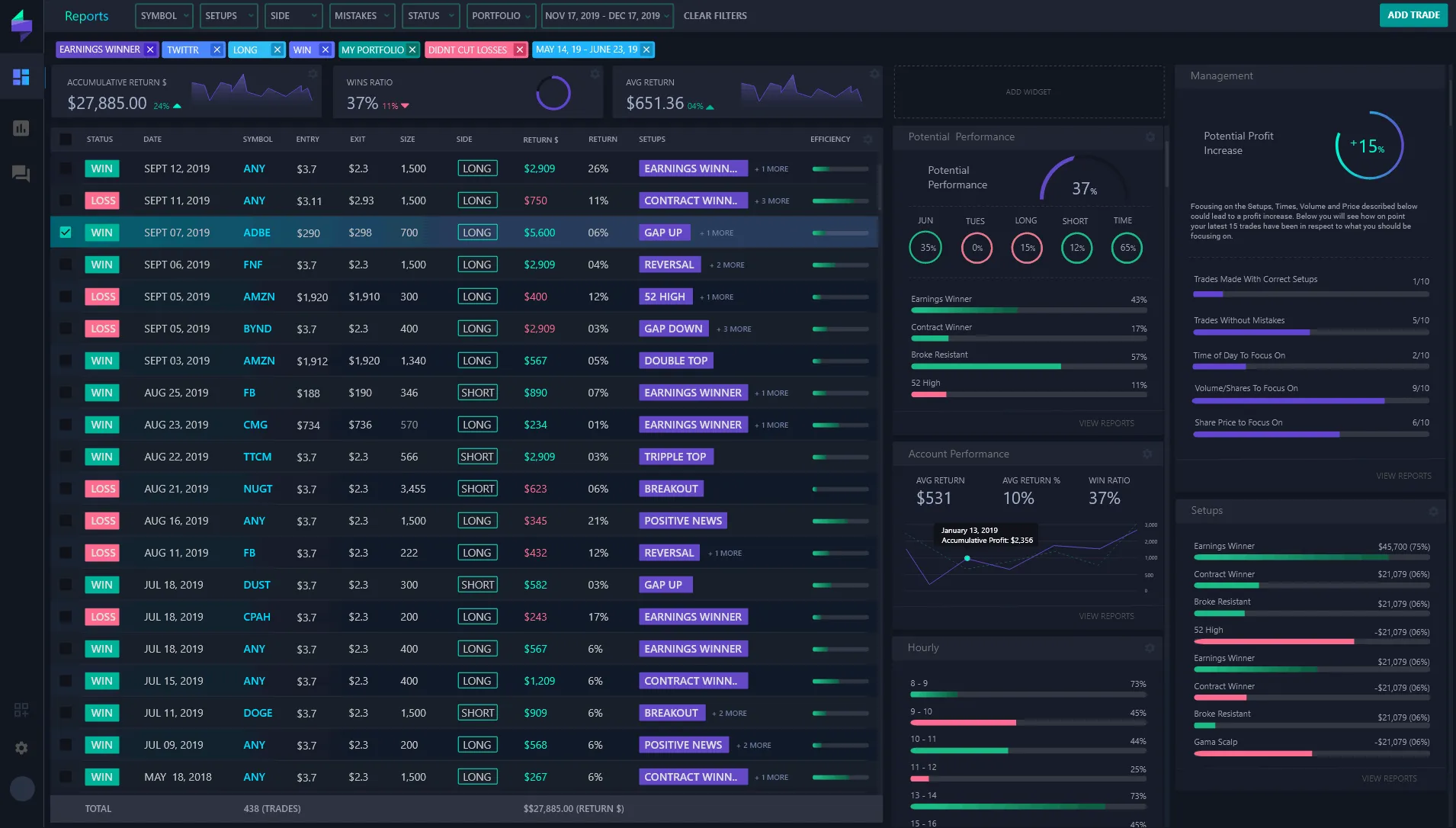
Have you ever scrolled through a trading educator’s page and wondered how they effectively communicate their success stories? Numbers alone can be abstract, and lengthy texts may lose your attention. That’s where visual timelines step in—offering a compelling, intuitive way to showcase trading journeys, highlighting milestones and illustrating growth through time.
In the world of trading, demonstrating credibility and building trust is paramount. Traders, signal providers, and influencers constantly seek ways to engage their audience and present transparent evidence of their performance. A clean, well-structured timeline of successful trades can do just that—it turns raw data into a story that resonates.
Challenges of Documenting Trading Performance
Remember Jake? A passionate trader who started sharing his trades on social media. His problem? Capturing and presenting his complex charts and trades clearly and professionally. Screenshots from trading platforms like MetaTrader often come cluttered with unnecessary UI, distracting elements, or inconsistent formats. Without editing skills, Jake’s posts appeared unpolished, undermining his authority despite his solid results.
This experience is common among many trading educators and influencers. Raw screenshots can look cluttered, confusing, or even be questioned for authenticity. Would you trust numbers if they came presented poorly?
How Can You Improve This?
- Standardize Your Visuals: Consistent formats build recognition.
- Highlight Key Information: Focus viewers on entry, exit, P&L, and timestamps.
- Keep It Clean: Remove non-essential interface elements that clutter the view.
These best practices not only promote clarity but also increase viewers’ confidence in your trading history.
Introducing Trading Screenshot Generator – Your Visual Ally
This is where Trading Screenshot Generator shines. Designed expressly for traders, educators, and financial influencers, it simplifies the process of creating professional, customized screenshots from the MetaTrader platform.
Imagine transforming Jake’s cumbersome MetaTrader screenshots into slick, branded visuals in just a few clicks—without needing any graphic design background. This tool strips out unnecessary clutter and allows you to emphasize trade details clearly, making your performance narratives not just credible but visually appealing.

Step-by-Step Guide to Building Visual Trading Timelines
Let’s walk through how to craft an engaging visual timeline of your trading success that captivates your audience and builds trust:
1. Collect Your Trade Screenshots
Start by exporting or capturing screenshots of your key trades from MetaTrader. Focus on trades that showcase various strategies, learning points, or milestones:
- Winning streaks or big wins
- Critical adjustments in strategy
- Rare insights illustrating market comprehension
2. Use Trading Screenshot Generator for Clean, Consistent Visuals
Upload your screenshots to the generator. Here you can:
- Crop and focus on essential chart areas.
- Highlight entry and exit points distinctly.
- Add annotations, labels, or branding to each image.
This step ensures your visuals are polished and immediately understandable.

3. Arrange Screenshots Chronologically
Place your final screenshots on a timeline—think of this as telling a story with pictures. Depending on your platform, you can create:
- Vertical chronology (most common in blogs and trading journals)
- Horizontal slider or carousel (great for social media)
- Interactive presentations or infographics for deeper engagement
4. Add Contextual Comments and Results
Each screenshot should accompany concise narrative elements:
- What was the market context?
- Why was this trade significant?
- What lessons or insights does it provide?
This transforms mere numbers into valuable educational content, expanding your role as a trusted expert.
The Psychological Impact: Why Visual Proof Works
There’s something deeply reassuring about visual proof in trading—a field often clouded by skepticism. Humans are wired to respond to stories and images far more than to raw data or technical jargon.
“A single, well-presented screenshot can convey confidence, transparency, and mastery far better than pages of text.”
In fact, a study by the National Institutes of Health found that visual content increases information retention by up to 65%. This means your followers are more likely to remember and trust your performance when it’s supported by clear visuals.
Boosting Conversions and Growing Your Brand
Visual timelines are not only educational—they’re also conversion boosters. When potential clients, students, or subscribers see consistent, high-quality evidence of your trading results, they’re more likely to:
- Subscribe to your signal services.
- Enroll in your paid courses.
- Engage with your content and share it organically.
Building a personal brand in trading requires a mix of transparency, credibility, and storytelling. A visually appealing timeline ticks all these boxes efficiently.
Real-Life Success Story: Sarah’s Journey
Take Sarah, a financial influencer who integrated visual timelines into her Instagram and blog. She noticed a surge of engagement after she began posting streamlined trade screenshots generated by the tool. Her followers appreciated the clarity, her course sales doubled, and her community trust soared.
Sarah’s key takeaway? “It’s not just what you trade; it’s how you show it.”
Tips for Maximizing the Impact of Your Trading Visuals
- Consistency is King: Use the same style and format across all your posts.
- Brand it: Add subtle logos or personalized colors without overdoing it.
- Educate: Don’t just showcase trades—explain your decisions and outcomes.
- Engage Your Audience: Invite questions or discussions on your timelines.
- Update Regularly: Keep the timeline fresh with recent trades to show continued success.
Conclusion: Take Your Trading Story to the Next Level
Trading is as much about communication as it is about skill. By weaving your success into visual timelines backed by clean, efficient screenshots, you not only boost your credibility but also create an educational and engaging narrative that draws people in.
Ready to start turning your trades into compelling stories? Experience how Trading Screenshot Generator can revolutionize your content creation, saving you time while amplifying trust and conversions.
Why Screenshots Are More Than Just Pictures in Trading Education
Have you ever found yourself struggling to explain a complex trading strategy or market movement to someone new? You’re not alone. Trading, with all its charts, indicators, and jargon, can be intimidating. This is where screenshots become powerful tools—transforming abstract or complicated data into clear, digestible visuals.
But screenshots are not just “pretty pictures.” When crafted thoughtfully, they translate multifaceted concepts into something anyone can grasp, making learning not only quicker but more engaging. In the fast-paced world of trading education, this skill can elevate a mentor from good to unforgettable.

The Challenge of Conveying Complexity in Trading
Trading involves numerous variables: candlestick patterns, trend lines, indicators, entry and exit points, risk management… The list goes on. Explaining these elements effectively requires more than just words or lengthy videos.
Picture this: you’re trying to teach the concept of Fibonacci retracement over a 20-minute video. Without visual aids, learners may zone out or get lost. But if you present a clean, focused screenshot highlighting the relevant levels on a chart, the clarity and impact skyrocket.
“Visual aids, especially annotated screenshots, can increase retention and make complex ideas accessible to beginners.” – Educational Psychology Review
Why Do Screenshots Work So Well?
- Condensed Information: A single image can capture the essence of an entire explanation, reducing cognitive overload.
- Focus: Screenshots allow educators to highlight only key elements, filtering out noise and distractions.
- Trustworthiness: Authentic screenshots from platforms like MetaTrader build credibility by proving that signals or strategies are real and verifiable.
- Convenience: Easily sharable and accessible across platforms—from blogs to social media—screenshots enhance engagement.
How to Craft Screenshots That Really Translate Complex Concepts
Simply capturing a screenshot isn’t enough. To truly make a difference, consider these best practices:
1. Be Selective
Don’t overwhelm viewers with an entire meta-trader screen cluttered with indicators and tabs. Crop or zoom into the most relevant parts of the chart or trade. Highlighting makes a huge difference.
2. Annotate Strategically
- Use arrows, circles, or text boxes to point out entry points, stop-loss levels, or important candlestick patterns.
- Keep annotations simple—less is more when you want your message to be crystal clear.
3. Maintain Consistent Style
Your brand identity extends to your visuals. Consistency in fonts, colors, and layout strengthens recognition and professionalism.
4. Contextualize With Captions or Explanations
Even the best screenshot can be misunderstood if isolated. Adding a brief explanation or framing the image within your content deepens understanding.

The Role of Technology: How the Trading Screenshot Generator Simplifies This Process
Imagine spending hours manually editing screenshots for your trading blog, Instagram posts, or educational webinars. Tedious, right? This is where Trading Screenshot Generator steps in as a game-changer.
This innovative web tool is tailored for trading educators, signal sellers, and financial influencers to effortlessly create professional, customized screenshots from the MetaTrader platform. A few clicks are enough to produce visuals that are:
- High-quality and *clean*
- Branded* with your personal or business logo and colors
- Annotated easily without external software
- Optimized for social media, blogs, and emails
By streamlining the creation process, it frees up your time to focus on what really matters—delivering insightful, impactful content that converts followers into loyal clients.
Real-Life Anecdote: Turning Confused Followers into Loyal Traders
Let me share a story of Emma, a trading coach from London. She used to rely on video walkthroughs and long explanations to teach complex Elliott Wave Theory patterns. Despite her expertise, many of her followers struggled to grasp the content.
After discovering the power of well-crafted screenshots via the Trading Screenshot Generator, she began inserting annotated snapshots into her lessons, highlighting wave counts and reversals clearly. The result? Within weeks, her engagement doubled, student comprehension improved dramatically, and her subscriber base expanded internationally.
Emma’s experience is a testament: using screenshots not only clarifies complex concepts but also builds lasting trust and authority.

Practical Tips: Using Screenshots Strategically in Your Trading Content
Where and how should you integrate screenshots for maximum effect? Here are some smart ideas:
- Blog Posts: Break down detailed trade analysis or strategy steps with visual anchors.
- Social Media: Showcase performance highlights or daily market setups with eye-catching annotated screenshots.
- Emails and Newsletters: Add credibility to your signals or lessons by including clear, branded visuals.
- Live Webinars: Use screenshots to pace the session and keep viewers visually engaged during explanations.
Consistency is key. Over time, your audience will associate your style of screenshots with quality and reliability.
SEO Benefits of Using Screenshots
Including well-optimized screenshots isn’t just good for learners, it can also give your SEO efforts a boost:
- Enhanced user experience: Clear visual content reduces bounce rates and increases time-on-page.
- Image SEO: Using descriptive
alttags helps your images rank in Google Image Search, driving additional traffic. - Social shares: Engaging visuals are more likely to be shared, which increases backlinks and domain authority.
For example, all images in your content should include detailed yet concise alt-text like “Annotated trading chart showing bullish breakout pattern” rather than generic terms. This helps search engines understand and index your content accurately.
SEO Keywords Seamlessly Integrated
To summarize, using keywords naturally throughout your article and visual content improves discoverability without sounding forced. Keywords such as trading screenshots, MetaTrader screenshots, trading education tools, financial influencer branding, and signal provider visualization can be embedded fluidly within your narrative. Pairing these with relevant internal and external links makes your content authoritative and trustworthy.
In Conclusion
In the intricate world of trading education, screenshots are a bridge between complexity and comprehension. They turn dense information into engaging visual stories, build authenticity, and enhance your brand’s authority.
To truly harness their power without endless hassle, tools like the Trading Screenshot Generator are indispensable. Whether you’re a signal seller, educator, or financial influencer, making your content visually appealing can make all the difference.
So, why not take your trading visuals to the next level? Give this tool a try today, and watch how screenshots can translate your complex concepts into clear, compelling stories that your audience will appreciate—and remember.
The Trust Factor: Why Traders Turn to Screenshots
In the fast-paced and often opaque world of trading, trust is a rare and precious commodity. Traders, educators, signal sellers, and financial influencers all wrestle with the same challenge: how to build credibility and showcase real, verifiable results. Enter trading screenshots, a simple yet powerful tool that has become a cornerstone in the trading community’s trust-building arsenal.
But why do these images wield such influence? What psychological and practical factors make screenshots a go-to method for proving authenticity and performance? Let’s delve into the science behind why traders trust screenshots—and how this understanding can help you elevate your trading brand.
Understanding the Cognitive Impact of Visual Proof
Humans are inherently visual creatures. Our brains process images 60,000 times faster than text, and visual information sticks better in our memory. When traders see a clean, professional screenshot from MetaTrader showing exact entries, exits, indicators, and trade results, it triggers a deep sense of trust and transparency.
Imagine this: you’re considering following a signal provider. You see a wall of claims about amazing returns, but no proof. Now, contrast that with a well-crafted screenshot that clearly shows the trade details, times, and outcomes. Which would you trust more?
“Screenshots cut through the noise. They provide an immediate, undeniable verification—a window into the trader’s actual performance.”
The Transparency Effect
Transparency is a pillar of trust in trading. Screenshots act as a form of evidence-based transparency. Unlike broad testimonials or vague statistics, they offer a granular view of a trader’s decision-making process. This builds confidence in followers or potential clients, fostering a feeling that “what you see is what you get.”
But transparency isn’t just about numbers. A high-quality screenshot also demonstrates professionalism. It conveys care, attention to detail, and an understanding of how to communicate complex information clearly—traits that resonate deeply with an audience seeking reliability.
How Screenshots Bridge the Trust Gap in Digital Trading
The Challenge of Digital Anonymity
In an online environment where identities can be obscured and data manipulated, digital trust can be fragile. The trading space is filled with countless providers making unrealistic promises. Without tangible proof, skepticism grows, and many potential clients hesitate to engage.
Screenshots provide a bridge to authenticity. Seeing actual trade executions, chart setups, and timestamps reassures users that the signals or educational content offered aren’t just sales hype.
Mitigating Information Asymmetry
Information asymmetry—when one party has more or better information than the other—is a classic hurdle in finance. Traders and educators often possess intricate knowledge and skills not immediately visible to their followers. Screenshots help level that playing field by offering a snapshot of what’s really happening.
- Trade entries and exits: Accurate records of when positions were opened and closed.
- Indicators and analysis tools: Showing the rationale behind decisions.
- Profit and loss details: Clear evidence of performance outcomes.
This openness reduces doubt and signals integrity—two essential ingredients for building a loyal following.

From Anecdotes to Algorithms: Real Stories Behind the Screens
Let me share a fictional yet highly relatable story:
James, a budding trader, was skeptical about joining a signal provider. After weeks of research, he stumbled upon a series of screenshots from one educator. Each image meticulously displayed prior trades with annotations explaining the strategy used. Seeing the clear performance records and setups convinced James to subscribe. Over the next few months, James not only replicated those trades but gained confidence in his own analysis.
This anecdote underscores a vital truth: screenshots empower traders to learn, verify, and ultimately trust.
How Educators and Influencers Benefit
Trading educators use screenshots to go beyond theory, showing actual results and demonstrating strategies in action. This builds credibility and enhances engagement.
Financial influencers rely on these visuals to:
– Showcase past performance in an irrefutable format
– Provide educational content backed by real-life examples
– Boost conversion rates by establishing clear proof
That’s why streamlined tools like Trading Screenshot Generator are game changers—helping professionals produce polished, trustworthy images within minutes.
The Technical Excellence Behind Quality Screenshots
It’s not just about grabbing any screenshot. The quality, clarity, and context of these images make all the difference. Let’s break down why professional-grade screenshots matter:
- Customization: Tailoring images with annotations, timestamps, and stylized borders adds authority.
- Clarity: Clean visuals without distracting clutter make it easier for viewers to absorb information.
- Consistency: Uniform formatting strengthens brand identity and fosters recognition over time.
Tools that automate and enhance these qualities ease the burden on content creators—allowing educators and signal sellers to focus more on strategy and less on formatting headaches.
Psychological Anchors: Why Seeing Is Believing
Behavioral science teaches us that visual confirmation acts as a powerful anchor in decision-making. When potential clients see repeated evidence of successful trades, their brain starts associating the educator or signal provider with legitimacy and reliability.
Moreover, social proof—a compelling psychological phenomenon—works hand in hand with screenshots. The more verified results shared, the stronger the perception of trustworthiness grows.
“In trading, skepticism is healthy but can stall growth. Screenshots help clear the fog by providing indisputable visual proof.”
How to Maximize Screenshot Impact
To leverage this science effectively, consider these pro tips:
– Always include timestamps and platform identifiers to authenticate the data.
– Add brief annotations explaining why trades were taken or closed.
– Maintain a consistent, branded style to reinforce professionalism.
– Pair screenshots with engaging storytelling or educational commentary.
By following these guidelines, you don’t just show trades—you tell a convincing story of strategy and success.
Conclusion: Elevate Your Trading Credibility with Screenshots
At the intersection of psychology, technology, and trading expertise lies the undeniable power of screenshots. They transform abstract claims into concrete evidence, foster trust through transparency, and enable traders and educators to connect with their audience in meaningful ways.
If you want to boost trust, increase conversions, and build a personal brand rooted in authenticity, there’s no better place to start than by sharing high-quality, customized trading screenshots.
Ready to take your trading communication to the next level? Discover how Trading Screenshot Generator can help you create professional visuals effortlessly. After all, in trading, seeing truly is believing.