
Why a Monthly Performance Report Matters for Traders
In the fast-paced world of trading, transparency isn’t just a buzzword—it’s a necessity. Whether you’re a financial influencer looking to boost credibility or a signal seller aiming to increase conversions, showcasing your monthly trading performance is key to building trust. But crafting a compelling, professional report that communicates your trading prowess can be time-consuming and technically challenging.
This is where a well-structured, screenshot-based monthly performance report steps in. Combining raw data with visual proof, it offers a clear, digestible snapshot of your trading results, helping you connect with your audience on a more authentic level.
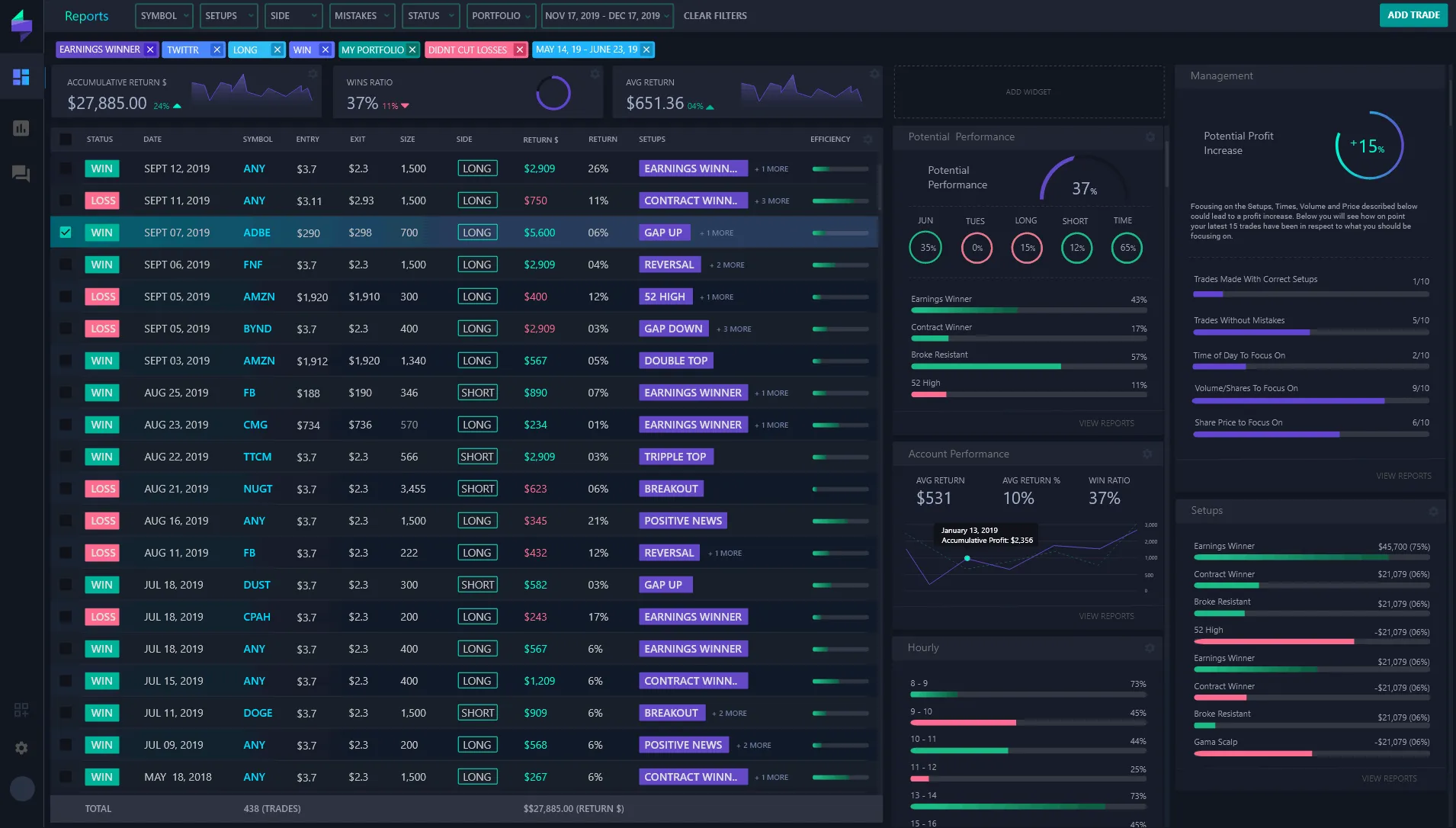
What Makes a Good Monthly Performance Report?
Before diving into the “how-to,” let’s explore what qualities distinguish an impactful monthly performance report:
- Clarity: Readers should immediately grasp your results without getting bogged down in jargon or clutter.
- Authenticity: Verified data and real screenshots foster trust and demonstrate transparency.
- Consistency: Publishing reports regularly (monthly) builds a narrative that users can follow and rely on.
- Professionalism: Visually appealing layouts with clean graphics enhance your brand’s perceived value.
- Storytelling: Annotated screenshots and brief commentary add context, helping your audience understand your strategy and mindset.
Does this sound like a lot to handle? Not at all. With the right approach and tools, you’ll find yourself streamlining the whole process in no time.
Step-by-Step Guide to Building Your Monthly Trading Performance Report
1. Collect Your Trading Data
The foundation of any report is accurate data. Most traders use platforms like MetaTrader for order execution and tracking. Export your monthly trading history, focusing on:
- Open and close dates
- Entry and exit prices
- Profit and loss (P&L) figures
- Trade duration and size
For educational value, you might also want to highlight specific setups or patterns that worked particularly well.
2. Generate Customized Screenshots of Key Trades
This is where many traders hit a snag—getting professional, clean visuals directly from MetaTrader can be cumbersome. Imagine spending hours cropping screenshots or worse, resorting to pixelated images that undermine your credibility.
The Trading Screenshot Generator tool changes the game. With just a few clicks, it produces high-quality, tailored images from your MetaTrader data, highlighting:
- Profit margins
- Trade setups with entry/exit points
- Annotations to explain your reasoning
Pro tip: Consistently using these polished screenshots throughout your monthly reports creates a signature style that’s instantly recognizable.

3. Structure the Report for Maximum Readability
How you present your data is just as important as the data itself. A clear structure guides your audience through your trading journey seamlessly. Consider organizing your report as follows:
- Introduction: Summarize the market context and your goals for the month.
- Performance Summary: Highlight overall gains/losses with annotated screenshots.
- Top Trades: Dive deeper into your best and worst trades, explaining the strategy behind each.
- Educational Insights: Include lessons learned or adjustments you’ll make based on results.
- Closing Thoughts: Set expectations for the upcoming month and invite your audience to engage or follow.
This flow keeps readers engaged while positioning you as an expert who’s reflective and trustworthy.
4. Add Context with Annotations and Commentary
Numbers alone can be cold and impersonal. To really connect with your audience, share the “why” behind your trades. For example:
“In this EUR/USD swing trade, I targeted the support level around 1.1050, anticipating a bullish reversal. Notice how I exited early when momentum slowed—risk management is key to sustainable profits.”
Using tools like Trading Screenshot Generator allows you to incorporate annotations directly onto your screenshots. This not only clarifies your decisions but adds a storytelling element that readers appreciate.

5. Format for Easy Sharing and SEO Optimization
Whether you’re publishing on your blog, social media, or email newsletter, ensure your report is easy to navigate and SEO-friendly:
- Use descriptive headings with keywords like “Monthly Trading Report,” “MetaTrader Screenshot,” and “Trading Performance Summary.”
- Incorporate alt text for images to improve search engine indexing.
- Embed links naturally — for example, linking back to your trading education site or to the screenshot generation tool.
- Break up text with bullet points and pull quotes to maintain reader interest.
Optimizing your reports not only helps attract organic traffic but also boosts your professional credibility online.
Common Pitfalls and How to Avoid Them
Even seasoned traders can stumble when assembling reports. Here are some frequent challenges and tips to avoid them:
- Overloading with Data: Resist the urge to include every trade. Focus on highlights and educational value instead.
- Poor Image Quality: Always use high-resolution screenshots. Blurry images reduce trust.
- Lack of Consistency: Stick to a regular publishing schedule to keep your audience engaged.
- Ignoring Audience Feedback: Use comments and metrics to refine your reports and add the content your followers want.
Why Use an Automated Screenshot Tool Like Trading Screenshot Generator?
If you’re nodding along, thinking “I need a simpler way to make this work,” you’re not alone. The Trading Screenshot Generator streamlines the entire process from capture to presentation:
- Speed: Generate polished screenshots in minutes, not hours.
- Customization: Tailor visuals to fit your brand and trading style.
- Professionalism: Consistent and high-quality images increase perceived expertise.
- Ease of Use: No complex software needed, just a few clicks.
Imagine the time you’ll save—time you can invest back into your trading or connecting with your community.

Wrapping Up: Your Path to Building Trust and Growth
Building a monthly performance report that resonates is easier than it sounds once you have a clear structure and the right tools. Not only do these reports showcase your skills and authenticity, but they also serve as a cornerstone for your personal brand in the trading world.
One trader I know, Sarah, started sharing neat, annotated monthly reports using this exact method. Within six months, her follower count tripled, and her signal sales jumped impressively. The magic? Consistent transparency paired with visual proof.
So, why wait? Start crafting your own screenshot-based monthly report and watch your audience’s trust and engagement soar.
Ready to take the first step? Discover how Trading Screenshot Generator can transform your MetaTrader data into stunning visuals today.