
Why Are Trading Screenshots Crucial for Traders and Educators?
Have you ever wondered why so many trading educators, signal sellers, and financial influencers emphasize sharing screenshots of their trades? It’s not just about showing off profits or setups; it’s about building trust and credibility in a world where skepticism runs high. A clean, professional trading screenshot provides a transparent look at performance, allowing potential clients or followers to verify claims and learn from real examples.
But creating these visuals manually can be tedious, cluttered, and inconsistent. That’s where specialized tools like the Trading Screenshot Generator come in to save the day.

Common Questions About Trading Screenshots, Answered
1. What Makes a Trading Screenshot Effective?
It’s tempting to just snap a quick photo of your MetaTrader platform, but effective screenshots have several key qualities:
- Clarity: The screenshot should highlight essential trade data clearly—entry, exit, stop loss, and profit target.
- Clean Layout: Avoid excessive clutter like unrelated indicators or distracting chart elements.
- Contextual Information: Include timestamps, currency pairs, timeframes, and your logo or branding.
- Customization: Tailor the look to suit your personal or business brand colors and style.
Imagine showing a student a confusing screenshot with a dozen indicators they don’t understand – it defeats the point, right? Simplified visuals work best to teach, demonstrate, and convert.
2. Can I Customize Screenshots to Match My Brand?
Absolutely! Trading educators and influencers often ask if they can make screenshots uniquely theirs. Branding is crucial for standing out.
The Trading Screenshot Generator offers options to add your logo, choose color schemes, and even insert personalized captions or disclaimers. This enhances professional appeal and builds recognition across your content platforms.

3. How Do These Screenshots Improve Trust With My Audience?
Trust is the cornerstone of the financial industry, especially when teaching or selling signals. With so many scams out there, your audience expects transparency.
“Seeing is believing. When potential clients see clean, accurate trade documentation, they’re more likely to trust your expertise.” – Anonymous Forex Coach
A professionally generated screenshot acts like a digital receipt, proving your track record is genuine and well-documented. This reduces doubts and boosts conversions.
4. Can I Use This Tool Without Technical Skills?
One of the most frequent concerns is about the technical barrier. Many traders are great at analysis but less confident with graphic tools.
The great news: the Trading Screenshot Generator is designed for ease of use. With just a few clicks, even complete novices can produce polished, ready-to-share screenshots without opening complex software or spending hours on editing.
5. Is This Tool Compatible With MetaTrader Only?
This tool is purpose-built to work with MetaTrader screenshots, the most widely used trading platform globally. It extracts the data from MetaTrader screenshots to create neat, customized images.
However, traders ask whether it supports platforms like TradingView or NinjaTrader. Currently, the focus remains on MetaTrader given its popularity, but the developers are actively considering expansion based on user demand.
6. How Can I Use Screenshots to Boost My Social Media and Website?
Sharing visual proof of your trades or strategies is one of the most powerful tactics to grow organic engagement and trust on platforms like Instagram, Twitter, TikTok, or your blog.
- Post tutorials with annotated screenshots to educate followers.
- Share performance highlights to showcase your results and attract leads.
- Add screenshots to newsletters illustrating real trade setups and outcomes.
- Use consistent branded images to build a recognizable presence.

Mixing transparency with education breeds loyal, engaged communities.
7. Are Screenshots Enough—or Should I Provide Additional Proof?
While screenshots are a vital piece, combining them with other forms of verification can enhance trust further. Consider:
- Live trading streams or videos.
- Third-party verified statements from platforms like Myfxbook or FXBlue.
- Detailed analysis blogs explaining your decision-making process.
Think of screenshots as your headline act—they grab attention and invite deeper exploration of your trading competence.
8. What About Security and Privacy When Sharing Screenshots?
Many traders worry about inadvertently exposing sensitive data. It’s wise to review and censor any personal or proprietary info before sharing.
The Trading Screenshot Generator lets you customize and mask parts of your screenshot efficiently, highlighting only what matters.
Tips for Making the Most of Your Trading Screenshots
- Consistent Style: Stick to a uniform style that reflects your brand across all screenshots.
- Highlight Key Metrics: Use visual cues like arrows or callouts to draw attention to important data.
- Use Captions: Brief explanations give your audience context and add storytelling elements.
- Regular Updates: Share fresh screenshots regularly to show ongoing activity and performance.
- Leverage Automation: Use tools like the Trading Screenshot Generator to save time and maintain quality.
Why Choose Trading Screenshot Generator?
As you explore options for generating your trading visuals, here’s why this tool stands out:
- User-friendly, with no steep learning curve
- Tailored specifically for traders, educators, and influencers
- Highly customizable branding features
- Optimizes images for social media and websites
- Supports authenticity and builds trust
It’s a small investment that can transform how you present your trading results and boost your online reputation.

Final Thoughts: Elevate Your Trading Brand With Professional Screenshots
In a digital landscape crowded with claims and promises, transparent, professional visuals can be your beacon of credibility.
Whether you’re coaching students, selling trading signals, or building a personal brand as a financial influencer, the power of a clean, customized screenshot should not be underestimated.
Want to see for yourself how easy it is to create stunning trading screenshots? Discover the Trading Screenshot Generator today and start transforming your trade documentation into trust-building assets.
Why Screenshot-Based Trading Workbooks Are a Game-Changer
Have you ever found yourself scrolling through endless text-heavy trading journals, struggling to connect theory with practice? If so, you’re not alone. Traditional trading workbooks often lack visual engagement, making it hard to quickly grasp insights from past trades or educational content. That’s where trading screenshot workbooks step in—a method that combines the power of visuals and storytelling to streamline learning and showcase your expertise.
Imagine flipping through a workbook where each setup is accompanied by clean, crisp screenshots from your trading platform, highlighting entries, exits, and key indicators. Sounds intuitive, right? This is exactly why modern trading educators and signal providers lean heavily on visual-based workbooks to boost clarity and credibility.
Step 1: Understand the Purpose of Your Trading Workbook
Before diving into creation, it’s crucial to define what you want your workbook to achieve. Are you:
- Teaching newcomers how to interpret charts and execute trades?
- Showcasing your own track record for credibility?
- Providing curated trade alerts and setups?
- Helping students develop consistent trading habits?
Each use case demands a slightly different focus and tone. For example, educational workbooks should prioritize clarity and detailed explanations, while performance highlights might emphasize results and statistics. Knowing your why helps tailor the content and design approach.
Step 2: Gather Your Trading Screenshots with Precision
Here’s where many traders hit a snag. Taking raw screenshots from MetaTrader may result in cluttered, inconsistent images that fail to communicate effectively. Wouldn’t it be fantastic to generate clean, branded, and context-rich screenshots in just a few clicks?
This is precisely where Trading Screenshot Generator shines. It empowers you to:
- Capture high-quality MetaTrader screenshots with customizable layouts.
- Add annotations, trade details, and performance data seamlessly.
- Maintain visual consistency across all screenshots for a professional aesthetic.

_Imagine how much time you’ll save by avoiding tedious manual screenshot editing and how much more impact your workbook will have._
Step 3: Structure Your Workbook for Maximum Readability
Once you have your screenshots ready, the next step is crafting a logical, engaging structure. Here’s a tried-and-tested outline you can customize:
- Introduction: Briefly explain the purpose of the workbook and what readers will gain.
- Trade Overview: For each trade, include a screenshot plus a summary of the strategy, entry/exit points, take profit and stop loss levels.
- Technical Analysis Breakdown: Annotate charts with indicators used, support/resistance zones, and signals.
- Lessons Learned: Share insights or mistakes to avoid.
- Performance Summary: Highlight success metrics with visuals and tables for easy comprehension.
- Additional Resources: Provide links to your blog, courses, or video tutorials.
Clear headings and consistent formatting help readers navigate your workbook effortlessly. Plus, breaking information into digestible sections keeps engagement high.
Step 4: Infuse Storytelling and Authenticity into Your Content
People love stories—they create emotional connections and make learning memorable. Don’t just present data; tell the story behind each trade or setup. For example:
“On April 15th, the EUR/USD chart showed a classic double bottom pattern. I entered long after confirming support at 1.0800 and set my stop loss just below. This screenshot captures the exact moment I pulled the trigger.”
Adding personal anecdotes or reflective notes transforms a dry workbook into a dynamic learning tool. It also demonstrates your transparency and builds trust—a critical factor in influencing and educating traders.

Step 5: Optimize Your Workbook for SEO and Discoverability
In today’s digital landscape, having a beautifully crafted trading workbook isn’t enough—you want it to be found by your target audience. Here are essential SEO tips:
- Use relevant keywords naturally throughout headings and paragraphs. Include terms like “trading screenshot workbooks,” “MetaTrader trade screenshots,” and “trading educational materials.”
- Incorporate descriptive image alt text for every screenshot to improve image search visibility.
- Create internal links to your blog posts, courses, or tools (like the Screenshot Generator), subtly inviting readers to explore more.
- Write engaging meta descriptions that summarize the workbook’s value.
Remember, SEO is about balance—ensure your copy remains natural and reader-focused while being optimized for search engines.
Step 6: Distribute and Promote Your Workbook Effectively
So you’ve created your masterpiece—what now? Distribution is key:
- Share downloadable PDFs via your website or email newsletter.
- Embed excerpts or screenshots within blog posts or social media.
- Offer the workbook as a lead magnet in exchange for subscriptions.
- Leverage communities like trading forums and groups with educational content.
Encouraging feedback and interaction increases workbook utility and can generate user testimonials to boost your authority.

Bonus Tips for Creating Outstanding Trading Workbooks
- Maintain Consistency: Use the same font styles, colors, and layout across pages for a polished look.
- Keep It Concise: Focus on clarity; avoid jargon where possible and explain complex terms.
- Update Regularly: Markets evolve, so fresh trades and updated strategies keep your workbook relevant.
- Engage With Multimedia: Embed video walkthroughs linked from your screenshots for deeper dives.
- Solicit Testimonials: Positive feedback from students or clients adds invaluable social proof.
Conclusion: Start Crafting Your Own Trading Workbooks Today
Creating screenshot-based trading workbooks is not just about compiling trades—it’s about storytelling, education, and building trust through visual clarity. With tools like Trading Screenshot Generator, you can elevate your trading content in ways that resonate deeply with your audience and differentiate your personal brand.
Ready to transform your trading education approach? Visit the tool now and discover how easy it is to generate professional MetaTrader screenshots that really speak volumes.
Understanding the Power of Screenshot Overlays in Risk/Reward Explanation
Have you ever sat through a trading webinar or scrolled through a trading influencer’s feed, gazing at screenshots that try to explain the risk/reward of a trade, but felt confused because the visuals just didn’t connect the dots clearly? You’re not alone. The art of communicating risk and reward in trading is often underestimated—but it’s undeniably crucial.
Let’s face it, numbers and jargon alone rarely tell the full story for learners or potential clients who want to understand your trading rationale. This is where screenshot overlays come in—a subtle yet impactful tool capable of transforming complex trade details into simple, visual narratives.

Why are Screenshot Overlays Essential for Risk/Reward Explanation?
Imagine you’re explaining a trade where your entry point, stop loss, and take profit levels are just numbers on a chart. Now imagine a clean, annotated screenshot that clearly highlights those exact points with graphics, text, and color codes. Which would resonate better?
Screenshot overlays serve multiple purposes, such as:
– Clarifying complex concepts with intuitive visuals, reducing misunderstanding.
– Building credibility by showing transparent and professional trade management.
– Engaging your audience more effectively, which is critical for educators, signal providers, and influencers.
– Increasing conversion rates by establishing trust with clean and honest trade communication.
Think of it this way: Your raw MetaTrader screenshot is like a rough sketch, whereas an overlay-applied screenshot is a framed painting in a gallery—much easier on the eyes and the mind.
Breaking Down Risk/Reward: What Should an Overlay Include?
Not all overlays are created equal. A good screenshot overlay for risk/reward explanation should be precise, visually appealing, and informative without overwhelming the viewer. Here’s what every trader’s screenshot overlay needs:
1. Clear Entry Point
Your entry point is the foundation of your trade narrative. Mark it distinctly with a bold symbol or highlight, ideally in a contrasting color that stands out against the chart background. This anchors the whole explanation.
2. Well-Defined Stop Loss
The stop loss level should be shown clearly with lines or shaded areas to indicate potential risk. Color psychology here matters—a subtle use of red or warm tones signals caution.
3. Take Profit Zones
Mark the take profit targets with green or cool shades. Sometimes showing multiple TP levels helps convey a trade’s scaling plan or exit strategy.
4. Risk/Reward Ratio Label
Numbers are vital, but placing them appropriately makes all the difference. Include a simple label such as “Risk 1: Reward 3” next to your graphic to emphasize the trade’s potential payoff.
5. Commentary or Tips
Adding a short text note or bullet point explaining the trade setup, time frame, or market condition enriches the visual context without clutter.

The Science Behind Effective Screenshot Overlays
Humans are visual learners. According to studies on visual cognition and memory retention, images combined with text have a higher recall rate than plain text alone.
Applying this to trading education means:
– The combination of trade visuals and annotations helps learners grasp concepts faster.
– Traders reviewing their past trades gain insights more efficiently by visually dissecting their decisions.
– Audiences assessing signal providers or educators can quickly verify the integrity of the shared information.
Plus, when you consistently present well-annotated screenshots, you build a recognizable style that distinguishes your brand from the noise.
How to Create Professional Risk/Reward Screenshot Overlays Effortlessly
If you’re imagining hours of Photoshop work or complicated video editing software, think again. Modern web tools are designed specifically for traders who want fast, attractive, and customizable screenshots without the hassle.
Let’s consider some key features that make Trading Screenshot Generator an excellent choice for creating your overlays:
- MetaTrader integration: Quickly upload your raw trade screenshots directly from MetaTrader without fuss.
- Customizable graphic elements: Add entry/exit markers, risk zones, and reward targets with drag-and-drop ease.
- Text annotation tools: Insert risk/reward ratios, comments, and trade details dynamically.
- Presets and templates: Save and reuse your styles for consistent branding.
- High-resolution exports: Ready for social media, websites, or presentations.
All these features enable you to turn complex setups into eye-catching, accurate, and professional screenshots in minutes.

Success Story: How Overlay Screenshots Boosted Trust for a Signal Provider
“Before using screenshot overlays, my followers would often ask for proof or second-guess my trade signals. After I started sharing polished screenshots with clear risk/reward visuals, engagement shot up. Subscriptions doubled in three months. It’s not just marketing—it’s about transparency and educating my audience clearly. People value that.”
Sarah’s experience is a testament: a simple switch to annotated trade screenshots can convert skepticism into loyalty. It’s like telling your story not just with words but with undeniable, visible evidence.
Tips for Maximizing the Impact of Your Risk/Reward Overlay Screenshots
Creating overlays is one thing—but making them truly resonate requires some finesse. Here are top tips to help you nail it:
1. Keep it minimalistic: Avoid clutter. Focus on the essentials—entry, stop loss, target levels, and risk/reward.
2. Use contrasting colors thoughtfully: Ensure annotations pop but don’t overpower the chart data.
3. Stay consistent: Use a uniform style across your posts to reinforce your brand identity.
4. Include contextual info: Time frames, market conditions, or strategy notes deepen understanding.
5. Test readability: View your screenshots on different devices—desktop, mobile—to guarantee clarity.
Bonus tip: Engage your audience by asking questions like, “What risk/reward ratio do you prefer? Let me know below!” Prompting interaction often boosts the post’s reach and impact.
Wrapping Up: Elevate Your Risk/Reward Explanation Game Now
To thrive as a trader, educator, or financial influencer in today’s crowded market, delivering clarity and professionalism is non-negotiable. Screenshot overlays tailored for risk/reward explanation are a straightforward yet powerful way to achieve this.
With the right tools, you no longer have to compromise between raw data and polished visuals. You can instantly transform your MetaTrader screenshots into clear, engaging, and trust-building content with just a few clicks.
Why settle for ordinary when you can stand out? Try the Trading Screenshot Generator today and start showcasing your risk/reward explanations like a pro.
Understanding Volatility Profiles in Trading
Before we dive into the power of screenshots for comparing volatility profiles, let’s clarify what volatility profiles actually are. In trading, volatility measures how much the price of an asset fluctuates over a given period. Different assets and timeframes exhibit varying volatility patterns — some are calm and steady, while others swing wildly.
Volatility profiles are, essentially, the characteristic behavior of an asset’s price movement over time. For traders, understanding these profiles means knowing when an asset might behave erratically or when it tends to move predictably.
Take, for example, the EUR/USD pair during the London session versus the New York session; the volatility profile differs significantly. Knowing these differences can make or break your trading strategy.

Why Use Screenshots to Analyze Volatility Profiles?
Trading educators and signal providers often share insights by showing charts that highlight volatility. But how do you make these visuals clear, trustworthy, and easy to understand? This is where screenshots become your best friend.
Some traders might ask, “Can’t I just share the live chart link or platform view?” The short answer: not always. Trading platforms like MetaTrader offer real-time data, but the presentation can be cluttered and hard to interpret at a glance, especially for beginners. Plus, trading educators know the value of customized visuals that guide users exactly where they want to look.
By using tailored screenshots, you can:
- Highlight specific volatility ranges or timeframes clearly.
- Annotate charts to show points of interest.
- Share performance examples or setup explanations concisely.
- Build credibility by showing professionally presented, clean charts.
So, how can you optimize this process? Tools like the Trading Screenshot Generator make it effortless to capture high-quality images directly from your MetaTrader platform, with customization options that elevate your teaching or signal selling game.

Step-by-Step Guide: Using Screenshots to Compare Volatility Profiles
1. Select Your Trading Instruments and Timeframes
The first task is to determine which assets and which periods you want to analyze. For example, are you interested in comparing the volatility of GBP/USD during Asian session hours versus the US session? Or do you want to see how volatility changes week by week?
Make sure you gather all the relevant charts on your MetaTrader platform so they’re ready for capture.
2. Capture Clean, Focused Screenshots
This step is critical. Simply hitting “Print Screen” rarely does justice to the complexity and clarity you want.
Instead, rely on specialized tools that can:
- Crop only the essential parts of the chart.
- Allow you to add annotations such as arrows, text boxes, or highlight zones.
- Enhance image quality without blurring or pixelation.
With the Trading Screenshot Generator, you can easily select your MetaTrader window, customize overlays, and generate a polished image within seconds. The interface is user-friendly and designed specifically for traders who want to communicate visually with their audience.
3. Annotate to Emphasize Volatility Features
Just showing a chart isn’t enough. You want viewers to quickly grasp what aspect of volatility you’re targeting. Use annotations to:
- Mark periods of high or low volatility with colored boxes or shadings.
- Add text notes explaining why volatility spikes during economic news or market opens.
- Compare two screenshots side-by-side, each highlighting different volatility characteristics.
This approach turns raw screenshots into educational tools that your followers or clients will appreciate.

4. Organize Screenshots For Easy Comparison
Instead of random images scattered on a report or post, logically arrange your screenshots:
- Group by asset – compare different currency pairs to show unique volatility signatures.
- Group by timeframe – demonstrate how volatility varies on 15-minute versus daily charts.
- Sequence by event – before, during, and after significant news releases.
A well-structured visual narrative is more persuasive and impactful.
5. Share With Contextual Commentary
Don’t just post screenshots nakedly. Pair them with clear explanations that walk your audience through what they’re seeing. Ask rhetorical questions like, “Notice how volatility doubles right after the CPI announcement—how could this impact your risk management?”
This conversational style makes complex volatility concepts accessible and actionable.
Practical Example: Comparing Volatility Profiles of EUR/USD and USD/JPY
Imagine you’re preparing a lesson for your followers on how volatility differs between two major currency pairs. Here’s how you might proceed using screenshots:
- Step 1: Capture a 1-hour chart of EUR/USD over the last week focusing on volatility spikes around the London session opens.
- Step 2: Use the tool to annotate the spikes with arrows and add brief notes pointing out the correlation with economic calendar events.
- Step 3: Repeat for USD/JPY, capturing similar timeframes but highlighting lower volatility during the same sessions.
- Step 4: Create a side-by-side visual comparison with your annotated screenshots, making the differences crystal clear.
- Step 5: Share this visual in your blog or newsletter, enhancing your credibility and educating your audience.
Such detailed comparisons help traders tailor their strategies depending on the volatility profile of each asset.

Tips for Maximizing the Impact of Your Screenshots
Here are some best practices that seasoned educators use to turn simple screenshots into powerful educational tools:
- Consistency: Use a consistent style, color scheme, and annotation method to build brand recognition.
- Clarity: Avoid overcrowding screenshots. Sometimes less is more.
- Resolution: Always opt for the highest possible resolution to ensure details are easily visible.
- Update Regularly: Volatility profiles can shift with market conditions. Refresh your screenshots periodically.
- Leverage Storytelling: Weave your screenshots into a compelling narrative rather than dumping isolated snapshots.
Final Thoughts: Elevate Your Trading Education with Custom Screenshots
In our digital age, where attention spans are short and credibility is hard-earned, the way you present your trading insights matters immensely. Screenshots aren’t just images—they’re your visual voice.
By effectively comparing volatility profiles using high-quality, tailored screenshots, you not only enhance understanding but actively build trust and authority within your trading community. And the best part? You don’t need advanced graphic design skills—just a tool like the Trading Screenshot Generator that integrates seamlessly with MetaTrader.
“Visual clarity is the foundation of effective trading education. When you can show, not just tell, you empower others to understand complex market dynamics.” — Jamie L., Professional Trading Educator
So, ready to transform your trading screenshots into compelling educational assets? Try the Trading Screenshot Generator today and watch your teaching and engagement soar.
Why Screenshot Tutorials Are a Game Changer in Trading Education
If you’ve ever tried explaining a complex trading strategy through text alone, you know it can quickly become a tangled knot of jargon and confusion. Visual learning is undeniably powerful, especially in the fast-paced world of financial markets where a single chart or screenshot can make or break understanding.
Imagine this: You’re a trading educator, and one of your students struggles to grasp the concept of Fibonacci retracement on MetaTrader. Instead of a lengthy email or video replay, you send them a crisp, tailored screenshot highlighting exactly where and how the retracement was applied. That simple image can illuminate the key points instantly, boosting their confidence, and encouraging loyalty towards your educational content.
Screenshot tutorials have become an indispensable tool for educators, signal providers, and financial influencers alike. They don’t just save time; they increase transparency, build trust, and enhance your personal brand.
Challenges in Creating Effective Trading Screenshots
Despite their benefits, not all trading screenshots are created equal. Many traders and educators face recurring issues:
- Cluttered visuals: Screenshots that include distracting toolbars, unnecessary panels, or irrelevant details make it hard for viewers to focus on the key information.
- Lack of context: A snapshot without annotations or explanations can confuse rather than clarify.
- Inconsistent branding: When screenshots do not feature consistent logos, colors, or styles, they harm brand recognition.
- Time-consuming process: Manually cropping and editing screenshots from MetaTrader wastes precious time that could be invested elsewhere.
These issues can erode the professional image you strive to present. So, how can trading educators and influencers overcome these hurdles and create stunning, on-point tutorials effortlessly?
Enter the Trading Screenshot Generator — Your Perfect Solution
This is where the Trading Screenshot Generator shines. Designed specifically for trading professionals, it offers a seamless way to create clean, customized screenshots from MetaTrader in just a few clicks.
“I used to spend hours editing my screenshots for my tuition blog. Since using Trading Screenshot Generator, it’s all automated, and my engagement has skyrocketed!” — Jane M., Trading Educator
With this tool, you can:
– Remove clutter and highlight essentials.
– Add personalized branding such as logos and color-coded elements.
– Customize annotations and captions clearly explaining the strategy.
– Export directly in high resolution, ready to share on your blog, social media, or course material.
How to Craft Engaging Screenshot Tutorials For Your Trading Strategies
Let’s break down the art of creating compelling screenshot tutorials that resonate with your audience and elevate your educational impact.
1. Choose the Right Trade to Showcase
Not every trade is tutorial-worthy. Pick a setup with a clear entry, well-managed risk, and a strong rationale behind it.
- Was it a textbook example of a breakout?
- Did the trade follow your proven strategy with precise execution?
- Does it illustrate something unique or a teaching moment?
By selecting trades thoughtfully, you ensure your tutorials remain valuable and actionable.
2. Capture Clean and Relevant Screenshots
Using the Trading Screenshot Generator, extract your MetaTrader screenshots with clean backgrounds and remove any distractions such as navigation bars or unrelated indicators.
Pro tip: Focus on the critical elements like candlestick patterns, entry/exit points, stop loss, and take profit levels for maximum clarity.
3. Annotate Strategically
A picture is worth a thousand words, but annotations make those words precise. Use arrows, callouts, and notes to highlight:
- Why you entered the trade
- Key technical indicators supporting your decision
- Areas to watch for potential exit or stop points
Keep annotations concise and avoid overwhelming the viewer.
4. Tailor Visual Style to Strengthen Your Brand
Consistency breeds recognition. Customize your screenshots with brand colors, logos, and fonts that match your overall theme.
This subtle but powerful touch sets you apart and reinforces trust with your audience.
5. Embed Educational Context in Your Tutorial
Support your screenshots with a well-written narrative or bullet points explaining the trade’s rationale in plain language.
Ask yourself:
- What problem does this strategy solve?
- How does it fit within broader market conditions?
- What key lessons should viewers take away?
When your screenshots and text work hand-in-hand, learners can grasp concepts more intuitively.
SEO Benefits of Publishing Screenshot Tutorials
Beyond improving your audience’s understanding, screenshot tutorials that are optimized for search engines can unlock significant traffic and boost your authority. Let’s dig into why:
- Keyword-rich captions: Using relevant terms like trading strategy tutorials, MetaTrader screenshots, and technical analysis in your image titles, alt texts, and surrounding content helps search engines understand your page’s relevance.
- Rich media engagement: Articles with visual content like annotated screenshots increase time-on-page and lower bounce rates—both positive signals to Google’s algorithm.
- Backlink magnet: High-quality tutorial content is more likely to be referenced by other trading websites, increasing your backlink profile.
- Social sharing: Visually appealing screenshots are highly shareable on social platforms, expanding organic reach and driving referral traffic.
Taking the time to craft detailed screenshot tutorials makes your content highly discoverable, which ultimately benefits your personal brand or service business.
Real-Life Example: How an Influencer Boosted Trust Through Screenshots
Consider Martin, a well-known financial influencer who grew tired of skepticism around his trading signals. After adopting the Trading Screenshot Generator, Martin started sharing polished screenshots showing his exact entry points, risk management, and outcomes after each trade.
“The transformation was incredible. People inboxed me saying the transparency made them more confident subscribing to my service,” Martin recalls.
His subscriber base doubled within six months, primarily because visuals made his trading performance verifiable and credible. This story illustrates perfectly how powerful screenshot tutorials can be when done right.
Step-By-Step: Creating Your First Screenshot Tutorial
Ready to start? Here’s a simple action plan you can follow:
- Log into your MetaTrader platform and identify a trade you want to showcase.
- Open Trading Screenshot Generator at trading-screenshot-generator.com.
- Upload or connect your MetaTrader chart and select the portion you want to capture.
- Customize the screenshot by adding annotations, branding elements, and adjusting visibility.
- Download the high-resolution image for use in your blog post or social media tutorial.
- Write a complementary explanation to accompany your screenshot, emphasizing key educational points.
- Publish and share your tutorial with confidence!
Final Thoughts: Elevate Your Trading Education with Quality Visuals
The impact of professional, well-crafted screenshot tutorials is undeniable in today’s trading education landscape. They emphasize clarity, build legitimacy, and foster deeper connections with your students or followers.
Have you considered how the right visual tools might change your approach? It’s easier than ever to integrate this into your workflow thanks to Trading Screenshot Generator. Don’t let your trading strategies remain invisible or misunderstood—make them shine with the power of clear, customized screenshots.
To start creating your own compelling tutorial screenshots today, explore the tool here: https://trading-screenshot-generator.com. Your audience—and brand reputation—will thank you.
Why Visuals Matter in Explaining Quantitative Trading Logic
When it comes to quantitative trading, we often get lost in complex formulas, algorithms, and market data. Numbers and code can be daunting not just to beginners but even to seasoned traders trying to communicate intricate strategies. That’s where screenshots become an indispensable asset.
Imagine you’re trying to explain a sophisticated trading setup to a client, a student, or even your social media audience. Verbal explanations and dense paragraphs of text only go so far. Yet, add in clear, customized screenshots of trading charts, performance metrics, or order executions, and suddenly your story becomes tangible, relatable, and much easier to grasp.
Screenshots serve as a bridge between abstract quantitative concepts and visual, real-world examples. They illustrate your logic, validate your methods, and build trust.
{width=”80%” alt=”Quantitative trading logic illustrated with custom chart screenshots”}
What Makes a Screenshot Effective for Quantitative Trading?
Not all screenshots are created equal. A cluttered or unclear image can confuse rather than enlighten. To truly explain quantitative trading logic, your screenshots should be:
- Clear and focused: Only highlight the essential parts of your chart or data.
- Annotated: Use arrows, text, or color highlights to guide the viewer’s attention.
- High quality: Grainy or pixelated images lose credibility.
- Contextual: Show enough surrounding data or code so the viewer understands the bigger picture.
High-quality screenshots from tools designed explicitly for trading, like Trading Screenshot Generator, make it straightforward to create compelling, customized visuals without the hassle of manual editing.
Anecdote: How a Mentor Boosted Student Comprehension with Screenshots
Consider Sara, a quant trading educator who struggled to make her students understand a complex momentum strategy. Initially, she relied on lengthy code walkthroughs, which left many confused. When she started sharing annotated screenshots of MetaTrader charts illustrating the entry and exit points, her students’ feedback transformed — concepts clicked, questions became more precise, and overall engagement skyrocketed.
This simple shift to using screenshots changed Sara’s teaching game overnight.
Step-by-Step: How to Use Screenshots to Explain Your Quantitative Trading Logic
1. Identify Key Trading Moments
Start by pinpointing the critical parts of your trading logic. Are you explaining a breakout setup? A moving average crossover? Or spotlighting your algorithm’s performance during volatile market conditions?
Focus your screenshots on those pivotal moments to provide concrete evidence.
2. Capture Clean MetaTrader Screenshots
MetaTrader is the go-to platform for many traders, but the default screenshots often contain distracting pop-ups or messy toolbars. Use a dedicated tool to generate clean, professional images showcasing only what’s relevant.
Tools like Trading Screenshot Generator specialize in seamlessly capturing your charts with customizable frames, timestamps, and even trade details embedded.
3. Annotate for Clarity
Annotations drastically improve communication. Highlight entry and exit signals with arrows, mark support/resistance levels, and add brief notes explaining indicators or thresholds.
– Use contrasting colors for annotations (e.g., red for stop-loss, green for entry).
– Avoid overcrowding — keep annotations concise but informative.
4. Sequence Your Visual Story
One screenshot rarely tells the whole story. Create a logical sequence illustrating how your trading logic unfolds over time — from signal generation to trade execution and outcome assessment.
A chronological visual narrative helps readers understand not only the “what” but the “why” behind your decisions.
{width=”80%” alt=”Sequential screenshots explaining trade logic and outcomes”}
5. Integrate Screenshots into Educational Content
Whether writing a blog post, conducting a webinar, or posting on social media, integrate your screenshots naturally into your content. Surround images with descriptive text that elaborates on the visuals to reinforce understanding.
Leveraging Screenshots to Establish Credibility and Build Your Brand
In the crowded sphere of financial influencers and signal sellers, authenticity and transparency are your currency. Customized, professional screenshots act as proof points, showing your trading performance rather than just telling it.
It’s no coincidence that top trading educators and signal providers routinely share screenshotscrafted with tools like Trading Screenshot Generator. These images increase conversions by boosting confidence among prospects and followers.
Consider this quote from Robert Almendares, a veteran trading mentor:
“When I started sharing detailed trade screenshots with clear annotations, the quality of my client interactions transformed. People trusted my methods more because they could see exactly what was happening, not just hear about it.”
Tips for Optimizing Your Screenshots for SEO and Engagement
Using screenshots effectively isn’t just about visual clarity. Optimizing them can enhance your online presence.
– Use descriptive alt-text. Search engines cannot interpret images on their own but rely on alt-tags to understand context. For instance, “Annotated MetaTrader screenshot illustrating EMA crossover signals.”
– Ensure fast loading. Use web-optimized image formats such as WebP.
– Incorporate relevant keywords naturally in surrounding text with phrases like “quantitative trading strategies,” “MetaTrader screenshots,” or “trade setup visualization.”
– Keep captions concise but compelling. Explain what the screenshot shows and why it matters.
Common Mistakes to Avoid When Using Screenshots in Quantitative Trading Explanations
There are some pitfalls traders and educators often fall into:
– Overloading images with data: Trying to cram every indicator and trade detail can overwhelm viewers.
– Using generic or low-quality screenshots: This undermines your professionalism and credibility.
– Lack of annotations: Expecting readers to interpret charts without guidance is unrealistic.
– Inconsistent formatting: Changing styles and colors confuse your visual narrative.
Sticking to clear, consistent, and well-annotated screenshots makes your explanations accessible and authoritative.
Extra Resources to Learn More About Quantitative Trading Visualization
If you want to dive deeper into how visuals help in quantitative trading education, consider exploring these authoritative sources:
– Investopedia’s Quantitative Trading Overview — a solid primer.
– MetaTrader 5 Official Documentation — learn about charting capabilities.
– Scholarly articles on algorithmic trading visualization, such as those accessible via Google Scholar (scholar.google.com).
Final Thoughts: Empower Your Quantitative Trading Explanations with Screenshots
In a field as data-heavy and fast-paced as quantitative trading, the ability to convey *your* unique logic clearly can be your competitive edge. Well-crafted screenshots are more than just images; they’re storytelling tools that connect you to your audience, making complicated strategies approachable and credible.
Don’t let your trade insights get lost in translation. Harness the power of tailored MetaTrader screenshots to educate, convince, and build your community.
Ready to elevate your trading visuals? Try Trading Screenshot Generator today and see how easy it is to create persuasive, professional trading screenshots in just a few clicks.
{width=”80%” alt=”Professional MetaTrader screenshot with annotations and clean layout”}
Mastering the Art of Volume Analysis Through Screenshots
Volume analysis is a cornerstone technique for many traders who want to understand market dynamics beyond just price action. But how do you effectively communicate complex volume insights to your audience or clients? Enter the power of screenshots. By capturing and presenting clear, data-rich snapshots, you can highlight key volume patterns, build trust, and enhance your trading education or signal services.

Why Use Screenshots for Volume Analysis?
Imagine you’re explaining the significance of a volume spike during a price breakout. Words alone can get lengthy and abstract. A well-crafted screenshot brings immediate clarity:
- Visual clarity: Charts with highlighted volume zones help users see rather than just hear.
- Educational impact: Screenshots can freeze complex moments in time to dissect and discuss.
- Professionalism: Clean, annotated images enhance credibility, essential for educators and influencers.
- Shareability: Easily postable on social media, blogs, or in signal groups to boost engagement.
In fact, according to a study from the National Center for Biotechnology Information, humans process images 60,000 times faster than text. So don’t underestimate the power of a captivating screenshot in driving your teaching and signals home.
Step-by-Step Guide: How to Use Screenshots in Volume Analysis
1. Select the Right Moment on MetaTrader
First things first, open your MetaTrader platform and locate the trade or volume activity you want to showcase. This could be:
– A volume surge at breakout points
– Volume confirming trend reversals
– Divergence between volume and price
For example, a sudden upward volume burst during a bullish engulfing candle can indicate institutional buying pressure—a perfect teachable moment.
2. Highlight Volume Areas
Use your charting tools to draw attention to critical volume zones. Circle high volume bars, shade clusters, or add arrows pointing to unusual activity. Some traders annotate with notes like “Volume spike confirms breakout” or “Low volume warns of false move.”
Pro tip: Keep annotations concise but informative. Cluttered screenshots can overwhelm and confuse your audience.
3. Capture a Clean and Professional Screenshot
This is where Trading Screenshot Generator becomes invaluable. Instead of fumbling with multiple windows or cropping manually, this tool lets you generate high-quality, customizable screenshots directly from MetaTrader.
- Choose your preferred chart style and time frames.
- Add or remove indicators including volume to tailor your visual.
- Brand the screenshot subtly with your logo or watermark to build trust.
Creating professional screenshots in seconds means you can consistently produce credible, share-worthy content with less hassle.
Practical Examples of Using Screenshots for Volume Insights
Volume Confirmation of Breakouts
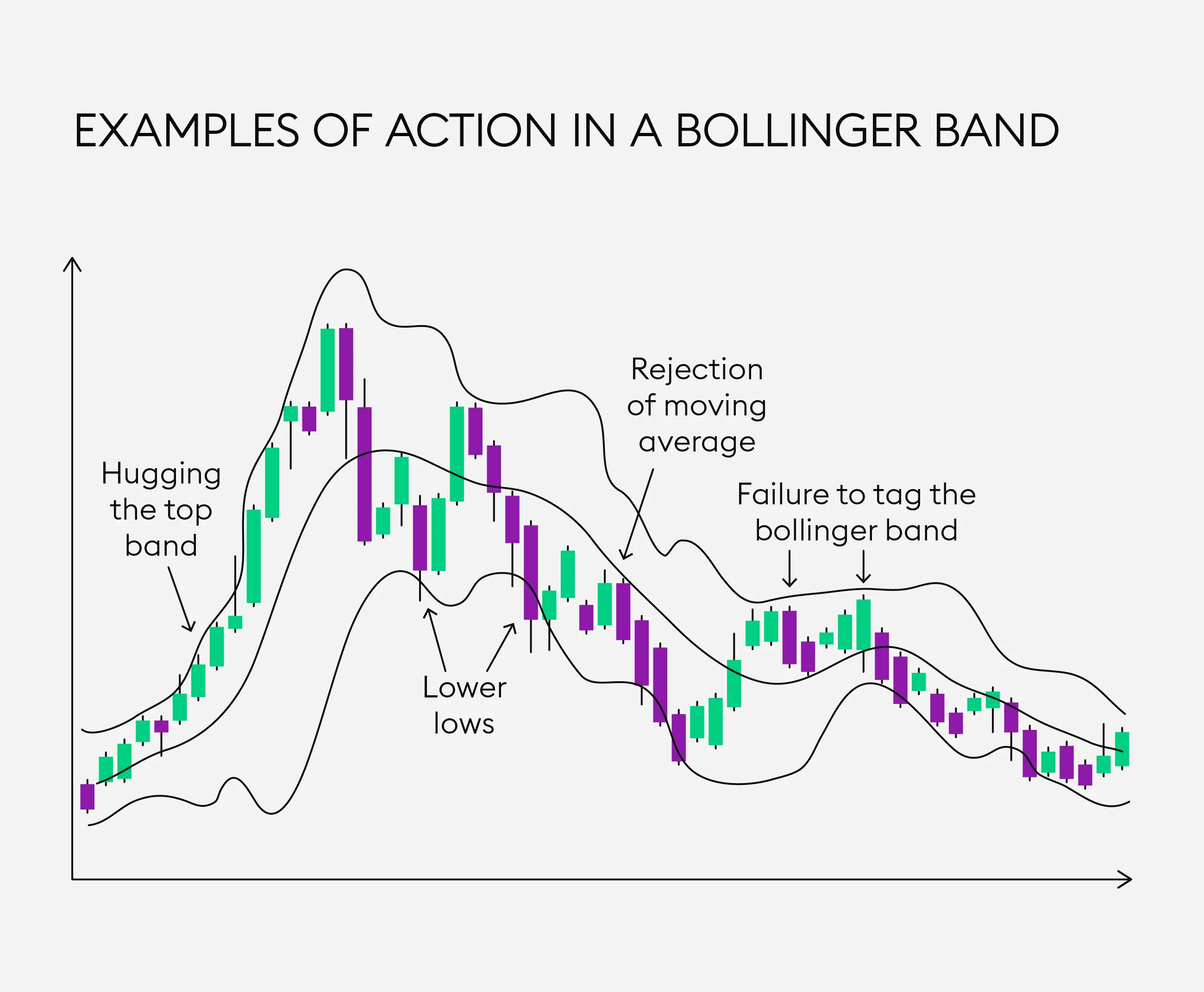
Volume spikes at breakout points confirm the validity of moves. A screenshot highlighting the volume bar’s surge against a price breakout can immediately convince your audience of the trade’s strength.
Volume Divergence to Spot Reversals
Oftentimes, price makes a higher high but volume declines—a classic sign of weakening momentum. A well-marked screenshot can effectively communicate this subtle nuance.

Volume Clusters Indicating Strong Support or Resistance
Volume often accumulates in clusters near key support/resistance zones. Capturing these clusters in a screenshot allows readers to understand potential supply/demand zones visually.
Tips to Maximize Impact When Sharing Volume Screenshots
- Context Matters: Always explain what the volume pattern means. Don’t assume all viewers understand volume theory.
- Annotate Wisely: Use arrows, text boxes, or color highlights but avoid clutter.
- Consistency Builds Recognition: Create a visual style unique to your brand for immediate identification.
- Embed in Educational Materials: Add screenshots to blog posts, video tutorials, or newsletters.
- Encourage Interaction: Pose questions or invite interpretations to engage your audience.
Example Caption Enhancements
Instead of posting a raw chart, try captions like:
- “Notice how volume surged exactly at resistance breakout—this validates the strength of the move.”
- “Volume divergence warns of possible reversal—be cautious entering long positions here.”
How Screenshots Enhance Trust and Conversion for Signal Providers
In an industry rife with skepticism, visual proof is critical. When you demonstrate volume-based trade setups with professionally crafted screenshots, you:
- Boost transparency: Show your methodology at work, not just the results.
- Build rapport: Followers appreciate honesty and educational value.
- Drive conversions: Clear evidence encourages sign-ups and subscriptions.
One of the anecdotes I often share involves a financial influencer who doubled his subscriber base simply by integrating volume-annotated screenshots consistently into his daily trade recaps. It made his signals feel accountable and data-driven, standing out in a crowded market.

Wrapping It Up: Why You Should Start Using Screenshots Today
If you’re still relying solely on text or raw charts, you’re missing out on a huge opportunity to clarify your volume analysis and build an authentic connection with your audience. With tools like Trading Screenshot Generator, creating polished, detailed volume screenshots is easier than ever.
Start capturing those decisive volume moments now and watch how your educational content or trade signals gain clarity, trust, and engagement.
Ready to elevate your volume analysis presentations? Try Trading Screenshot Generator today and harness the power of professional-grade visuals.
Trading Lifestyles: A Global Phenomenon Captured in Screenshots
Have you ever wondered how traders from Tokyo, New York, or Johannesburg showcase their success stories with undeniable evidence? It’s not just about numbers or complex jargon anymore. Today, the visual narrative of trading lifestyles has become paramount. Screenshots from trading platforms, especially MetaTrader, are the preferred medium to express authenticity, share strategies, and build trust.
Why Do Trading Screenshots Matter Across Continents?
Let’s think about it: in a digital era dominated by social proof and instant validation, *visual confirmation* is more convincing than mere testimonials. Whether it’s a day trader in London showing off a neat series of winning trades or a financial influencer in Dubai breaking down their recent setups, screenshots act as verifiable proof.
Through screenshots, educators can:
- Demonstrate real-time trades and setups.
- Provide detailed analysis with visible indicators and charts.
- Build personal branding with professional, clean visuals.
- Increase conversions for their courses or signals.
Picture this: Maria, a Brazilian trading coach, noticed her student retention spike by 40% after she began sharing clean, annotated screenshots of trade examples. It’s the difference between just telling and truly showing.
Trading Lifestyles Around the World: A Visual Mosaic
While the essence of trading is universal—patterns, risk management, psychology—the way it is experienced and showcased varies greatly with culture and geography.
1. Asia: Precision Meets Tradition
In financial hubs like Singapore or Hong Kong, traders are fastidious about detail and clarity. A screenshot is not just a snapshot but a lesson in itself. Annotated entries, exit points, and indicator overlays speak volumes.

2. Europe: The Art of Storytelling
European traders often accompany their screenshots with reflective narratives that explain the rationale behind each trade—connecting emotion with strategy. This storytelling approach appeals especially to their audiences who value transparency and education.
3. North America: Branding and Influence
In the US and Canada, the trading lifestyle is deeply intertwined with influencer culture. Screenshots are polished, integrated with logos, and posted on social media, emphasizing credibility and aspirational success. It’s common to see them paired with results dashboards to build momentum.
4. Africa: Community and Growth
Africa’s trading communities often use screenshots not just for personal pride but as a way to uplift groups through mentorship. Visual sharing encourages newcomers and creates a strong sense of belonging.
The Challenge: Generating Professional-Quality Screenshots Effortlessly
But here’s a question traders frequently ask:
“How do I make my screenshots look professional without spending hours editing or hiring a designer?”
The answer lies in leveraging dedicated tools designed specifically for this purpose. The Trading Screenshot Generator harnesses the power of automation and customization, letting users convert MetaTrader screens into crisp, branded images with just a few clicks.
Imagine turning a complicated MetaTrader interface cluttered with data into a clean, easy-to-digest visual artifact. It boosts your authenticity and channels trust instantly.
How This Tool Elevates Your Trading Brand Globally
Here is how Trading Screenshot Generator transforms your trade visuals:
- Customization: Add logos, performance stats, entry/exit points, and more.
- Consistency: Maintain a clean, uniform style across platforms and time zones.
- Simplicity: No technical hurdles; designed for traders not graphic designers.
- Speed: Create stunning visuals in seconds to share across channels.
As a financial educator in France recently shared, “Using this tool helped me present my setups clearly during live sessions. Students could capture prints instantly that looked professional, reducing confusion and enhancing learning.”
Best Practices for Showcasing Trading Screenshots Across Cultures
To truly resonate, adapt your visuals to your audience’s preferences:
- Localize Content: Use familiar currency pairs and references in your graphics.
- Be Transparent: Show both wins and losses to build real trust.
- Tell a Story: Explain the ‘why’ behind each screenshot to add educational value.
- Engage Visually: Use color coding, highlights, and concise annotations.
- Maintain Frequency: Consistent posting keeps followers engaged and builds credibility over time.
The combination of these techniques with high-quality visuals is a game-changer in a crowded digital space.
From Screenshots to Success Stories: Real-Life Anecdotes
Let’s take a moment to share some inspiring stories from traders worldwide who have leveraged screenshots creatively:
Ahmed, a day trader from Cairo, built a YouTube channel featuring weekly MetaTrader trade breakdowns with custom screenshots. His subscriber count soared from 1,000 to 50,000 within a year, largely driven by the clean and professional visuals that differentiated his content.
Similarly, Li Wei from Shanghai used screenshots generated with style and precision to sell signals on social media, garnering hundreds of paying clients trusting his transparent evidence.
Such authentic content creates lasting impressions, essential for building a sustainable trading business.
SEO Tip: Optimize Your Screenshots for Better Reach
Did you know? Incorporating well-optimized images into your blog or social media can significantly enhance your search engine visibility.
Here are some quick tips:
- Use descriptive alt-texts: For example, “professional MetaTrader screenshot showing USD/EUR breakout trade.”
- Embed keywords naturally in image captions and descriptions.
- Compress images for faster loading without losing quality.
- Share on multiple platforms with backlinks to your website for authority.
Using tools like Trading Screenshot Generator, which offers clean, shareable files, gives you a clear advantage in your SEO game.
Building Your Personal Trading Brand Starts with Visual Trust
In summary, the lifestyle of traders worldwide is as diverse as it is interconnected by a common thread: the need for credible, transparent, and professional communication.
Why not let your screenshots do the talking for you? They can open doors to new clients, students, and collaborations by vividly illustrating your expertise.
If you want to craft neat, compelling trading screenshots with ease and elevate your brand globally, discover what Trading Screenshot Generator can do for you.

Understanding the Power of MT4 Screenshots in Trading Personal Branding
If you’re a trading educator, signal seller, or financial influencer, you’ve likely faced the challenge of proving your expertise and building trust with your audience. One of the most effective ways to do this is by showcasing your trades and market insights — and nothing does it better than professional-looking screenshots from the MetaTrader 4 (MT4) platform.
But here’s a question: what if you could create highly customized, perfectly curated MT4 screenshots without the hassle of manually managing trades or risking your reputation on less-than-perfect screenshots? Enter the world of generating fake MT4 screenshots, a powerful tool not for deceit, but for crafting your personal brand and elevating your trading narrative.

Why Generate Fake MT4 Screenshots?
Transparency and authenticity are the gold standards these days — so why would anyone resort to generating fake screenshots? It’s a fair question. The answer lies in controlled presentation and educational clarity.
- Demonstrate hypothetical scenarios: Want to teach a precise trading strategy without waiting months for the perfect trade setup? Fake screenshots allow you to illustrate setups, risk-reward ratios, and trading outcomes clearly and effectively.
- Maintain privacy: Real trading data sometimes exposes account details or personal information. Custom screenshots let you showcase your skill without compromising security.
- Boost engagement: High-quality visuals attract more clicks, likes, and conversions. Clean, customized screenshots can help you stand out in a crowded market.
- Speed and efficiency: Instead of waiting for live trades to develop or manually editing screenshots, automated tools let you create professional images in minutes.
“A picture is worth a thousand words, but a perfect screenshot can be worth thousands of followers and clients.” – Trading Industry Expert
Step-by-Step Guide: How to Generate Fake MT4 Screenshots for Personal Branding
1. Choose the Right Tool
The first step is to select a reliable, efficient online tool that lets you create high-quality MT4 screenshots with minimal effort. Trading Screenshot Generator is one such platform tailored specifically for educators, signal providers, and financial influencers.
The tool offers:
- Intuitive user interface perfect for beginners and pros alike
- Customization options – including chart styles, timeframes, currency pairs, and indicators
- Clean and professional visuals that enhance credibility
- Quick export options/downloads ready for social media or website integration
2. Specify Your Trading Scenario
Are you showcasing a winning trade? Or perhaps illustrating a crucial support level or a breakout pattern? Outline your trading narrative clearly. This helps you design the perfect screenshot that tells the story you want.
Think about these elements:
- Currency pairs or instruments involved
- Timeframe (M1, M15, H1, D1, etc.)
- Indicators you want to appear (Moving Averages, RSI, Fibonacci retracements, etc.)
- Trade type (buy/sell, limit orders, stop-losses)
3. Customize Your Screenshot Thoroughly
With the Trading Screenshot Generator, you can tweak every detail:
- Set the precise entry, stop loss, and take profit levels
- Choose chart color themes and styles to suit your brand
- Add annotations or labels to highlight key points
- Include your logo or watermark to reinforce brand identity
Remember, the devil is in the details. Small touches like clean layouts and accurate labels make the difference between a screenshot that inspires trust and one that looks amateurish.
4. Preview and Refine
Never underestimate the power of reviewing your work before sharing it publicly. Preview your screenshot carefully. Check for clarity, spelling mistakes in annotations, and overall aesthetic appeal.
Sometimes a small adjustment — like modifying a candle color or repositioning a label — can dramatically enhance readability.
5. Download and Share Strategically
Once perfected, download your screenshot in high resolution. Then think strategically about where and how to share it:
- Embed in blog posts for detailed trade analysis
- Use on Instagram or Twitter to attract followers
- Add to quizzes or educational newsletter content
- Showcase as testimonials of your teaching success or trading signals
Sharing consistently with professionally crafted visuals fuels your personal branding engine and turns casual visitors into loyal followers.
Ethics and Best Practices When Using Fake MT4 Screenshots
Now, let’s address the elephant in the room. The term “fake screenshots” can sound suspicious or unethical. It’s crucial to emphasize that the goal is not to deceive but to illustrate, educate, and enhance your branding.
Here are some ethical guidelines to follow:
- Transparency: Always clarify if a screenshot represents a hypothetical trade or an actual past performance, especially in educational contexts.
- No false claims: Avoid presenting fabricated screenshots as guaranteed results or unearned profits.
- Educational use: Use these visuals primarily to teach strategies, highlight patterns, or simulate trading scenarios.
- Respect platform rules: Be mindful of MetaTrader’s branding guidelines and any applicable regulations in your jurisdiction.
When leveraged responsibly, generated screenshots are a tool for empowerment, not manipulation.
Boost Your Trading Brand Fast with Custom MT4 Screenshots
Personal branding in the digital trading world is fiercely competitive. Whether you’re launching a new educational course or promoting a premium signals service, professional visuals are a game changer.
The Trading Screenshot Generator offers a brilliant shortcut: create, customize, and share perfectly polished MT4 screenshots that engage your audience and showcase your expertise — all without the stress of manual editing or waiting for the ‘right’ trade.

Frequently Asked Questions About Generating MT4 Screenshots
Is it legal to generate fake MT4 screenshots?
Yes, as long as you use them ethically and transparently — mainly for educational, illustrative, or branding purposes without false representation of results.
Can I add my own branding to the screenshots?
Absolutely! Tools like Trading Screenshot Generator allow you to add logos, watermarks, and customize colors for brand consistency.
Do I need to have actual MetaTrader accounts to use these tools?
Nope. These tools operate independently and let you simulate trades to create the perfect screenshots without linking to real accounts.
Will these screenshots increase my trading credibility?
When used thoughtfully and transparently, yes — they provide clear visual proof of your knowledge and strategy application, building trust with your audience.
Conclusion: Your Next Step Toward Trading Influencer Stardom
In the crowded world of forex and CFD trading influencers, visual storytelling is your edge. Gone are the days of blurry, cluttered MT4 screenshots that confuse more than clarify. By strategically generating customized, clean, and professional MT4 screenshots, you’re telling a story your audience wants to hear — one of skill, clarity, and trust.
Don’t let the wait for perfect trades or the complexity of MT4 discourage your personal branding journey. Start creating your flawless trading visuals today, and watch as your engagement, conversions, and brand reputation skyrocket.
Understanding the Challenge of Visualizing Trading Taxes
Picture this: you’ve wrapped up a month of solid trading — multiple entries, exits, profits, and occasional losses. Now, it’s time to make sense of your gains and, more importantly, how they’re taxed. Trading tax visualization can quickly become a labyrinth of numbers, percentages, and confusing forms. How do you turn this complex data into something clear, engaging, and informative — especially if you’re educating others or showcasing your trading performance?
The good news? There’s a straightforward way to bridge that gap between raw figures and compelling visuals.
The Importance of Visualizing Trading Taxes Effectively
Whether you’re an educator teaching tax implications in trading or a trader wanting to communicate your financial story transparently, clear visualization is key. Complex tax data presented in a dull, spreadsheet-only format can intimidate or confuse an audience.
Consider these benefits of powerful visualizations:
- Improved comprehension: Visual aids help break down intricate tax concepts.
- Enhanced trust: Transparent numbers build credibility with clients, followers, or potential investors.
- Boosted engagement: Clean, professional images capture attention and encourage interaction.
- Streamlined communication: Allows for quicker decision-making and easier tax planning.
Step-by-Step Guide: How to Visualize Trading Taxes with Screenshot Examples
Let’s walk through a practical approach using real MetaTrader screenshots — because seeing is believing, right? And thanks to innovative tools like the Trading Screenshot Generator, this task is far simpler and more professional than ever before.
1. Collect Your Trading Data
Start with exporting your trade history from MetaTrader. This includes:
- Entry and exit points
- Profit or loss per trade
- Trade dates and pairs
- Commission and swap fees
This raw data forms the backbone of your tax calculations — and ultimately your visualization.
2. Calculate Realized Gains and Losses
Before diving into screenshots, accurately determine your net profits or losses after factoring in trading fees. Remember, even small commissions impact your taxable income.
Anecdote: Sarah, a part-time Forex trader, once underestimated her taxes because she missed adjustments for swap fees. Visualization helped her realize these were significant enough to lower her taxable gains, avoiding surprises come tax season.
3. Focus on Capital Gains Tax Treatment
Trading taxes typically hinge on whether your gains are short-term or long-term — each often taxed differently depending on jurisdiction. Incorporate this differentiation clearly:
- Use color codes or labels for short-term vs. long-term positions.
- Highlight cumulative amounts by tax category.
4. Using Screenshots to Show Tax Categories and Trades
This is where the Trading Screenshot Generator becomes a game-changer. Instead of raw, cluttered MetaTrader screens, you create clean, focused images that emphasize:
- Trade details relevant to tax calculations
- Visual segmentation between trade types or tax categories
- Summary boxes highlighting total taxable amounts
Imagine showing your audience a crisp, branded screenshot where a “Tax Summary” box clearly outlines the taxable profit for the quarter. This clarity not only educates but also instills confidence.
5. Overlay Tax Calculations and Annotations
Screenshots are even more impactful when paired with overlays or callouts:
- Use arrows or highlight boxes to point out trade entries impacting tax positions.
- Add textual annotations explaining how each element contributes to the tax liability.
- Emphasize deductions like commissions or losses carried forward.
These details transform static screenshots into dynamic learning tools.
6. Summarizing With Graphs and Tables
While screenshots from MetaTrader show raw trade data, summarizing tax effects through graphs (pie charts, bar graphs) can drive the point home:
- Display percentage of income lost to taxes
- Show trends over time — did your tax burden increase with higher volumes?
- Contrast projected taxes vs. actual payments
Fortunately, many tax visualization platforms allow you to embed or combine these with your professionally generated trading screenshots.
Example Breakdown: Visualizing Trading Taxes with Screenshots
Let’s look at a hypothetical example you’re likely familiar with — Alex, a crypto trader leveraging MetaTrader to manage multiple trades. Here’s his process:
- Alex pulls his MetaTrader trade history.
- He filters for all trades from January to March.
- Using the Trading Screenshot Generator, Alex highlights trades exceeding $1000 profit.
- He inserts a “Tax Deduction” callout next to commissions on the screenshot.
- Final images include a tax summary box detailing short-term and long-term gains.
- Alex shares these visuals in his trading blog, explaining taxes clearly to his readers.

This method not only makes complex tax information digestible but also positions Alex as a knowledgeable and trustworthy source.
Key SEO Keywords Integrated Naturally:
- Visualizing trading taxes
- Trading tax screenshots
- MetaTrader tax visualization
- Trading Screenshot Generator usage
- Trading tax education tools
- Customized trading screenshots
Common Questions About Trading Taxes & Visualization
Q: How detailed should my trading tax screenshots be?
A: Balance clarity with completeness. Show enough to educate without overwhelming — focus on key data points like profits, losses, and tax categories.
Q: Can I use screenshots to file taxes?
A: Screenshots assist understanding and presentation but are not official tax documents. Always keep records and reports per your tax authority’s requirements.
Why Use the Trading Screenshot Generator for Tax Visualization?
Trying to capture clean, professional MetaTrader screenshots manually is tedious and error-prone. The Trading Screenshot Generator lets you:
- Customize images with branded labels and annotations
- Focus instantly on relevant trade details influencing taxes
- Create visually appealing content without design skills
- Save time for what matters: strategy and education

For trading educators, signal sellers, and financial influencers, this tool is a secret weapon to convert complex tax data into engaging, trust-building visuals.
Wrapping Up: Visualizations That Make Trading Taxes Clear and Simple
So next tax season—or your next educational webinar—don’t let trading tax data drown your audience in confusion. Instead, harness the power of tailored screenshots and overlays that speak clearly and professionally.
Remember, visual communication is often more effective than mountains of text or spreadsheets. And with the right tools, visualizing trading taxes becomes not only easier but a chance to strengthen your brand’s voice.
If you want to transform your MetaTrader data into stunning, simplified visuals your audience will appreciate, check out the Trading Screenshot Generator. Investing a few minutes here could save hours in explanations and boost your credibility instantly.