
Why Are Screenshots Essential for Pre-Market Preparation?
Imagine waking up before the market opens, coffee in hand, ready to seize the day. The key to navigating the volatile, fast-paced world of trading lies in solid pre-market preparation. But how often have you struggled to recall yesterday’s setup or analyze critical trading signals from your charts? This is where screenshots become invaluable tools. They allow you to capture and review exact moments from your trading platform, empowering you to make well-informed decisions before the bell rings.
Using screenshots effectively can dramatically enhance your understanding of market trends, help you monitor setups identified by educators or signal providers, and support your own strategy refinement. And in this article, we’ll explore exactly how to harness the power of screenshots for pre-market success.

The Power of Visuals in Trader’s Daily Routine
Visual information sticks better. If you’re a trading educator, signal seller, or even an active trader monitoring your portfolio, capturing and reviewing high-quality screenshots is a game changer. In fact, professional trading educators use screenshots not only for education but to prove transparency and build trust with their communities.
Here’s the reality: a well-taken screenshot from your MetaTrader platform — showing your trades with clear indicators and concise notes — speaks volumes. It can:
- **_Reinforce learning_** by visualizing complex setups
- ✔ Help anticipate market behavior through pattern recognition
- ✔ Serve as a reference to avoid repeating mistakes
- ✔ Present your performance professionally, attracting followers or potential clients
Think about Mark, a veteran trader who started documenting his trades daily with screenshots. Over time, this habit gave him a journal of actionable insights and helped him teach his students what to expect from different market conditions.
Tip: Use clear annotations on your screenshots to highlight key points such as entry, stop-loss, and take-profit levels.
Leveraging Screenshots for Efficient Pre-Market Review
Before the market opens, it’s crucial to comprehend where price action left off and what signals might play out. Here’s a simple, step-by-step approach to integrate screenshots into your pre-market workflow:
- Review Previous Day’s Trades: Capture screenshots of your recent trades to analyze performance metrics.
- Highlight Key Setups: Take snapshots of charts where you identified potential trading opportunities.
- Examine Market News and Sentiment: Complement screenshots with notes from financial headlines.
- Build a Customized Visual Checklist: Compile your screenshots in a folder or software for quick access.
- Prepare Talking Points: If you educate others or share signals, annotated screenshots will enhance your credibility when explaining setups.
For example, Sarah, a popular financial influencer, uses screenshots to visually explain why she anticipates bullish or bearish trends in her daily live streams. This approach makes it easier for her audience to grasp her analysis and trust her calls.

The Technical Advantage: How MetaTrader Screenshot Tools Simplify the Process
Traditionally, traders had to manually capture and edit screenshots — a tedious, time-consuming task prone to inconsistency. But today, specialized web tools like Trading Screenshot Generator offer a seamless solution tailored to your needs.
Why should you consider this tool?
- Custom Templates: Create branded, professional-looking images instantly.
- MetaTrader Compatibility: Directly generate screenshots without switching apps.
- Clarity and Precision: Preserve chart quality and annotations.
- Time Efficiency: Get perfect images in just a few clicks, freeing time for analysis.
Imagine never having to crop or tweak your screenshots for clarity or presentation. Instead, focus your energy on interpreting the data and refining your strategy — all while boosting your professional image.
Five Best Practices for Using Screenshots in Pre-Market Preparation
To maximize your productivity and trading edge, follow these practical tips:
- Consistency is Key: Capture screenshots at regular intervals—end of day, before market open, and after significant events.
- Label Your Images: Use timestamps, pair names, and notes to organize your screenshots effectively.
- Leverage Color-Coding: Highlight different trade types or setups with specific colors for quick reference.
- Maintain Security and Privacy: Avoid sharing sensitive personal info on your screenshots, especially if public.
- Archive for Long-Term Review: Use screenshots as part of your trading journal to spot recurring patterns or mistakes.
How Screenshots Enhance Trust & Transparency in Trading Communities
In the era of digital trading education and signal sales, transparency is everything. Showing simple claims without evidence quickly erodes credibility. By consistently posting clean, verified screenshots from your trading platform, you demonstrate honesty and professionalism.
“Seeing is believing. When I share detailed screenshots of my trades with my community, they know I’m not just throwing out random predictions — I back it up with data.” – Jamie, Financial Educator
This transparency doesn’t just build trust; it drives higher conversion rates for educators and signal sellers. Prospects feel more confident subscribing or purchasing when they can review actual historical trades and setups.

Tips on Integrating Screenshots into Your Trading Journal
Most traders keep journals, but not all use visuals effectively. To make your journal more actionable and insightful:
- Embed images next to trade entries for quick visual context.
- Use annotations to explain your thought process behind entries.
- Review screenshots monthly to detect recurring mistakes or successful patterns.
- Compare setups over time to adapt your strategy to evolving markets.
By transforming dry data into vibrant visuals, you reinforce learning and build confidence in your strategies.
Final Thoughts: Make Screenshots Your Pre-Market Secret Weapon
Pre-market preparation is not just combing through charts and news—it’s about building a structured, visual toolkit that supports smart trading decisions. Screenshots bridge the gap between observation and action. So why stick to cumbersome manual processes when you can generate stunning, insightful images effortlessly?
Your next-level pre-market routine starts here: explore Trading Screenshot Generator and transform how you capture, analyze, and share your trades today.

After all, in trading as in life, a picture is worth a thousand pips.
Manual vs Algo Trading: Why Screenshots Are Your Secret Weapon
If you’re involved in the trading world, chances are you’ve dipped your toes—or perhaps plunged headfirst—into both manual and algorithmic (algo) trading. Each method boasts its own set of advantages and quirks, but one persistent challenge remains: how to transparently showcase and compare these trading approaches to your audience or clients?
That’s precisely where using screenshots becomes a game-changer. Visual proof of your trades, thoughtfully presented, can not only build trust but also help dissect the nuances between manual decision-making and automated strategies.

But why screenshots? Why not just raw data or charts?
Raw data dumps or long lists of trades can feel overwhelming and—let’s be honest—a bit dull. Screenshots bring instant clarity, are easier to digest, and when customized professionally, demonstrate that you mean business. For educators, signal sellers, or influencers, a clean, well-branded screenshot from platforms like MetaTrader can be a trusted visual stamp that resonates better than words alone.
Understanding the Core Differences: Manual vs Algo Trading
Before jumping into the *how*, let’s revisit the *what* and *why.* Manual trading revolves around human intuition, pattern recognition, and discretionary decisions. Meanwhile, algo trading relies on predefined rules coded into algorithms that slice through data with machine precision. Here’s a quick rundown:
- Manual Trading: Intuitive, flexible, emotional
- Algorithmic Trading: Systematic, consistent, emotionless
Both have their pros and cons, but when it comes to communicating performance and strategy, the style of your presentation can impact how clients and followers perceive you.
How To Use Screenshots To Compare Manual and Algo Trades Effectively
Simply slapping two screenshots side-by-side won’t suffice. You want your audience to quickly grasp the key contrasts. Here’s how to do that:
1. Choose Comparable Metrics and Timeframes
Pick screenshots that capture similar market conditions (such as the same trading day or strategy session). Compare like-for-like metrics: entry & exit points, profit/loss, stop-loss settings, and trade duration.
2. Highlight Key Differences Visually
Use arrows, colored boxes, or icons to emphasize elements unique to each trade type. For example, mark where an algorithm triggered a trade automatically versus where manual discretion led to a late entry.
3. Add Context With Annotations
Annotations can turn a static image into a story. Explain why certain manual trades were held longer or how the algorithm adapts to market volatility.
4. Consistency in Formatting
Ensure all screenshots have a coherent style—same font, logo placement, and color scheme. This unified look boosts professionalism and brand recognition.
The Power of Trading Screenshot Generator for This Task
Imagine eliminating the tedious process of cropping, labeling, and aligning screenshots manually. The Trading Screenshot Generator is tailor-made for trading pros who want fast, sleek, and customizable images straight from MetaTrader platforms.
With just a few clicks, you can:
- Create side-by-side comparisons that spotlight manual vs algo trades with clarity
- Add your logo seamlessly for personalized branding
- Include crucial trade details in clean overlays
- Export high-resolution images perfect for blogs, social media, or presentations

Case Study: How a Trading Educator Boosted Course Enrollment By Showcasing Trade Types
Let me share a fictional but realistic story: Sarah, a popular trading coach, wanted to illustrate the advantages and pitfalls of both manual and algorithmic strategies to her students. Simply describing the differences in class wasn’t enough—the students needed something concrete.
She used the Trading Screenshot Generator to create detailed visuals of her live trades juxtaposed with her proprietary algo’s executions. The result? Her audience felt more confident about enrolling in her premium course to learn both methods.
"The visual impact transformed how my strategies were understood. Students no longer debated which was better—instead, they asked how to integrate both." — Sarah, Trading Educator
Top Tips When Capturing Screenshots for Comparisons
To maximize the impact of your screenshots:
- Keep it Clean: Eliminate unnecessary clutter from your charts before capturing.
- Be Consistent: Use the same template or style for both manual and algo screenshots.
- Focus on Storytelling: Let your images narrate the trade journey.
- Include Performance Stats: P/L %, drawdowns, or win rate can be just as telling as visual trades.
- Use Highlight Colors: Distinct colors can help differentiate manual vs algo trades quickly.
Addressing Common Concerns
But Aren’t Screenshots Easy to Manipulate?
Great question—and a valid concern. Transparent traders will provide enough context alongside screenshots to build credibility. Plus, using a trusted tool like the Trading Screenshot Generator that pulls directly from MetaTrader helps assure authenticity.
What About Real-Time Proof?
While screenshots capture moments, combining them with live or recorded trading sessions can create a compelling, multi-layered proof of concept.

Wrapping Up: Why Visual Evidence Matters in Modern Trading Education
The trading industry is packed with noise and skepticism. Visual proof, in the form of clean, customized screenshots, is one of the most powerful ways to cut through the fog.
Whether you’re teaching complex manual strategies or selling algorithmic signals, showcasing your actual trades with professional screenshots elevates your reputation and opens doors to deeper engagement.
Ready to start turning your MetaTrader trades into compelling visual narratives? Check out the Trading Screenshot Generator today and transform how you present your manual and algo trading results.
How Screenshots Helped a Coach Raise Signal Prices
In the world of trading, trust is everything. Whether you’re an educator explaining complex strategies, a signal seller offering real-time trade guidance, or a financial influencer sharing your journey, credible proof of your performance is essential. But how do you convincingly showcase your expertise without overwhelming your audience with raw data or confusing charts?
Enter the humble screenshot—specifically, well-crafted, professional screenshots generated from your trading platform. This might sound simple, but for many trading coaches and signal providers, mastering this tool has been a game-changer. Today, let’s dive into the story of one trading coach who dramatically raised his signal prices by leveraging just that.

The Challenge: Authenticity Without Clutter
Meet Alex, a seasoned trading coach with over five years of experience teaching retail traders how to navigate Forex markets using MetaTrader. Despite his solid track record, Alex struggled to justify his pricing when selling trading signals. Potential clients were hesitant, often asking:
- “How do I know your signals really work?”
- “Can you show me actual results instead of vague summaries?”
- “Why is your signal subscription more expensive than others?”
Alex understood that transparency could address these doubts, but raw MetaTrader screenshots were cluttered—full of unnecessary panels, white noise, and personal information. Screenshots taken manually also lacked consistency in style, making his marketing materials look unprofessional and unimpressive.
He needed a way to create clean, customized screenshots that directly highlighted the key trades he wanted to showcase.
“Before using professional screenshots, my potential clients would scroll past my signal offers without much interest. Now? They not only stop but ask for my pricing tiers. The transformation was incredible.” – Alex, Trading Coach
The Solution: Trading Screenshot Generator
After researching tools designed specifically for MetaTrader users, Alex discovered Trading Screenshot Generator. This innovative web tool was tailor-made to solve his exact problems:
- Effortlessly generate high-quality screenshots directly from MetaTrader charts.
- Customize the layout to focus on specific trade details like entry, exit, profit, and timing.
- Remove all distractions such as terminal windows, indicators he didn’t want to spotlight, or sensitive account info.
- Add professional branding elements to enhance trust and recognition.
Most importantly, the tool was incredibly intuitive—requiring only a few clicks to produce a polished image ready to be shared across social media, websites, and email campaigns.

How Screenshots Translated Into Higher Prices
Armed with these clean, customized screenshots, Alex revamped his signal marketing approach:
- Visual Proof Over Promises: Instead of just describing his signals, he showed precise screenshots of closed trades that delivered substantial profits, complete with entry and exit points clearly highlighted.
- Educational Context: By pairing screenshots with brief explanations, Alex educated potential clients on why certain trades were chosen, boosting his authority as a teacher rather than just a seller.
- Branded Consistency: Consistent visual branding across all screenshots created a cohesive professional image—instilling confidence in his audience.
- Social Engagement: Sharing screenshots on platforms like Twitter and Instagram sparked conversations and attracted followers, organically expanding his reach.
- Higher-Value Packages: With solid visual proof backing his signals, Alex was able to justify raising his subscription prices by 20% without losing clients—and even gaining new premium subscribers.
It wasn’t magic; it was the power of clear, trustworthy communication amplified by the strategic use of screenshots.
What makes these screenshots so effective?
- Transparency builds trust: Seeing is believing. Customers want to validate what you claim.
- Visual storytelling triggers emotions: A well-crafted trade screenshot tells a story of skill, strategy, and success.
- Professionalism distinguishes you: Sloppy visuals dilute your message; sharp graphics elevate it.

Why Consistency and Quality Matter in Screenshots
At this point, you might be thinking, “Why can’t I just take a quick screenshot from MetaTrader and post it?” You could, but the difference lies in details:
- Non-customized screenshots often include unnecessary UI elements, overcrowded indicators, or private data.
- Variations in style and format make your content look amateurish—hurting your credibility.
- High-resolution, branded images align better with modern digital marketing standards.
According to a study by Social Media Examiner, posts featuring strong visuals enjoy up to 94% more total views and engagement.
In trading education and signal selling, where trust is fragile and competition fierce, such an edge can be revolutionary.
Making Screenshots Work for You: Best Practices
To maximize the impact of your trading screenshots, follow these key tips:
- Focus on clarity: Highlight only the essential parts of the trade—entry, exit, stop loss, target levels.
- Keep it simple: Avoid cluttered charts or too many indicators that may confuse the viewer.
- Use branding: Incorporate your logo, color themes, or watermark subtly within the image.
- Add context: Include short, insightful captions or annotations explaining the reasoning behind a trade.
- Share strategically: Post screenshots alongside educational content on social media, blog posts, newsletters, and your sales page.

Conclusion – From Visual Trust to Tangible Earnings
Alex’s story is far from unique. Across the trading community, educators and signal sellers who adopt a consistent, professional visual approach often find that their credibility—and consequently their income—sees a marked improvement.
If you’re ready to elevate your trading influence and raise your service prices just like Alex did, Trading Screenshot Generator offers the perfect starting point. With minimal effort, you can start creating impressive, trust-building visuals that truly resonate with your audience.
In a crowded market where digital trust is king, never underestimate the power of a perfectly timed, impeccably styled screenshot.
Mastering MetaTrader Screenshots: Essential Tips for Stunning Visuals
When it comes to trading education or showcasing your performance as a signal provider, one of the most underestimated tools in your arsenal is a quality MetaTrader screenshot. But not just any screenshot—one that communicates professionalism, clarity, and trust. Imagine scrolling through a trading educator’s feed filled with cluttered, pixelated screenshots versus someone who presents clean, engaging visuals that make you want to learn more. Which profile would you follow?
Whether you’re a seasoned trader or just starting your journey as a financial influencer, optimizing your MetaTrader screenshots is a sophisticated craft. Today, we dive deeply into proven tips and tricks to elevate your image game, so your screenshots not only reflect your trading prowess but also boost your brand authority and drive conversions.

Why Screenshot Quality Matters in Trading
Let’s face it: in a competitive niche like trading, your first impression often hinges on visuals. Clear screenshots act as your social proof, showcasing verified trades, setups, or performance in simple yet powerful formats. But a messy or unreliable screenshot can do more harm than good—sowing doubt rather than building trust.
Here’s what an optimized MetaTrader screenshot brings to the table:
- Credibility: Authentic, clean visuals confirm you’re not just talk.
- Engagement: Eye-catching images gain more likes, shares, and saves.
- Conversion: Professional screenshots lead to increased followers or signal subscriptions.
“After revamping my screenshots with better clarity and concise info, I noticed a 35% lift in engagement within weeks. It’s the little things that make huge impacts!” – Jamie R., trading educator
Proven MetaTrader Screenshot Optimization Techniques
1. Use Clean and Focused Chart Views
One of the simplest but often neglected tips is to zoom in on the most relevant part of your trade or analysis. Avoid cluttering your screenshot with unrelated indicators, news tickers, or an overwhelming number of open charts. Focus sharply on the entry, exit, and the trade outcome.
For instance, zooming into a swing trade’s entry and exit points demonstrates a clear story without distracting the viewer. Remember, your screenshot should communicate a single idea clearly.
2. Customize Your Templates & Color Schemes
MetaTrader offers extensive customization options—take advantage of those! Use a dark or light theme that enhances readability. Avoid garish colors or too many lines that confuse viewers. Instead, opt for balanced color palettes with contrasting elements to highlight key data (like take profit or stop loss levels).
-
– Highlight winning trades in green and losing trades in red for intuitive understanding.
– Use consistent fonts and sizes for text annotations.
– Simplify templates to reduce visual noise.
This deliberate design effort makes your screenshot aesthetically pleasing and easier to digest.
3. Add Informative Text Overlays
Raw charts are powerful, but sometimes context is king. Adding concise annotations—such as trade rationale, entry price, risk-reward ratio, or market conditions—helps your audience understand your decision-making process instantly.
Instead of cluttering the chart with excessive text, use neat overlays or callouts to highlight essentials. This approach transforms a simple screenshot into a mini-lesson or success story. Make sure your text is legible by choosing fonts and sizes that contrast with the background.
4. Crop and Frame Screenshots Professionally
A well-cropped screenshot focuses attention on the important parts and eliminates distractions, like extra platform toolbars or unrelated chart windows. It also creates a cleaner, more polished asset to share on social media, blogs, or newsletters.
Using intuitive editing tools or specialized Trading Screenshot Generator platforms automates this process. They facilitate fast cropping, framing, and customizable templates, letting you save time and maintain professional standards.
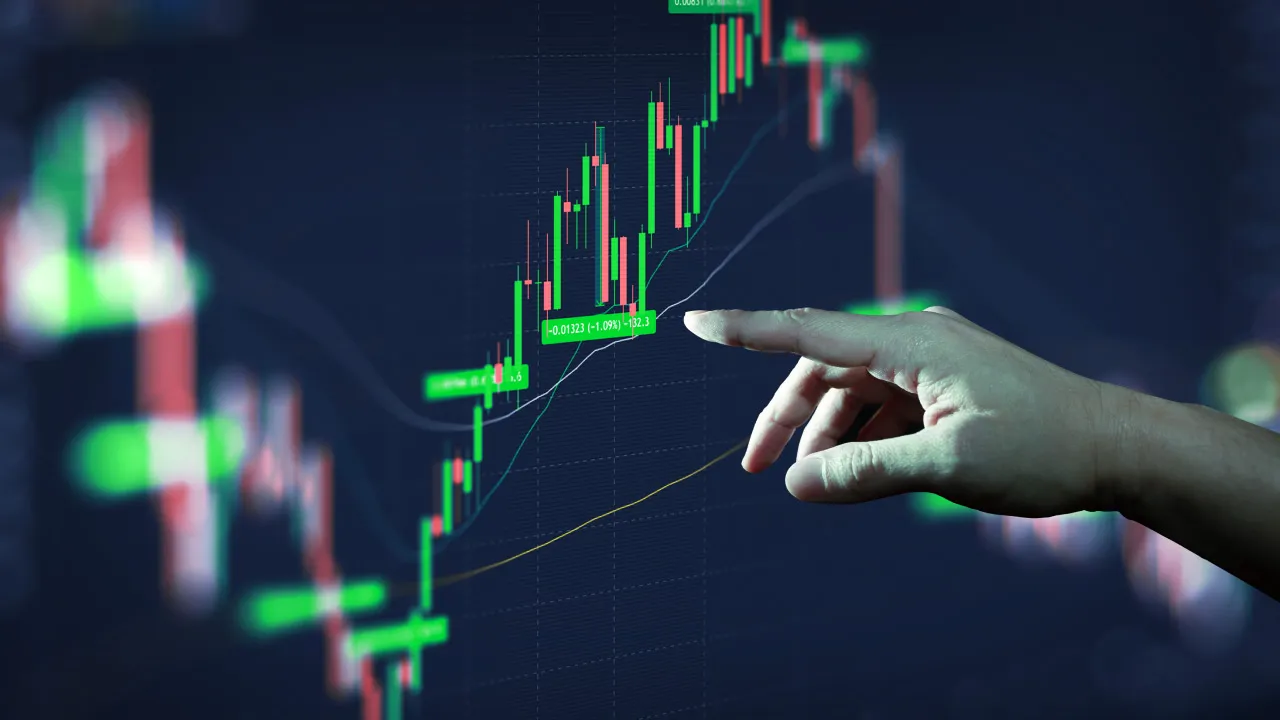
5. Optimize Image Resolution and Format
Nothing ruins a strong trading narrative like a blurry or pixelated screenshot. Always capture images at the highest resolution your setup allows. When saving or exporting, choose formats like PNG or WEBP that preserve detail without enormous file sizes.
For online use, keeping images under 1MB while maintaining clarity speeds up page loads (a key SEO factor) and improves user experience. A well-optimized image also ranks better on search engines with proper alt-text description, so don’t overlook this.
6. Maintain Consistency Across Your Posts
Your visual identity as a trader or financial educator should be consistent. Use the same style of screenshots—font, colors, aspect ratio, and layout—across all platforms. This builds recognition and strengthens personal branding.
Imagine scrolling through Instagram, Twitter, or your blog and instantly identifying your screenshots among a sea of others—that’s powerful personal branding at play.
Bonus: Harnessing the Power of Automated Screenshot Tools
Sure, you can manually tweak your MetaTrader screenshots in Photoshop or Illustrator, but that’s time-consuming and often tedious. Here’s where the Trading Screenshot Generator becomes a game-changer.
This innovative web tool is tailored for traders and educators who want to create high-quality, customized MetaTrader screenshots with minimal effort. It includes:
- Automated cropping aligned with trade setups
- Pre-built templates to add pertinent data like entry/exit levels, risk ratios, and timestamps
- One-click export in optimized formats perfect for social media or educational materials
By integrating this streamlining capability into your workflow, you’ll spend less time fiddling with technicalities and more time focusing on what matters: engaging your audience and growing your brand.

Wrapping Up: Your Screenshot Strategy as a Growth Lever
Never underestimate the power of a well-crafted MetaTrader screenshot. As we’ve explored, it’s not just about snapping a picture of your screen—it’s about telling a story, building credibility, and inspiring confidence. Whether you are teaching novices or selling signals, your visuals often communicate more than words.
Do you want your screenshots to stand out professionally while saving you precious time? Try out the Trading Screenshot Generator today and watch your engagement, trust, and conversions soar.
After all, in trading—and in life—it’s the details that differentiate the good from the great.
Why Screenshots Matter in the World of Trading Content
If you’re a trading educator, signal seller, or financial influencer, you know that credibility is everything. Sharing your trades and setups isn’t just about numbers—it’s about trust, transparency, and education. Screenshots provide an instant, visual way to communicate your analysis and results.
Imagine scrolling through hundreds of text-heavy posts showing trade logs—boring, right? But then, you come across a crisp, clear screenshot highlighting a winning trade accompanied by commentary. That visual anchor grabs your attention immediately. It makes complex data easier to digest and gives you confidence in the trader’s expertise.
Understanding MetaTrader’s Screenshot Capabilities
MetaTrader, whether you use MT4 or MT5, offers built-in screenshot options, but they can be somewhat basic and manual. You right-click on the chart and select Save as Picture, choosing if you want to save the active chart or the entire workspace. While functional, these native features often lack customization that today’s expert traders need to truly stand out.
For example, you can’t add personalized branding, timestamps, or highlight specific trade entries and exits easily. This is where tools like the Trading Screenshot Generator elevate your content by allowing you to create professional, tailored images quickly.
Quick Tips to Take Better Screenshots with MetaTrader
- Set your chart period: Use appropriate timeframes that contextualize your trade, whether it’s 5-minute scalps or daily swing trades.
- Use chart templates: Consistent chart layouts ensure your screenshots look uniform and professional across posts.
- Highlight key elements: Use arrows, trendlines, or text notes on the chart before capturing the screenshot to draw attention to critical areas.
How to Use Screenshots to Enhance Different Trading Content Types
The real magic happens when screenshots become part of your broader content strategy. Let’s break down how you can tailor MetaTrader screenshots for various purposes.
1. Educational Content
Teaching traders how to read charts and interpret signals is an art. Screenshots give you the canvas to walk your audience through setups, entries, and exits:
– Step-by-step trade breakdowns
– Annotated technical indicators
– Comparing correct vs. incorrect trade setups
“I started incorporating annotated screenshots in my weekly lesson plans, and the feedback was phenomenal. Students grasped concepts faster and felt more confident applying them.” – fictitious testimonial from Alex M., Trading Coach
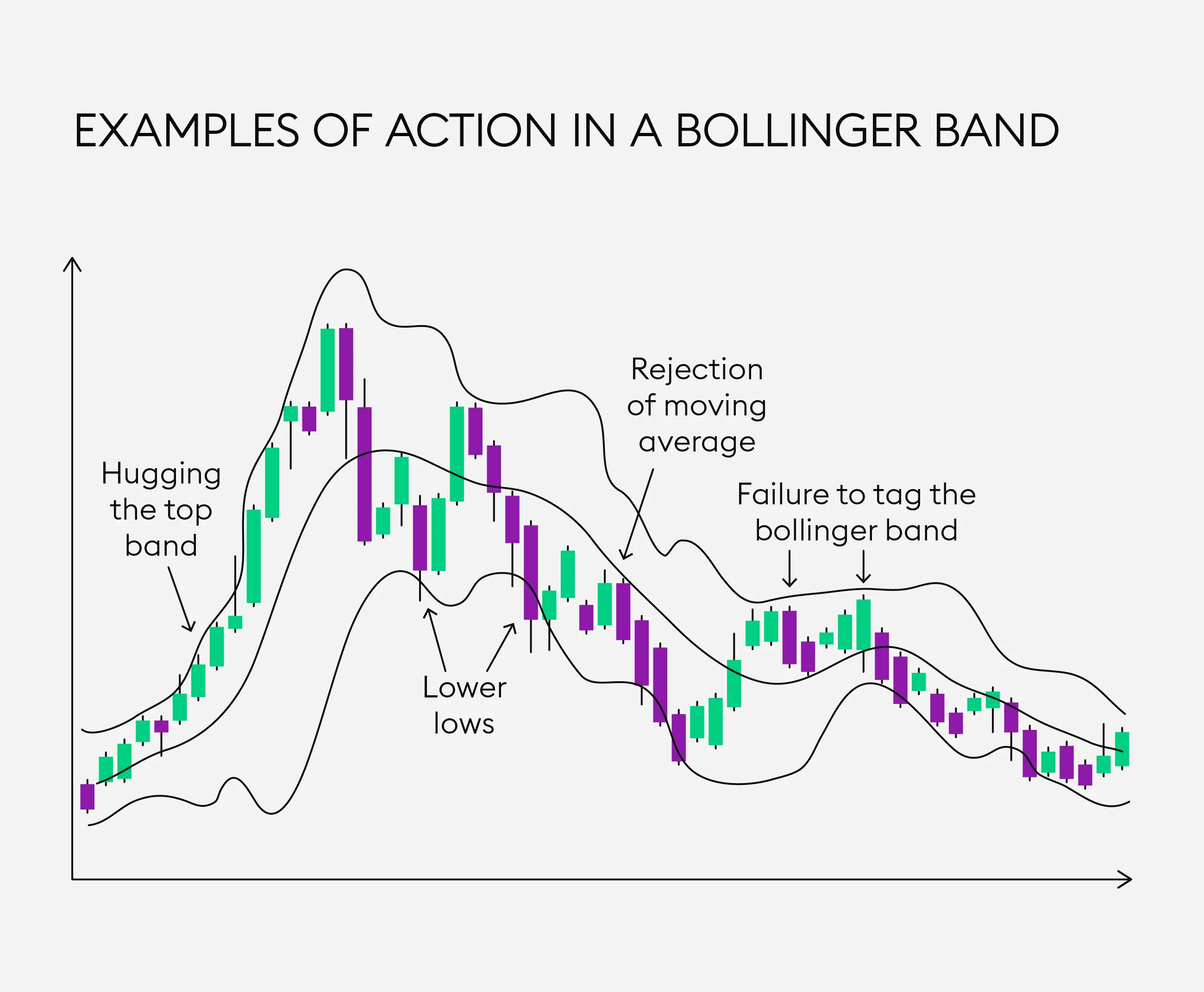
Adding hand-drawn circles or highlights on key candles or indicator crossovers clarifies your teaching point like nothing else.
2. Signal Selling & Performance Proof
Clients need reassurance that your signals yield consistent results. Screenshots show verified trade histories and live or closed trade outcomes without exposing sensitive data.
Using optimized screenshots with clear timestamps, profit/loss results, and credentials can break down buyer hesitation drastically. Combine that with honest commentary—your visual proof becomes your strongest sales asset.
3. Personal Brand Building on Social Media
Financial influencers thrive on eye-catching content. Share your trading journey authentically with:
– Progress screenshots showing growth over time
– Charts capturing “aha” moments or unexpected setups
– Behind-the-scenes workflow glimpses
This creates connection and community around your persona beyond the raw numbers.

Best Practices for Creating Impactful MetaTrader Screenshots
Creating screenshots that resonate is about more than hitting “print screen.” Here’s a checklist to boost quality and effectiveness:
- Keep it clean: Remove unnecessary clutter—minimize open indicators and toolbars.
- Add context: Use notes or text overlays to explain why a trade was opened or closed.
- Brand consistently: Incorporate logos or your unique watermark for instant recognition.
- Choose clarity over crowded visuals: Stick to essential data points and avoid overwhelming your audience.
- Optimize image size and format: Fast-loading images help reduce bounce rates on blogs and websites.
Here’s an insider pro tip: Use color coding to differentiate trades — green for winners, red for losses, and neutral colors for setups under evaluation.
How the Trading Screenshot Generator Takes This Further
We get it. Doing all this manually can be tedious and time-consuming. The Trading Screenshot Generator automates and customizes the entire process, offering:
- Quick drag-and-drop chart import from MetaTrader’s history
- Fully customizable overlays — add your logo, trading notes, timestamps, and performance stats
- Templates optimized for social media, blogs, and emails
- High-resolution exports ready for professional use
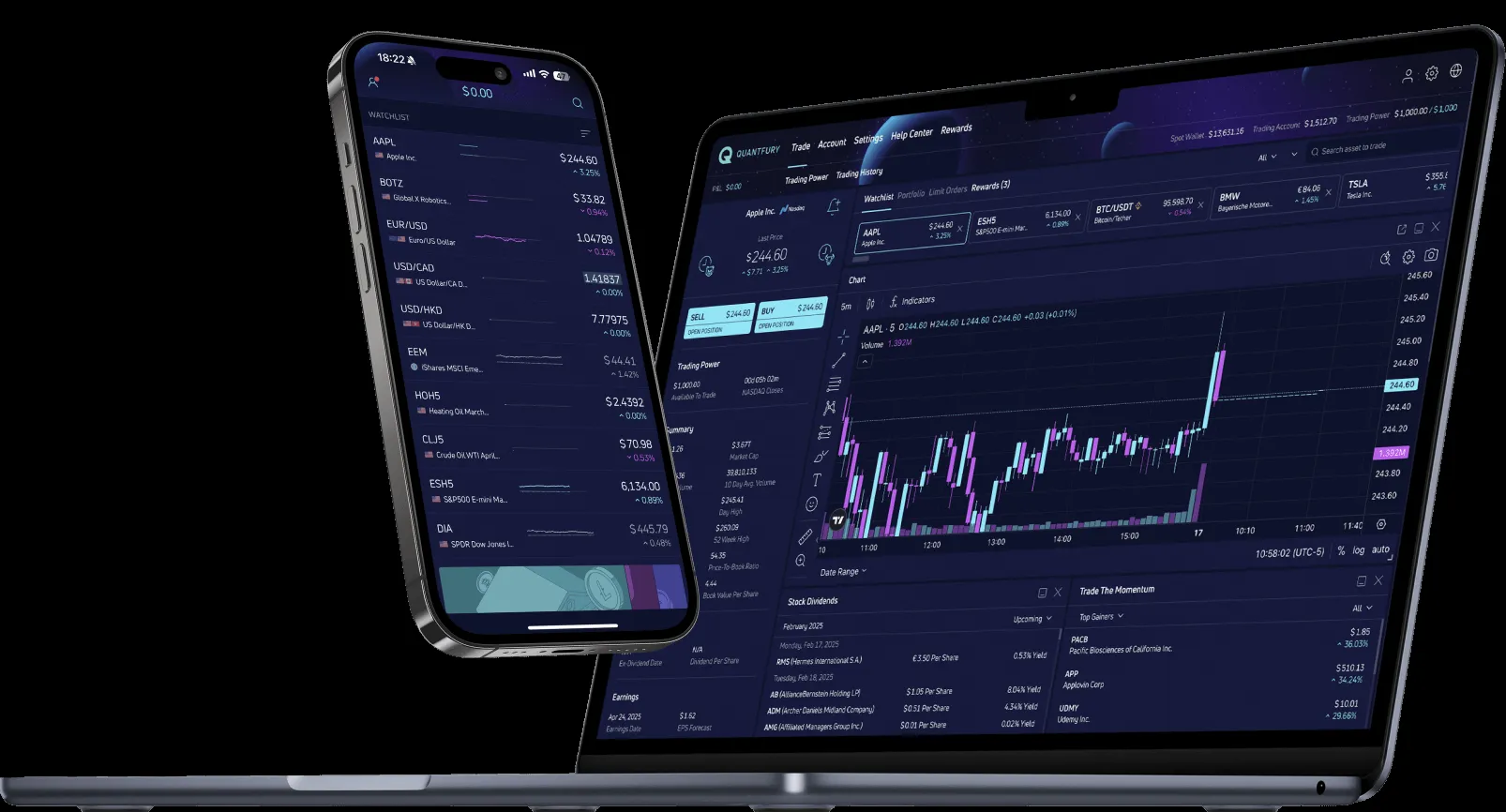
This tool is especially valuable for educators and signal providers looking to increase conversions and enhance their credibility by providing high-quality visual proof effortlessly.
Common Questions About Using MetaTrader Screenshots
Can I use screenshots to prove past performance legally?
While screenshots help build trust, always disclose that trading involves risk. Transparency and honesty reinforce compliance with financial regulations and protect your reputation.
What about protecting my client’s privacy when sharing trade screenshots?
Be sure to crop out or blur any sensitive client information. Tools like the Trading Screenshot Generator allow you to control exactly what appears on your images.
Is it better to show live or closed trades?
Both have benefits. Closed trades show concrete results while live screenshots can illustrate your real-time analysis skills. Use a combination to tell a compelling story.
Wrapping Up: Your Next Steps to Transform Your Trading Content
If you want your trading content to grab attention, build trust, and increase conversions, mastering the art of MetaTrader screenshots is a crucial step. Don’t settle for generic or cluttered images that dilute your messaging.
Embrace the power of professional, customized screenshots — your audience will thank you, and your brand will reap the rewards. Ready to upgrade your visuals without spending hours fussing over details? Explore how the Trading Screenshot Generator can make your work easier and more impactful.
Go ahead, give it a try and watch your engagement soar.
Why Visual Evidence Matters in Explaining Risk Management
When teaching trading or showcasing trading strategies, few things build credibility as effectively as clear, compelling visuals. Have you ever tried to explain a complex risk management setup purely with words? Chances are your audience quickly lost interest or misunderstood key points. This is where screenshots from trading platforms such as MetaTrader become invaluable.
Imagine this: you’re an educator trying to convey *why* you placed a stop loss at a particular price level or how you scaled out of a position to limit risk. Simply saying “I set a 2% risk per trade” doesn’t quite cut it. Your students or followers need to *see* it in action — the entry point, take profit levels, the stop loss, and even the trade history that confirms your strategy’s success or lessons learned.
Utilizing screenshots in blog posts, social media updates, or paid signal subscriptions can transform dry explanations into engaging, trustworthy content. This not only demonstrates your transparency but also builds confidence in your audience, crucial for personal branding in the competitive trading education space.
Key Risk Management Concepts to Showcase with Screenshots
Before diving into how to capture the perfect screenshot, let’s identify the *vital elements* of risk management that resonate well visually:
1. Position Sizing
How large is the position relative to your account size? It’s critical to demonstrate how you calculate and adhere to your position sizing rules to maintain consistent risk exposure.
2. Stop Loss Placement
The location of your stop loss speaks volumes about your discipline and market understanding. Showing a clearly drawn stop loss, along with the rationale behind its placement, can enlighten your audience on risk-reward ratios.
3. Risk-Reward Ratios
Visualizing your trade setups with entry, stop loss, and target levels allows followers to intuitively grasp expected returns vs. potential losses.
4. Trade Outcomes and Learning Points
Showcasing both winning and losing trades complete with annotations promotes authenticity, emphasizing that risk management is as much about preserving capital as chasing profits.
5. Adaptability and Strategy Tweaks
Sometimes, risk management isn’t static. Demonstrating adjustments based on market conditions or trade progression adds sophistication and real-world practicality to your lessons.
How to Create Impactful Screenshots that Enhance Risk Management Lessons
Now, how exactly can you turn a raw trading platform screenshot into a professional, educational asset? Following are some practical tips:
- Use Clean, Focused Visuals: Crop unnecessary panels or clutter to spotlight the trade setup and risk parameters only.
- Annotate Strategically: Highlight key points with arrows, text boxes, or color-coded markers explaining entry, stop loss, and take profit.
- Maintain Consistency: Stick to a uniform style across screenshots for brand cohesion and easier comprehension.
- Include Relevant Metrics: Display risk percentages, pip distances, or reward ratios prominently.
- Show the MetaTrader Terminal Window: Including trade history or chart properties adds credibility to your claims.
- Leverage Tools Designed for Traders: Generic screenshot tools don’t always display your trade details in the best light. This is where a specialized tool like Trading Screenshot Generator shines — it offers quick, professional screenshots optimized for trading educators.

Case Study: Turning a Simple Screenshot Into a Trust-Building Tool
Let me share a quick story. Laura, a trading coach, once struggled to convince her followers about the importance of strict stop loss discipline. Her explanations were well-written but didn’t translate into increased client signups or engagement.
By adopting dedicated screenshots showcasing actual trades with clearly marked stop losses and profit targets, her content transformed overnight. One image of a recent setup with annotated risk-reward levels and clear “Before” and “After” outcomes received triple the usual comments and motivated her followers to apply the same principles.
She used those screenshots not only on her blog but also in email newsletters and social media posts — all generated effortlessly through a tool customized for MetaTrader visuals. This consistency and clarity grew her brand reputation significantly.
The SEO Power of Well-Optimized Trading Screenshots
You might wonder, “SEO and screenshots? How do those relate?” There’s more to images than mere aesthetics when it comes to search engine optimization:
– **Alt Text:** Properly written alt attributes with relevant keywords help search engines understand the image content. E.g., “Trading screenshot highlighting risk management stop loss placement on MetaTrader.”
– **Load Speed:** Optimized images from specialized tools maintain fast load times, ensuring better user experience and ranking.
– **Structured Content:** Integrating screenshots within long-form, keyword-rich articles increases reader retention and encourages social shares — both positive SEO signals.
– **Engagement:** Enhanced content invites comments and backlinks, reinforcing authority in the financial trading niche.
Keeping your content natural and appealing with diverse multimedia drastically increases your chances of ranking on relevant queries such as “risk management trading examples” or “how to set stop losses MetaTrader.”

Best Practices for Using Screenshots Ethically and Effectively
While screenshots are powerful, they come with a set of responsibilities:
– Transparency: Never manipulate trade results or hide losses. Always present an honest picture.
– Privacy: Blur out any personal data if your screenshots include sensitive information.
– Clarity: Make sure annotations are easily legible and don’t overwhelm the main message.
– Context: Always accompany screenshots with detailed explanations to ensure your audience correctly interprets them.
– Compliance: Follow platform rules regarding sharing trade data and adhere to regulatory guidelines when promoting financial education.
Remember, your aim is to enhance trust, not just impress with fancy visuals.
Practical Steps to Start Using Trading Screenshots Now
Ready to take your risk management demonstrations to the next level? Here’s a simple workflow to get started:
1. Identify a Key Trade Setup: Find a recent example that clearly illustrates your risk management approach.
2. Open MetaTrader: Adjust your chart view to emphasize entry, stop loss, and take profit.
3. Use the Trading Screenshot Generator tool: Capture high-resolution, annotated screenshots tailored for educational purpose.
4. Insert into Your Content: Whether a blog post, email newsletter, or social media update, place the visual near your explanation for maximum effect.
5. Engage Your Audience: Invite questions or feedback to foster a learning community around your risk management coaching.
6. Review and Iterate: Over time, analyze which types of screenshots resonate most and refine your strategy.
Bonus Tip:
Combining screenshots with video walkthroughs or live webinars turbocharges trust and comprehension — but strong images complement these perfectly for anytime reference.
Conclusion: Harness the Power of Screenshots to Elevate Your Trading Education
In a world saturated with financial content, standing out requires more than just knowledge — it demands clear, authentic, and engaging communication. Screenshots showcasing your risk management strategies provide undeniable proof of your expertise and trading ethics.
Leveraging specialized tools to create beautiful, customized MetaTrader screenshots lets you share your journey, educate your followers, and build lasting trust. So why stick to words alone when a well-crafted visual can speak volumes?
Take the next step today and explore how Trading Screenshot Generator can become your secret weapon in demonstrating risk management like a pro.
—
“The journey to mastering risk management is often complex—but with the right visuals, we make learning not just easier, but inspiring.” — A Trading Educator’s Reflection
Why SEO Matters for Trading Screenshot Articles
If you are a trading educator, signal seller, or financial influencer, creating engaging content around your trade screenshots is a powerful way to build credibility. But here’s the rub: **without solid SEO strategies, your carefully crafted content may be buried in the depths of Google results**, unseen by your target audience.
So, what’s the solution? A well-rounded SEO checklist specifically tailored for trading screenshot articles that not only amplifies visibility but also delivers value and trustworthiness. Ready to dive in?

Understanding Your Audience and Keywords
Before writing a single word, take a moment to step into your reader’s shoes. Who are they? Are they beginners hungry for educational insights or seasoned traders seeking reliable trade signals?
Identifying your audience helps you discover relevant keywords with the right intent. Think about phrases like:
- “Trading screenshot examples”
- “How to showcase trades MetaTrader”
- “Trading performance snapshots”
- “Creating engaging trade screenshots”
Use keyword research tools such as Ahrefs Keywords Explorer or Moz Keyword Explorer to validate search volumes and competition. The goal is to balance volume with relevance.
Pro tip: Long-tail keywords tend to convert better because they match specific search intents. For example, “best way to create MetaTrader screenshots for trading education” may attract highly engaged users ready to learn or purchase.
Crafting a Catchy and SEO-Friendly Meta Description
Your meta description is your shop window. It must invite clicks by clearly communicating what your article offers. Keep it within 150-160 characters and include your primary keyword naturally.
Example: “Discover a step-by-step SEO checklist for trading screenshot articles to boost your visibility and attract more followers in the financial niche.”
Creating an Engaging and Structured Article
Use Clear Headings With Keywords
Google loves well-structured content. Use <h2> and <h3> tags liberally to break your message into digestible sections. Each header should contain variations of your target keywords:
- SEO tips for trading screenshots
- How to optimize your MetaTrader images
- Boosting conversions with screenshot visuals
Write Naturally, Yet Optimized
You don’t want your article to sound like a keyword-stuffed robot, right? The trick is balance. Use semantic keyword variations and related phrases throughout your content while keeping a conversational tone that feels human.
For instance, instead of repeating “trading screenshots” every sentence, mix in terms like:
- trade visuals
- MetaTrader snapshots
- financial charts images
- performance highlights
Optimize Your Images Strategically
Images make articles come alive, especially for trading screenshots that visually communicate expertise. But they also matter for SEO when properly optimized:
- File Name: Use descriptive names like meta-trader-trade-screenshot-optimization.webp
- Alt Text: Briefly describe the image with keywords, e.g., Professional MetaTrader screenshot showing completed trade setup
- Size: Compress images to balance quality and loading speed for better rankings and UX
Here is another example of a trading screenshot perfectly optimized for a blog post:
Write Deeply Informative and Actionable Content
Readers crave substance over fluff, especially in the financial space. Aim for at least 1,500 words of content that educates, explains, and inspires action.
Consider integrating:
- Step-by-step guides on creating or optimizing trading screenshots (like with Trading Screenshot Generator)
- Case studies illustrating how professional visuals boosted conversions
- Tips on branding and consistency
- Common pitfalls and how to avoid them
Include Citations and External Resources
“Referencing reputable sources not only builds trust but also improves SEO credibility.”
Enhance User Engagement with Calls-to-Action (CTAs)
Don’t let your readers leave without them taking the next step. Whether it’s trying out a tool, subscribing, or sharing your article, every CTA must be clear and compelling.
Example CTA placed naturally within the text:
_“Ready to create stunning trading screenshots that elevate your brand? Give Trading Screenshot Generator a try today! It’s fast, easy, and perfect for traders looking to stand out.”_
Technical SEO and Readability
Keep URLs Simple and Keyword-Rich
Your article URL should reflect your main topic concisely — for instance:
https://example.com/seo-checklist-trading-screenshots
Improve Page Load Speed
Fast page loading is a ranking factor. Compress images, reduce unnecessary scripts, and consider CDN usage. According to Google PageSpeed Insights, aiming for a score above 90 is ideal.
Mobile Optimization
More than half of all web traffic comes from mobile devices. Make sure your article is responsive and readable on all screen sizes.
Leveraging Internal and External Links
Throughout your post, link to other helpful pages on your website to keep readers engaged and spread SEO value. Also, don’t hesitate to link out to authoritative external sites where appropriate (as we did with Moz and Google PageSpeed links).
Final Thoughts: Consistency and Updates Matter
SEO isn’t a one-off effort. Algorithms change, and new keywords emerge. For trading screenshot articles, regularly updating content to reflect new trends, tools (like Trading Screenshot Generator), or platform updates is critical to maintain advantage.
Remember, a great article combined with an optimized approach paves the way for organic traffic growth and increased authority in the trading community.
Quick SEO Checklist Summary for Trading Screenshot Articles
- Identify and incorporate relevant, intent-driven keywords
- Write natural, engaging content over 1500 words
- Use descriptive headings with keyword variations
- Optimize images with descriptive filenames and alt texts
- Ensure fast loading speed and mobile responsiveness
- Include authoritative internal and external links
- Craft compelling meta descriptions and calls to action
- Update content regularly to stay relevant
By following this checklist, your trading screenshot articles won’t just sit quietly on your blog—they’ll actively drive traffic, build trust, and convert casual visitors into loyal followers.
So why wait? Start crafting and optimizing your next trading screenshot article today — and leverage advanced tools like Trading Screenshot Generator to create professional visuals with ease!
Understanding the Importance of Legal Protection for Trading Screenshots and Signals
In today’s crowded financial education and trading signal market, standing out requires more than just impressive results. It demands trustworthiness, credibility, and safeguarding your intellectual property. But have you ever wondered—how legally secure are your trading screenshots and signals?
Whether you’re a trading educator sharing your setups, a signal seller proving past performance, or a financial influencer creating compelling content, your screenshots and signals are assets. They represent your skills, your effort, and your brand’s reputation. Protecting these assets isn’t just about keeping them safe; it’s about asserting ownership and preventing misuse.
Why Are Trading Screenshots and Signals Vulnerable?
Let’s address the elephant in the room: the digital age makes copying and redistribution incredibly easy. Have you ever seen your screenshots or signals shared on third-party platforms without your permission? You’re not alone.
Trading screenshots and signals are:
- Easy to replicate: Anyone with basic tools can copy a screenshot or forward a signal.
- Prone to misuse: Manipulated or stolen trades can damage your credibility.
- At risk of copyright infringement: Without proper claims, your content may become public domain.
Protecting your work legally ensures you maintain control and maintain professional integrity. But how exactly can you do that? Let’s explore.
Legal Foundations: What Rights Do You Have Over Your Trading Content?
Before diving into protection mechanisms, understanding what you can protect is key.
1. Copyright laws safeguard original content fixed in a tangible medium—like screenshots and written signals. You automatically own copyright upon creation, but registration can enhance your protections.
2. Intellectual property rights cover your brand identity, including logos, trademarks, and trade dress accompanying your screenshots or signals.
3. Contract law comes into play when you sell or distribute signals under terms of service that restrict reuse or redistribution.
“Owning your trading content legally means taking your business seriously—and protecting what you’ve built with sweat and strategy.” – Financial content legal expert
Practical Steps to Legally Protect Your Trading Screenshots and Signals
Now that you understand the legal backdrop, here are actionable measures to secure your content while still sharing it with your audience or clients.
1. Apply Watermarks and Branded Elements
Watermarking your screenshots clearly establishes ownership at a glance. Adding a logo, your brand name, date and time, or a specific tagline directly onto your images
can deter content theft or unauthorized use.
For instance, imagine Laura, a forex educator, who started embedding her brand’s logo and a unique serial number on every trade screenshot. This small addition not only enhanced brand visibility but also provided an easy way to prove authenticity if disputes arose.
2. Maintain Detailed Records and Metadata
Keep meticulous records of your trades, including timestamps, platform data (like MetaTrader logs), and correspondence related to signal dispatch. This evidence supports your ownership and the authenticity of your content if questioned.
Did you know? Embedding metadata into images or accompanying signals with detailed logs can strengthen your claims during potential legal challenges.
3. Use Terms of Service Agreements
If you provide trading signals or educational content on your website or via subscription, make sure your Terms of Service (ToS) explicitly restrict copying, redistribution, or commercial use without permission.
This is critical for setting expectations and provides a legal basis to take action if someone violates those terms.
4. Register Your Copyrights Where Possible
In some jurisdictions, while copyright is automatic, registration grants additional benefits like the ability to sue for statutory damages or attorney fees. If your trading content is a core business asset, official copyright registration is worth considering, particularly for widely shared or monetized content.
Protecting Your Content the Easy Way: Leveraging Technology
Manual watermarking, tracking, and legal registrations are important, but they can slow down your workflow. What if you could automate, simplify, and ensure consistency across all your content?
This is where tools like the Trading Screenshot Generator come in.
How This Tool Empowers Legal Protection Efforts
- Customizable branding: Automatically adds your unique logos, timestamps, and disclaimers to every MetaTrader screenshot you generate.
- High-resolution output: Professional quality images reduce temptation or excuses for unauthorized alterations.
- Consistent formatting: Builds a recognizable brand style that’s harder to spoof.
- Time efficiency: Produce polished, clear evidence to accompany your trading signals quickly, giving you more time to focus on strategy.
By using a specialized platform for your screenshot generation, you gain an extra layer of legal and practical protection – an often overlooked yet vital part of building a trustworthy trading brand.
Common Questions About Legal Protection of Trading Content
Q: Can I copyright my trading signals themselves?
A: While the specific recommendations or trade ideas may be considered facts and not copyrightable, the way you present and package your signals, including accompanying explanations, screenshots, and unique formatting are protected.
Q: What happens if someone steals my screenshots or signals?
A: If your content is unlawfully copied, you can issue takedown requests, send cease and desist letters, or in serious cases, pursue legal action. Having your branding, metadata, and terms of service in place strengthens your case.
Q: How frequently should I update my protections?
A: Regularly refresh your watermark styles, keep your contracts updated with new regulations, and monitor platforms where your content appears to stay ahead.
Conclusion: Make Protecting Your Trading Content Part of Your Strategy
In the fast-paced trading educational space, your screenshots and signals are your digital handshake—your promise of expertise and reliability. Would you leave a handshake vulnerable to imitation?
Legal protection of your trading content isn’t an afterthought; it’s a strategic asset. By combining smart legal knowledge with practical tools—like the Trading Screenshot Generator—you can create compelling, legally safeguarded visuals that not only boost your brand but protect it fiercely.
Remember Laura’s story: a simple branded screenshot saved her from a damaging copycat situation and reinforced her brand’s authority overnight. You, too, can make your trading content an unshakeable pillar of trust and professionalism.
Ready to Protect Your Trading Screenshots and Signals the Smart Way?
Don’t wait until your content is copied or misused. Start generating legally reinforced, professional trading screenshots today with Trading Screenshot Generator. Your brand, your business, and your peace of mind deserve it.
Why Visual FAQs are a Game Changer in the Trading World
In the world of trading education and signal sharing, clarity and trust reign supreme. Have you ever found yourself overwhelmed by text-heavy FAQs or complicated explanations that leave you more confused than enlightened? You’re not alone. Traditional text-based FAQs may provide answers, but they often lack the nuances that visuals can deliver, especially when it comes to trading setups and results.
This is where Trading Screenshot Generator steps in, revolutionizing how trading educators, signal sellers, and influencers communicate. Imagine transforming your FAQs into dynamic, visually-driven guides that not only answer questions but also engage and educate simultaneously. In this article, we’ll dive deep into creating a compelling Visual FAQ using high-quality trading screenshots, taking your educational content from mundane to magnetic.
Understanding the Power of Visual Communication in Trading Education
Let’s face it—trading concepts can get complicated quickly. When you explain entry points, exit signals, stop losses, or risk management verbally or through text alone, vital details might remain abstract. But a powerful image can convey complex information instantly. This is why many successful educators rely on annotated charts and snapshot reviews to teach effectively.
Visual FAQs take this approach a step further. By embedding high-quality screenshots directly into your frequently asked questions, you:
- Reduce confusion: Visual examples clarify verbal explanations and help users grasp key points at a glance.
- Build trust: Transparent screenshots of actual trades demonstrate authenticity and professionalism.
- Increase engagement: Eye-catching images naturally draw attention, making visitors linger longer and absorb your content.
- Streamline support: Answer common questions more efficiently, reducing repetitive inquiries.
Real-Life Anecdote: Sarah’s Trading Education Platform
Take Sarah, a trading educator who struggled with an influx of beginner questions about her signals. She started integrating customized screenshots showing recent trades, highlighting entry points and stop-loss placements directly within her FAQ. Within weeks, her user engagement soared, and support tickets decreased by 30%. Her students appreciated the clarity and transparency, making her classes more successful.
Getting Started: How to Create Visual FAQs with Trading Screenshot Generator
Here’s the exciting part—you don’t need to be a graphic designer or coding wizard to make this happen. The Trading Screenshot Generator makes it straightforward to capture and customize professional MetaTrader screenshots.
Step-by-Step Approach
- Open your MetaTrader platform. Choose the trade, chart, or setup you want to showcase.
- Take a standard screenshot or export relevant data.
- Upload the screenshot to the Trading Screenshot Generator. Use the tool to customize by adding annotations, trade details, and overlays.
- Download the finished image in high resolution.
- Embed the image directly into your FAQ section. Pair each visual with concise, explanatory text.
This process takes just a few minutes but provides invaluable clarity and polish.
Top FAQ Topics Enhanced By Visuals
When deciding what to illustrate, focus on questions where a picture really does speak a thousand words. Here are some perfect candidates:
- What does a typical trade setup look like? — Include annotated screenshots highlighting entry, stop loss, take profit levels.
- How do I interpret your trading signals? — Show example signals on charts with notes explaining each element.
- What are your performance metrics? — Share snapshots of your MetaTrader history or equity curves.
- How do I manage risk? — Highlight risk-to-reward ratios visually on trade examples.

Design Tips for Optimizing Your Visual FAQ
Now that you have your screenshots, let’s discuss how to make your Visual FAQ even more impactful:
1. Prioritize Clarity and Simplicity
Use clean, minimal annotations that guide the eye without overwhelming the image. Avoid clutter by focusing on one or two key features per screenshot.
2. Use Consistent Styling
Maintain a uniform color scheme, font, and annotation style across all images to establish a professional brand identity. The Trading Screenshot Generator offers customizable templates to keep this consistent.
3. Add Descriptive Captions
Combine images with concise, clear captions that explain what viewers should notice. This ensures even those unfamiliar with trading jargon can follow along.
4. Optimize Image Loading
Use compressed yet high-quality images to guarantee fast load times on your website, improving user experience and SEO.
SEO Benefits of a Visual FAQ
Do visuals really help SEO? Absolutely! Google values user engagement and content that effectively answers questions—both dramatically improved with images embedded in your FAQ. Here’s how you benefit:
- Higher Dwell Time: Users stay longer on pages when visuals enrich the content.
- Lower Bounce Rates: Engaging content reduces exit rates.
- Image Search Traffic: Optimized screenshots with descriptive
alttexts can appear in Google Images, driving additional visitors. - Improved Accessibility: Visuals paired with text annotations improve understanding for diverse audiences.
For best SEO practices, ensure each image’s alt text includes relevant keywords naturally (e.g., “MetaTrader trade setup screenshot”), just as shown with the images embedded here.
Frequently Asked Questions About Creating Visual FAQs
Q: Can I create screenshots from any trading platform?
A: The Trading Screenshot Generator is optimized for MetaTrader but also supports screenshots from other platforms given they’re uploaded as image files for customization.
Q: What file formats does the tool support?
A: JPEG, PNG, and BMP files can be uploaded and processed seamlessly.
Q: Will adding images slow down my website?
A: Not if optimized properly. Use compressed images without losing quality, and leverage lazy-loading techniques to keep loading times minimal.
Start Building Your Visual FAQ Today
If you’re serious about building trust, boosting conversions, and establishing yourself as a knowledgeable voice in the trading community, creating a Visual FAQ with real, polished screenshots is a powerful move.
Don’t just tell your audience how you trade—show them. With the Trading Screenshot Generator, you have all the tools at your fingertips to craft beautiful, impactful visuals in no time.
Ready to transform your FAQ section and captivate your community? Visit Trading Screenshot Generator and start creating your visual masterpieces today!

Why Screenshot Landing Pages Matter for SEO
Ever wondered why some trading educators and financial influencers seem to dominate search results while others fade into obscurity? One secret weapon is a well-crafted SEO-rich screenshot landing page. These pages are a powerful blend of visual proof and keyword-optimized content that can significantly boost your website’s rankings and credibility. But what exactly makes them so effective?
In the world of online trading education, trust is king. Potential clients want to see real, verifiable trading results before they even consider signing up for your courses or signals. A landing page featuring clear, clean screenshots of actual trades from platforms like MetaTrader serves this purpose perfectly. But beyond trust, these pages are SEO goldmines when built right, leveraging rich keywords, structured content, and optimized images.

The Role of Visual Trust Signals
Humans are visual creatures. When browsing, an engaging screenshot demonstrating your live trade executions or successful strategies can captivate visitors immediately. This reduces bounce rates and enhances user engagement — both essential SEO ranking factors. Displaying customized, high-quality trading screenshots creates a psychological trigger that you know what you’re doing.
“People don’t just buy products or services; they buy trust and confidence.”
That’s why tools like the Trading Screenshot Generator have become indispensable. They allow educators and influencers to effortlessly create professional screenshots customized with brand elements, timestamps, and annotations, making your evidence both authentic and highly shareable.
Strategically Optimizing Screenshot Landing Pages for SEO
Optimization is not just about plugging keywords randomly; it’s about seamlessly weaving relevant keywords into content that reads naturally. Here’s how to do it effectively.
1. Start With Keyword Research
Before crafting your landing page, spend time researching keywords related to your niche—like ‘trading signals’, ‘MetaTrader trading results’, ‘forex trade screenshots’, or ‘live trade examples’. Use tools such as Google Keyword Planner, Ahrefs, or SEMrush to identify phrases with high search intent and moderate competition.
2. Implement a Clear Content Structure
- Title and Meta Description: Integrate primary keywords here, ensuring they’re captivating and descriptive.
- Headings: Use H2, H3, and even H4 tags to break down content logically, with keywords carefully placed.
- Paragraphs: Keep sentences concise and flow conversationally, sprinkling related keywords semantically.
For example, instead of stuffing “forex screenshots” repeatedly, use variations like “visual trade proofs,” “MetaTrader trade snapshots,” or “real trade performance images” to diversify your content vocabulary.
3. Use High-Quality Optimized Images
Search engines increasingly analyze images for SEO. Properly optimized visuals offer two major benefits:
- Improved Page Load Speed: Use compressed formats such as WebP without sacrificing quality.
- Image SEO: Include descriptive
alttext embedded with relevant keywords, enhancing the likelihood of ranking in image search results.

With tools like Trading Screenshot Generator, you can generate crisp screenshots optimized for online use. Each image becomes a SEO asset when named thoughtfully and provided with keyword-rich alt tags.
Crafting Content That Converts and Ranks
What’s the point of ranking on Google if visitors don’t convert? Screenshot landing pages need to strike a balance between SEO and persuasion.
Tips for Engaging, Conversion-Driven Content
- Begin with a compelling hook: Address your audience’s pain points directly. Example: “Struggling to prove your trading credibility? Here’s how transparent screenshots can boost your brand.”
- Highlight benefits clearly: Think beyond features. Show how screenshots increase trust, transparency, and ultimately sales.
- Use social proof: Incorporate testimonials or data showcasing increased engagement or conversions after deploying your screenshots.
- Include strong calls-to-action (CTAs): Subtly invite readers to improve their trading marketing efforts using Trading Screenshot Generator. Example: “Ready to elevate your trading brand with professional screenshots? Try the Trading Screenshot Generator today.”
Storytelling – The Missing Ingredient?
Imagine Mark, a forex educator passionate about his craft but struggling to grow his audience. Once he started showcasing verified trade screenshots, his engagement jumped by 40%, and inquiries doubled. Mark’s story isn’t unique but shows the power of visual proof combined with SEO-optimized content in practice.
Technical SEO Essentials for Screenshot Landing Pages
Beyond text and images, technical aspects can make or break your page’s performance.
Optimize Site Speed
Since screenshots are image-heavy, it’s vital to ensure your landing page loads swiftly on all devices. Compress images, leverage browser caching, and implement lazy loading techniques.
Mobile Responsiveness
Most users browse on mobiles. Your landing page must display screenshots crisply without distortion or slowdowns. Responsive designs coupled with scalable images improve dwell time and lower bounce rates.
Internal and External Linking Strategy
Integrate internal links to related blog posts or tutorials discussing trading strategies, signal services, or MetaTrader tips. This boosts site structure and signals topical relevance to search engines.
Consider authoritative external links, such as official MetaTrader documentation (MetaTrader 4 Official Site), to enhance trustworthiness.
Measuring Success and Evolving Your Pages
SEO isn’t a “set and forget” affair. Track your landing page’s performance via Google Analytics and Search Console:
- Which keywords drive most traffic?
- How do visitors interact with screenshots and content?
- What’s the conversion rate from visits to sign-ups or sales?
Use these insights to refine your keyword targeting, experiment with different screenshot styles, captions, or CTAs.

Conclusion: Unlock the Power of Screenshot Landing Pages Today
There’s no denying the potency of SEO-rich screenshot landing pages in building a trusted trading brand. When you combine compelling, keyword-optimized content with crisp, customized images generated seamlessly by tools like Trading Screenshot Generator, you create an irresistible digital asset that resonates with both search engines and potential clients.
So why wait? Elevate your online presence, win trust, and boost conversions by crafting your own screenshot landing pages now. Remember: in the crowded trading education space, seeing truly is believing — and your screenshots can show it all.