
Why Trust Is the Cornerstone in Selling Trading Indicators
If you’ve ever ventured into the world of trading education or indicator sales, you know the uphill battle you’re fighting. The trading realm is flooded with countless indicators, strategies, and “secret formulas” promising someone the moon overnight. Naturally, potential buyers are skeptical. How can you differentiate your indicator and convince others it’s genuinely valuable?
The answer lies in proof and transparency. Showcase more than just claims; back up your statements with solid evidence. This is where screenshots come into play.

Using Screenshots to Validate Indicators You’re Selling: More Than Just Visuals
Think of screenshots as your digital handshake with potential buyers. They’re not just pretty pictures but tangible representations of your indicator’s performance in real trading scenarios. Imagine scrolling through a sales page full of bland text, promises like “this indicator will double your profits,” but no visual evidence. How convincing is that?
On the other hand, a cleanly cropped, annotated, and professional screenshot that highlights:
- Entry and exit points
- Profit versus loss metrics
- Clear timestamped data
instantly elevates credibility. It tells your audience, “Here’s real data, here’s proof, and I’m not hiding anything.”
What Makes a Screenshot Truly Effective in Trading?
It’s easy to snap and throw any screen grab up on your page, but not all screenshots serve their purpose well. Here’s what you should focus on:
1. Clarity and Cleanliness
A cluttered screenshot filled with unnecessary interface elements or confusing data points overwhelms your audience. The goal is simplicity: highlight the most relevant details that support your indicator’s strengths.
2. Customization and Branding
Adding your logo, consistent colors, or even subtle annotations can tie the screenshot back to your personal brand. This strengthens trust and professionalism.
3. Contextual Explanation
Always accompany screenshots with short but insightful captions or descriptions to guide viewers on what they’re seeing and why it matters.

How to Seamlessly Create Pro-Level Indicator Screenshots from MetaTrader
Say goodbye to mundane screenshots riddled with MetaTrader’s interface distractions. With specialized tools designed for this purpose, you can create clean, professional, and tailored images in minutes.
Trading Screenshot Generator is one such tool, engineered precisely for educators, signal providers, and influencers like you. It lets you pick the relevant trade, customize the layout, add your branding, and output ready-to-share screenshots without ad-hoc image editing.
- Boost viewer confidence with direct visual proof
- Enhance your brand’s professionalism
- Save time and effort with automation
Case Study: From Skeptic to Customer Through Screenshots
Let me share a quick fictional story often heard in the trading community.
Jane, an aspiring trading educator, launched her first indicator last year. Early on, she relied on text-heavy marketing and live trading videos that often froze or seemed manipulated. Sales were underwhelming despite positive feedback from a handful of clients.
After integrating high-quality screenshots from MetaTrader showcasing her indicator’s most recent and successful trades — complete with clean annotations — her website’s bounce rate dropped by 30%, and sales increased by nearly 50% in just two months.
This transformation highlights a simple truth: adding credible visuals convinces potential buyers in ways words alone cannot.

SEO Tip: How to Leverage Indicator Screenshots To Drive Organic Traffic
Beyond sales conversion, screenshots can significantly enhance your blog or sales page’s SEO value:
- Optimize image alt-text with precise keywords such as “MetaTrader indicator screenshot,” “trading setup validation,” or “forex indicator performance.”
- Insert screenshots in blog articles explaining your indicator’s strategy or weekly trading setups, adding rich content that attracts search engines.
- Use structured data where possible to improve snippet display on Google.
Images don’t just beautify your page—they enrich semantic relevance and help attract targeted organic searchers interested in trading tools and indicators.
Common Questions About Screenshots and Trading Indicators
Can Screenshots Be Faked or Misleading?
Absolutely. Transparency is key. Always share screenshots featuring real trades, verified timestamps, and avoid over-editing that might mask real results. Being upfront will earn you long-term trust.
Is It Worth Investing Time in Screenshot Creation?
Definitely. A professional-looking screenshot has the power to convert hesitant browsers into loyal customers. It’s an investment in your brand’s authenticity.
Can I Use Screenshots to Showcase Past Performance Only?
No. They can also demonstrate educational content, like how your indicator signals buy/sell zones or helps with risk management. Variety helps appeal to different visitor intents.
Final Thoughts: Don’t Just Tell—Show!
In trading education and indicator sales, visual proof is your most powerful ally. Screenshots from MetaTrader are your direct window into the quality and performance of what you are offering.
By taking advantage of customized, clean, and branded screenshots, you can:
- Enhance your credibility instantly
- Engage your audience more effectively
- Increase conversions with undeniable proof
So, why wait? Elevate your trading indicator sales and educational efforts today with Trading Screenshot Generator — the smart, fast, and professional way to create impactful screenshots directly from MetaTrader.

Why Are Telegram Signal Channels Making Waves in the Trading Community?
In recent years, Telegram signal channels have exploded in popularity among traders of all levels. But what exactly makes them so compelling? Imagine being part of a community where real-time trading signals, expert analysis, and educational insights come straight to your phone or desktop — all with minimal effort on your part. This is the promise: accelerated learning, better decision-making, and increased profitability.
But beyond the hype, what do real users experience? Today, we delve into compelling stories from actual traders who have transformed their approaches and results thanks to subscribing to Telegram signal channels, boosted further by the ability to generate crisp, trustworthy trading screenshots to showcase their progress.
The Power of Visual Proof: Enter the Trading Screenshot Generator
Before we dive into the stories themselves, here’s a crucial piece of the puzzle: trust. In a world flooded with trading advice — not all of it reliable — building credibility is paramount for signal providers and educators alike. This is where the Trading Screenshot Generator shines.
This innovative tool allows traders and educators to quickly produce professional, customized screenshots from MetaTrader platforms. Why is this important? Because clear, well-presented trade snapshots:
- Boost client confidence and retention
- Showcase educational setups and trade rationale
- Highlight consistent performance to attract more subscribers
- Save hours spent manually editing screenshots
With just a few clicks, signal sellers can elevate their personal brand — and for subscribers, it’s an easy way to track progress and validate signals with transparent visuals.
Real-Life Success Story #1: From Hobbyist to Confident Trader
Meet Ella, a part-time trader and full-time marketing professional. For years, Ella dabbled in the forex markets but struggled to develop a consistent strategy. She joined a Telegram signal channel recommended by a colleague, intrigued but skeptical.

Initially, Ella simply followed the signals passively. However, the channel’s educational content combined with timely trade notifications gave her a new perspective. Over time, she began to:
- Understand risk management better
- Analyze market setups independently
- Use the Trading Screenshot Generator to document her growing successes
Her breakthrough moment? Sharing a clean, clear screenshot of a winning EUR/USD trade on her social media, which sparked conversations and even led to her gradually building a small mentorship group.
“The combination of reliable signals and the ability to showcase exactly how the trades worked visually made me finally believe I could succeed long-term.”
– Ella S., Part-time Trader
How Custom Screenshots Amplify Trust and Engagement
Trust is the currency of the trading community. Signal providers who share precise and transparent trade setups gain more subscribers and positive word-of-mouth. The Trading Screenshot Generator empowers creators to:
- Remove clutter and distractions from raw MetaTrader screenshots
- Add custom labels or highlights to emphasize trade rationale
- Brand their screenshots to reinforce identity
- Share instantly on Telegram, Instagram, blogs, or newsletters
Imagine the difference between a blurry, hard-to-read picture and a polished, annotated visual that tells a story at a glance. Which would you trust more?
Real-Life Success Story #2: Transforming a Trading Educator’s Reach
James is a veteran trader turned educator who struggled for years to scale his business beyond a handful of private clients. His challenge? Demonstrating consistent real-world results that prospective students could trust. After adopting a Telegram signal channel model combined with the Trading Screenshot Generator, his business took off.
What changed?
- James began sharing high-quality, annotated screenshots with every signal
- His Telegram channel grew from 300 to over 5,000 loyal subscribers in under a year
- Students appreciated the visual confirmations, reducing refund requests
- He leveraged screenshots for compelling social proof on various platforms
James says:
“The ability to present my trades so cleanly helped me build real trust. It was a game-changer — my students see the setups clearly, which accelerates their learning and confidence.”
Why Do Traders Turn to Telegram Signal Channels?
Beyond the success anecdotes, let’s explore the broader reasons Telegram signal channels have become an essential tool for modern traders:
- Instant Delivery: Signals and analyses are delivered directly and instantly, avoiding delays common on emails or websites.
- Community Interaction: Traders benefit from chat groups, peer discussions, and live Q&A sessions.
- Transparency: Frequent sharing of screenshots, trade histories, and educational content foster trust.
- Cost-Effectiveness: Many channels offer affordable monthly plans with access to multiple assets.
For those creating or managing channels, producing compelling visuals can be a daunting task—unless you have the right tool to simplify it.

Real-Life Success Story #3: The Financial Influencer Who Built a Brand Fast
Aisha started as a casual crypto trader sharing tips with friends. After establishing a Telegram signal channel complemented by daily educational posts, she saw a surge in followers. Using the Trading Screenshot Generator, she shared clean, regularly updated trading snapshots, reinforcing her channel’s credibility.
This helped Aisha:
- Launch a successful online course within six months
- Secure sponsorships with well-known trading platforms
- Maintain high engagement with her audience through visual storytelling
Aisha’s advice? “Don’t underestimate the power of visuals. A good screenshot is worth a thousand words — especially in trading where proof means everything.”
Tips for Maximizing Your Telegram Signal Channel’s Impact
Ready to start your own channel or improve an existing one? Here are some practical tips inspired by the success stories above:
- Be Transparent: Share both wins and setbacks with context to build genuine trust.
- Leverage High-Quality Screenshots: Use a tool like Trading Screenshot Generator to create polished visuals quickly.
- Educate: Don’t just send signals — explain the rationale behind trades.
- Engage: Respond to subscriber questions and foster community spirit.
- Consistent Branding: Customize visuals with your logo and style to reinforce your brand identity.
Concluding Thoughts: Are Telegram Signal Channels Right for You?
With so much noise in the trading world, genuine success stories like those of Ella, James, and Aisha illuminate the transformative power of Telegram signal channels when paired with smart tools. Whether you’re a trader seeking signals or an educator aiming to scale your impact, this modern approach provides an unbeatable combination of speed, transparency, and trust.
Ask yourself:
- Do you want quick access to actionable trade ideas and educational content?
- Are you ready to build or enhance your personal brand with professional trade visuals?
- Would a vibrant, engaged community help propel your trading journey?
If the answer is yes, now is the ideal time to explore Telegram signal channels — and make your trade storytelling shine with the Trading Screenshot Generator. You’ll create a seamless, trustworthy experience for your audience that will set you apart.

Success favors the prepared and the visually persuasive — why not be both?
The Power of Visual Learning in Trading Education
When it comes to teaching beginners the intricacies of trading, theory alone rarely cuts it. Seeing is believing, and this is especially true in financial markets where complex strategies and real-time decision making come into play. That’s why screenshots have become an essential tool for educators, signal providers, and influencers alike—they make abstract concepts concrete, turning raw data into a story that’s easy to follow and understand.

Imagine a novice trader trying to grasp the logic behind a successful trade. A plain verbal explanation might not fully resonate. However, a well-crafted screenshot showing entry points, stop losses, and profit targets breaks down the complexity. It serves as a roadmap to replicate and learn from. This method not only _boosts clarity_ but also elevates engagement by offering a hands-on visual experience.
Why Screenshots are Essential for Beginners
For those new to trading, the learning curve can be intimidating:
- Market data overload: Hundreds of indicators and fluctuating charts.
- Technical jargon: Terms like “Fibonacci retracements” or “RSI divergence” can be overwhelming.
- Emotional pressure: Fear or greed can disrupt learning without real-world examples.
Incorporating screenshots systematically helps counter these challenges by:
- Grounding theory in practice: Visual evidence supports textual explanations.
- Building confidence: Step-by-step visual proof reduces uncertainty.
- Enhancing retention: Studies show people remember 65% of information when paired with images.
“Visual aids make abstract concepts tangible, especially in dynamic environments like trading.” — Jane Thompson, Senior Trading Coach
Step-by-Step Guide to Educating Beginners with Screenshots
Now, let’s dive into a detailed, actionable approach designed to maximize learning through screenshots.
1. Choose the Right Moments to Capture
Timing your screenshots is crucial. Beginners benefit the most from visuals that follow a logical process:
– Before entering a trade: Highlight setup conditions.
– At entry: Show exact price points and reasoning.
– During the trade: Mark trailing stops or adjustment points.
– At exit: Illustrate the profit or loss outcome.
– Post-trade analysis: Annotate lessons learned or improvements.
For example, illustrating a successful breakout trade includes capturing the consolidation phase, breakout candle formation, and the target hit. This sequence weaves a narrative that’s easy for novices to follow.
2. Annotate Screenshots to Make Them Self-Explanatory
Raw screenshots can be overwhelming, especially with cluttered chart elements. Annotations—arrows, text boxes, highlights—are your best friends:
- Circle or box key price points.
- Use arrows to show trade direction or indicator crossovers.
- Add concise text for clarity, such as “Entry here” or “Stop loss adjusted.”
This extra layer of guidance transforms a static image into an interactive lesson. Don’t be shy to use contrasting colors to make annotations pop—just keep them consistent to avoid confusion.
3. Maintain Consistency in Style and Format
Beginners thrive on routine and clear expectations. Establish a consistent style for your screenshots to build this:
- Use the same color scheme for buy and sell signals (e.g., green for buys, red for sells).
- Keep annotations uniform in font type and size.
- Include your logo or watermark subtly for branding and trust.
This continuity reinforces your brand and simplifies cognitive load for new learners.
4. Combine Screenshots with Clear, Simple Explanations
Imagine you’re explaining a trade on a live Zoom call versus writing a blog post. In both cases, screenshots serve as anchor points—but accompanying text should avoid jargon and favor analogies where possible.
For instance, instead of saying “Place a stop loss below the 50 EMA to mitigate downside risk,” phrase it as:
“Think of the 50 EMA as a safety net below your entry point—if the price falls below this level, it’s a signal to exit and protect your capital.”
5. Regularly Update Your Material with Fresh Screenshots
Markets evolve, and learning materials should too. Regular updates help demonstrate that trading is an ongoing journey, not a one-time formula.
Sharing real, recent trades keeps content relevant and shows beginners that even experienced traders encounter challenges and adapt strategies.
How Trading Screenshot Generator Simplifies This Entire Process
All these steps might sound great but time-consuming, right? This is where the Trading Screenshot Generator steps in as a game changer.
This web tool, designed specifically for educators and influencers in the trading space, automates the creation of neat, professional MetaTrader screenshots in just a few clicks.

Here’s why it stands out:
– Customizable templates: Tailor visuals to your educational style.
– Clean design: Removes clutter for clear communication.
– Easy annotation tools: Add arrows, text, and highlights efficiently.
– Branding integration: Add logos effortlessly to reinforce your credibility.
– Fast turnaround: Save time and dedicate more energy to teaching.
So, if you want to elevate your trading tutorials and build trust quickly, giving this tool a try makes perfect sense!
Best Practices for Using Screenshots in Trading Education
Beyond the technical side, let’s consider how to make screenshots truly effective pedagogical assets:
- Don’t overload: Avoid too many indicators or confusing visuals in one screenshot.
- Focus on one lesson at a time: Each image should convey a clear, single teaching point.
- Solicit feedback: Encourage beginners to ask questions about specific screenshots to enhance interaction.
- Use sequential storytelling: Present screenshots in a logical flow, like chapters of a book.
- Encourage replication: Challenge learners to practice similar trades and share their screenshots back.
The Psychological Impact: Building Trust and Credibility
Have you ever wondered why some trading educators build massive, loyal followings while others struggle? Part of the answer lies in transparency and professionalism. Sharing real, well-crafted screenshots sends a powerful message:
“Look, these aren’t just theories—I’ve put my money where my mouth is.”
Beginners feel reassured when they see authentic evidence of past trades and detailed breakdowns. It reduces skepticism and increases their willingness to engage, subscribe, or even purchase training or signals.
Examples of Effective Screenshot Use in Real Trading Blogs
Several respected trading blogs and educators have mastered this approach:
– BabyPips: Known for combining crisp charts with educational captions for all levels.
– TradingView Ideas: Community members post annotated screenshots to share setups and analyses.
– Investopedia Trading Articles: Use screenshots to complement explanations of technical analysis.
Taking inspiration from such formats can give your educational content a professional edge.
Wrapping Up: Start Using Screenshots to Empower Beginners Today
Whether you’re a seasoned trading educator or just stepping into the world of financial teaching, leveraging screenshots effectively makes a tremendous difference. They simplify concepts, build trust, and create an interactive learning environment that resonates deeply with beginners.
If you’re ready to transform your trading lessons and captivate your audience, I encourage you to explore the Trading Screenshot Generator. This tool was built with your needs in mind—helping you create stunning MetaTrader visuals effortlessly and focus on what you do best: educating and inspiring the next generation of traders.

The Power of a Well-Market Telegram Trading Channel
In today’s fast-paced digital world, Telegram has emerged as a powerhouse for trading communities, signal sellers, and financial educators aiming to reach a focused and engaged audience. But having a Telegram trading channel isn’t enough — how you market it can make all the difference between obscurity and becoming a go-to resource in the trading space.
So, how do you effectively market your Telegram trading channel? This comprehensive guide breaks down actionable strategies to help you attract subscribers, build trust, and grow your brand sustainably. Whether you’re a newbie or an established trader aiming to scale, there’s something here for you.

Why Choose Telegram for Your Trading Community?
Before diving into marketing techniques, let’s quickly explore why Telegram stands out as a platform for traders:
- Privacy and security: Unlike many social networks, Telegram offers encrypted chats and privacy controls that traders appreciate.
- Ease of broadcasting: Channels support unlimited subscribers, making it ideal for sharing signals and educational content.
- Automation-friendly: Telegram bots and APIs facilitate integrations that can streamline your workflow.
- Rich media support: You can share images, videos, graphs, and detailed analyses seamlessly.
These features create a perfect environment to build a loyal and engaged trading audience.
Step 1: Crafting an Irresistible Channel Identity
First impressions matter. Your channel’s name, description, and profile picture set the tone and expectation. Here are some tips:
- Use a clear, niche-focused name — Specificity attracts targeted subs (for example, “EURUSD Signals & Strategies” rather than just “Trading Tips”).
- Write a compelling description that highlights your value proposition: performance stats, style of trading, frequency of signals, and educational benefits.
- Choose a professional avatar — Consider a clean logo or a high-quality photo that reflects your brand personality.
- Pin a welcome message outlining rules and what subscribers can expect, setting community standards immediately.
Remember, a well-crafted identity signals professionalism and encourages potential members to hit the subscribe button.
Step 2: Showcase Your Credibility with Proof
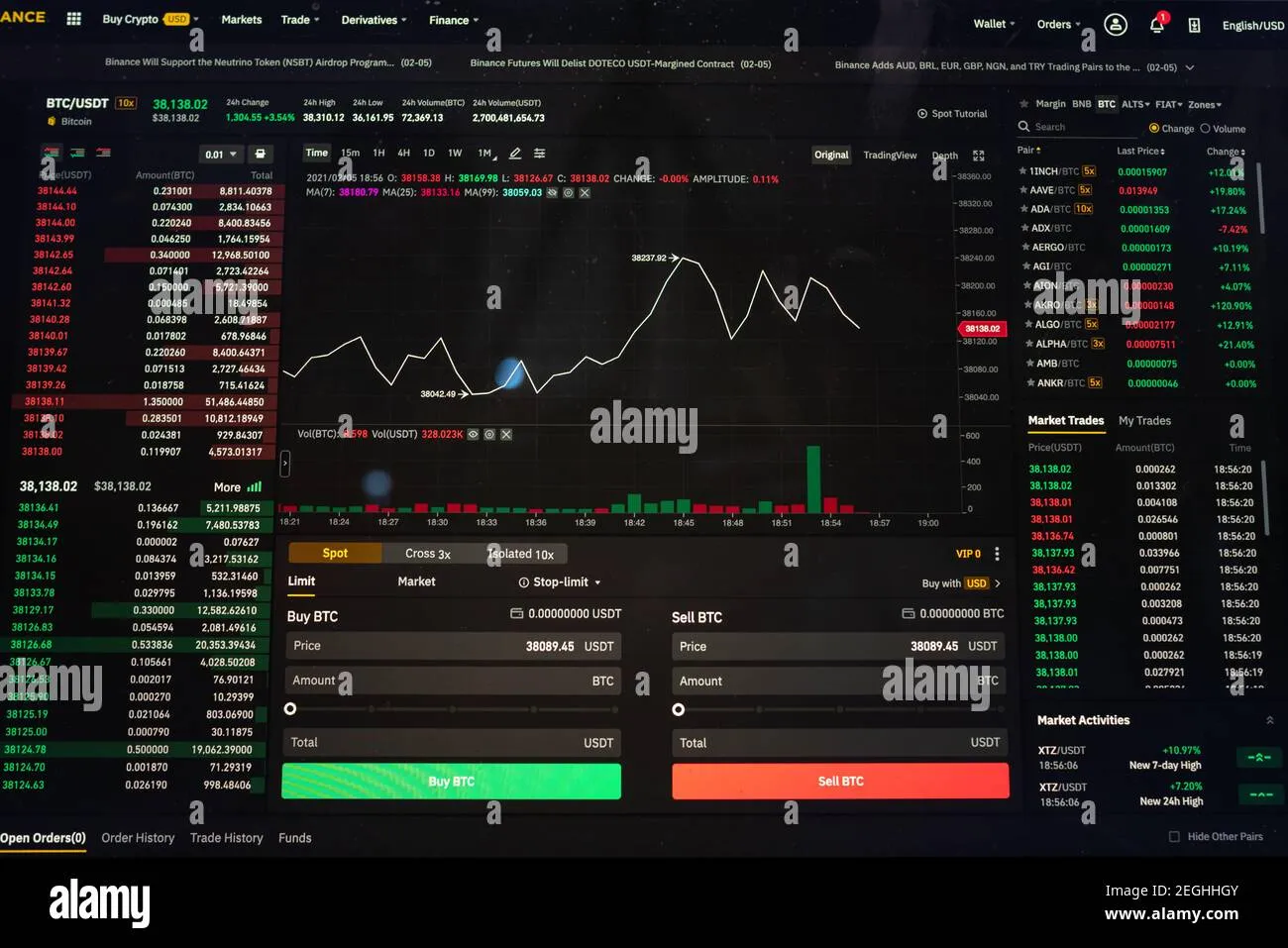
Nothing builds trust like transparency, especially in trading where credibility can be questioned. One of the best ways to demonstrate your expertise is with stunning trade screenshots that highlight your past successes and setups.
This brings us to an insider tip: leveraging tools like Trading Screenshot Generator empowers you to create polished, trustworthy visuals directly from MetaTrader. Instead of generic or messy screenshots, you get tailored, clear images that help your audience instantly recognize your professionalism.
Why are screenshots so critical?
Take Sarah, a trading educator who struggled to convert followers into paid subscribers. Once she started sharing well-designed screenshots of her signals and trade management, her conversion rates soared by 40%. It’s a simple act of showing she practices what she preaches.
“Screenshots aren’t just images. They’re trust builders, proof of concept, and visual testimonials. If you want to grow your channel, start showing your results professionally.”
Step 3: Create Valuable, Consistent Content
Subscribers flock to channels that provide consistent value. Here’s a breakdown of content types that work exceptionally well on Telegram:
- Live trade alerts and signals: Timely and clear instructions help your audience act on opportunities quickly.
- Educational posts: Share setups, technical analysis breakdowns, and psychology tips that empower traders.
- Market news and analysis: Curated insights position you as a thought leader with your finger on the pulse.
- Interactive polls or Q&A sessions: Engage subscribers and understand their preferences.
Keep the frequency steady — consider a content calendar so your audience knows when to expect your insights.
Step 4: Leverage Cross-Promotion & Community Building
Marketing your Telegram channel shouldn’t happen in isolation. Here are proven techniques for expanding your audience off Telegram too:
- Social media integration: Share previews of your Telegram content on Twitter, Instagram, or LinkedIn with a clear call-to-action directing to your channel.
- Collaborations: Partner with other financial influencers or signal providers to exchange shoutouts or jointly host live sessions.
- Offer incentives: Create exclusive contests, giveaways, or early-bird perks to encourage referrals.
- Utilize SEO strategies: Intensify your presence by blogging or creating YouTube content that funnels traffic to your Telegram.
Building a community is more than numbers — it’s about interaction. Encourage discussions within your channel, welcome newcomers warmly, and maintain a positive atmosphere.
Step 5: Optimize Your Channel for Growth & Monetization
Once your community gains momentum, consider strategies that sustain growth and bring in revenue:
- Segment your audience by interest: Use multiple themed channels or groups to deliver hyper-relevant content.
- Offer tiered memberships: Provide free value but also paid “VIP” channels with premium signals or mentoring.
- Automate for scalability: Implement bots to handle FAQs, payment confirmations, and delivery of paid content.
- Track & analyze metrics: Use Telegram’s analytics and external tools to glean insights on subscriber activity and optimize your strategy.
The key is to remain authentic and transparent—your audience respects honesty and will be more inclined to support your endeavors financially if they trust you.
Common Pitfalls to Avoid
Even the best marketers slip up sometimes. Be mindful of these challenges so you can stay ahead:
- Overpromising results: Never guarantee wins; it hurts credibility.
- Spammy behavior: Avoid excessive messaging that annoys subscribers.
- Neglecting engagement: Don’t just broadcast—interact!
- Poor branding: Sloppy visuals or inconsistent messages undermine trust.
Remember, quality reigns over quantity anytime.
Conclusion: Ready to Elevate Your Telegram Trading Channel?
Marketing your Telegram trading channel takes intention and strategy — it isn’t just about pushing content but about building trust, offering value, and smartly showcasing your expertise.
To stand out, professional visuals matter. Using a tool like Trading Screenshot Generator can dramatically enhance the quality of your shared screenshots, helping cement your reputation as a serious trading educator or signal provider.
So, why wait? Empower your marketing today, captivate more subscribers, and watch your Telegram trading channel thrive!

Understanding the Power of Screenshots in Trading Analysis
Have you ever thought about how a simple screenshot could become your secret weapon in predicting trade outcomes more accurately? It might sound surprising at first, but capturing precise, well-timed screenshots from your trading platform can transform the way you analyze, learn, and forecast in the world of trading.
Imagine you’re reviewing your last week’s trades on MetaTrader. Instead of scrolling endlessly through charts and reports, a clean screenshot showcasing the setup, indicators, and entry points allows you to quickly spot patterns and mistakes. That snapshot isn’t just an image; it’s a snapshot of insight that can help improve your next move.
Why Screenshots Matter More Than You Think
In trading education and performance tracking, the devil is often in the details. Charts evolve rapidly, and recalling exact conditions from memory is tricky. Screenshots serve multiple key purposes here:
- Preservation of Context: They freeze moments on the chart, including price action, indicators, candle formations, and trade annotations.
- Facilitating Pattern Recognition: Repeated exposure to similar setups via screenshots builds your intuition and muscle memory.
- Constructive Feedback: Sharing screenshots with mentors or trading communities fosters objective critique and collaborative learning.
- Building Trust & Brand Equity: Customized, professional visuals increase credibility when shared with followers or signal subscribers.
But here’s a question for you: Are your screenshots clear and meaningful enough? Or do they look cluttered, inconsistent, or worse, tell an incomplete story?
Step-by-Step: How to Use Screenshots to Predict Trade Outcomes More Accurately
1. Capture the Right Moment
The value of a screenshot comes from when you take it. Aim to snapshot trading setups before entry, at critical confirmation points during the trade, and after exit. This timeline of visuals provides a layered understanding of how trades evolve.
2. Standardize Your Screenshot Format
Diversified and inconsistent screenshots can confuse rather than clarify. Adopt a consistent style that includes:
- Visible price data and timestamps
- Highlighted key indicators (e.g., moving averages, RSI)
- Trade entry and exit markers
- Annotations or notes explaining the setup
Leveraging tools like Trading Screenshot Generator makes this process effortless, producing clean and professional images that tell your trade story vividly.
3. Analyze Screenshots Methodically
When reviewing your saved screenshots, stick to a checklist approach:
– Compare setups that led to winning trades versus losing ones.
– Identify recurring chart patterns or indicator behaviours that preceded success.
– Look for risk management clues — where stops and limits were set.
– Note emotional triggers displayed on the chart, like impulsive entries or premature exits.
A screenshot library becomes a personalized database where objective data meets subjective learning.

4. Share and Get Feedback
Never underestimate the power of community. Posting your annotated screenshots to forums, social media, or with your trading coach can uncover blind spots and new perspectives you might have missed.
“Seeing my trade setups visually dissected by experienced traders helped me spot my habitual mistakes, which text-based notes never revealed.” — Alex M., Full-Time Trader
5. Use Screenshots to Spot Psychological Patterns
Often, trading errors are less about analysis and more about psychology. For instance, are you consistently entering trades too early? Screenshots showing repeated premature entries in similar market conditions reveal a tendency that can then be addressed.
Tips to Maximize the Predictive Power of Trading Screenshots
Here are some expert tips to take your screenshot strategy further and ensure it truly helps you forecast better:
1. Timestamp Each Screenshot Accurately: Precise timing helps correlate market news and events with your trades.
2. Combine Multiple Timeframes: Capture both short-term and long-term charts to get a holistic view.
3. Use Clear Annotations: Simple arrows, highlights, and text notes make reviewing faster and more insightful.
4. Create Thematic Folders: Organize screenshots by trade types, outcomes, or strategies for targeted analysis.
5. Regularly Update Your Screenshot Library: Stay current with market changes and evolving personal strategies.
How Professional Trading Educators Benefit from Advanced Screenshot Tools
Trading educators and influencers often need to demonstrate their skills convincingly to their audience and potential clients. Low-quality screenshots can drastically undermine trust.
Enter Trading Screenshot Generator, an innovative web tool designed specifically to craft high-quality, customized screenshots from MetaTrader. It allows you to generate images that highlight key trades, showcase historical performance, and build a distinctive, professional brand presence.
Imagine the difference between a raw screenshot riddled with clutter and a polished, annotated image that clearly communicates your trade rationale. Which would inspire more confidence?

Final Thoughts: Transform Your Trade Analysis with Screenshots
To truly excel in trading, accelerating your learning curve and making informed decisions based on past data is crucial. Leveraging screenshots is an often overlooked yet powerful technique. They turn ephemeral charts into a lasting resource that enhances your ability to predict future outcomes and refine strategies.
So why settle for subpar visuals when you can streamline your workflow with a dedicated tool that produces crisp, comprehensive screenshots tailored for traders?
Give it a try today with Trading Screenshot Generator. You’ll be amazed at how much clearer your trading picture becomes — and how that clarity translates into better trade predictions and improved results.

Why Screenshots Have Become Indispensable for Trading Influencers
In the fast-paced world of trading, credibility is king. Whether you’re a trading educator, a signal provider, or a financial influencer, one challenge remains constant: how to build trust with your audience in a noisy, often skeptical environment. While words and videos can tell your story, there’s something uniquely convincing about a well-crafted screenshot that captures a live trade or an educational setup. But not just any screenshot—one that’s clear, professional, and tailored to highlight your expertise.
Have you ever scrolled through social media and noticed a trading influencer’s post that just “felt” credible? Insights, annotated charts, clear entry and exit points—all visible in a single powerful image. That’s the magic of quality screenshots. They’re more than just pictures; they’re visual testimonials of your skill and results.
The Power of Visual Proof in Trading
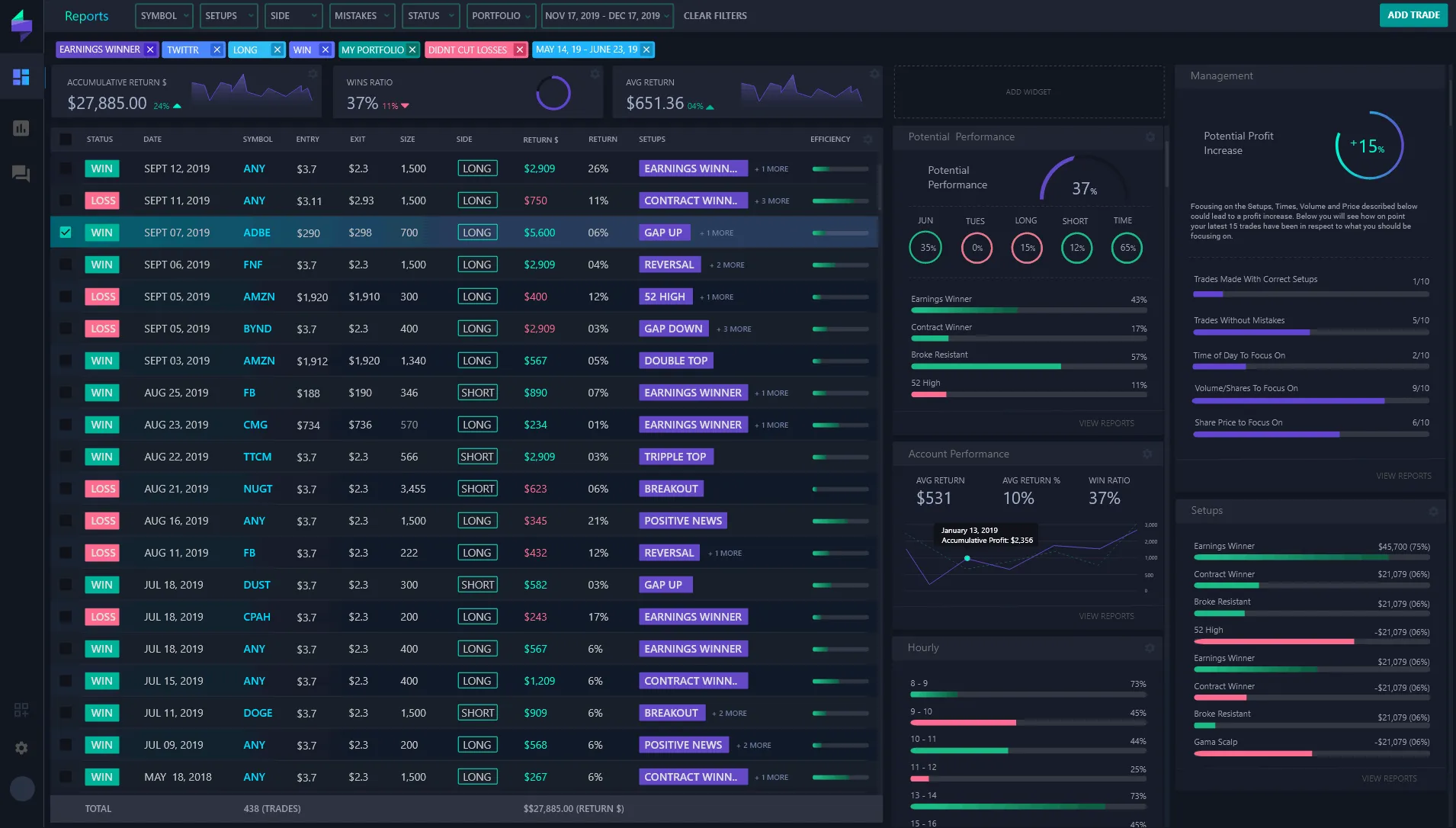
Trading is inherently abstract for most people. Unlike physical products, it’s challenging to demonstrate efficacy or results in tangible form. That’s why visuals carry so much weight. A screenshot showing a precisely executed trade from the MetaTrader platform can quickly convey:
- Accuracy: precise entry, stop loss, and take profit points.
- Skill: ability to read market conditions and execute plans effectively.
- Transparency: real-time data prove authenticity, reducing skepticism.
- Educational value: setups and strategies visually broken down for learners.
Imagine you’re a potential client scrolling through trading Instagram or YouTube. Which post inspires more confidence—a generic motivational quote or a screenshot showing an expertly timed trade with clear annotations? Most will choose the latter because it feels real.
How Screenshots Boost Your Trading Brand and Conversions
Think about brands that resonate with you in any field. They often use consistent, polished imagery to communicate their message. Trading influencers are no different. Screenshots are part of your **brand identity**; they demonstrate professionalism and attention to detail. When done right, screenshots:
- Enhance Engagement: Visuals attract attention, encouraging likes, shares, and comments.
- Build Trust: Authentic evidence of results rewires the brain to associate you with credibility.
- Educate Effectively: Complex strategies are easier to grasp when visualized.
- Increase Conversions: Clear, confident proof drives sign-ups for courses or subscriptions.
Take Sarah, a fictional but realistic trading coach. Before she started using tailored screenshots in her Instagram posts, her engagement was lukewarm and course enrollment modest. After sharing weekly annotated MetaTrader screenshots highlighting her setups, her followers doubled in six months, and her course sales increased by 40%. Why? Because people saw real-time evidence of her methods working. Stories backed by proof resonate deeply.
Common Challenges in Sharing Screenshots and How to Overcome Them
It sounds straightforward: take a screenshot of your trade and share it. Yet, many influencers run into issues like:
- Poor image quality — pixelated, cluttered, or hard to read.
- Unprofessional appearance — lack of branding, inconsistent format.
- Time-consuming editing — manually cropping and annotating.
- Privacy concerns — unintentionally exposing sensitive information.
These pitfalls can harm your image instead of boosting it. That’s why using a specialized tool like the Trading Screenshot Generator is a game changer. It’s tailored specifically for traders who need fast, slick, branded screenshots directly from MetaTrader data, eliminating guesswork and elevating your visual marketing instantly.
What Makes Trading Screenshot Generator a Game Changer?
This innovative web tool is designed with one key user in mind: the trading influencer—educators, signal sellers, and financial personalities who rely on storytelling through data. Here’s why it stands out:
- Ease of Use: Intuitive interface means you’re generating professional visuals in minutes, not hours.
- Customization: Add your branding, delete sensitive info, highlight key points—all fully customizable.
- High Quality: Images are exported in sharp resolution, suitable for any platform, be it Instagram, YouTube thumbnails, or blog posts.
- Designed for MetaTrader: Seamlessly integrates data from your trading platform, preserving authenticity.
By removing technical hurdles, this tool lets trading educators focus on their core strength—teaching and influencing—while effortlessly maintaining a consistently professional brand image.
How Trading Screenshots Support Education and Transparency
Transparency is vital in educating about trading, especially with so many scams and misinformation out there. When educators share clean screenshots showing their thought process and results, they foster a culture of openness. This reduces the “black box” effect that frustrates new traders.
Consider these benefits:
– _Enhanced Learning_: Visual setups paired with clear annotations make strategy replication easier.
– _Increased Accountability_: Demonstrating live results encourages honest trading practices.
– _Community Building_: Clear visuals spark discussion, creating engaged and informed followers.
Best Practices for Sharing Trading Screenshots
Just snapping a screenshot isn’t enough. If you want to leave a lasting impression, follow these simple guidelines:
- Keep it Clean: Remove any clutter or irrelevant data to focus attention on the trade’s story.
- Brand It: Add your logo or watermark to protect and promote your brand.
- Annotate: Use highlights, arrows, and notes to explain your strategy effectively.
- Stay Transparent: Avoid hiding important details that might cause skepticism.
- Be Consistent: Use a uniform style and format to reinforce your identity over time.
Following these tips can transform your social media profile or blog into a trusted resource that traders keep coming back to.
Where Should You Share Your Trading Screenshots?
The versatility of screenshots makes them perfect for multiple channels, including:
- Instagram & Facebook: Visual platforms thrive on engaging images, ideal for quick updates and micro-education.
- YouTube: Use screenshots as overlays or thumbnails to boost video appeal.
- Blogs & Newsletters: Screenshots break text monotony and illustrate key points.
- Trading Forums & Communities: Share to build reputation and spark conversations.
Wrapping Up: Elevate Your Trading Influence Today
If you’re serious about growing your audience, educating your followers, and boosting your trading brand, screenshots aren’t just nice to have—they’re essential. They’re the bridge between your trading prowess and the trust you earn from your community.
Thanks to tools like the Trading Screenshot Generator, creating these powerful visuals is easier and faster than ever. Why settle for basic, unprofessional screenshots when you can instantly create clean, branded, and compelling images that truly reflect your expertise?
Ready to level up your trading influence with stunning screenshots? Discover how today and watch your engagement and conversions soar.
Why Capturing Economic Calendar Events Matters in Trading Screenshots
Imagine this: You’re a trading educator or a financial influencer trying to showcase your market analysis or highlight a trade setup that nailed a major economic event. You upload a random screenshot of your chart, but without any context—it’s like telling a story without a beginning or an end. A key component often missing from these visuals is the economic calendar event that drove the market movement.
Including economic calendar events in your trading screenshots is a game changer. It adds context, credibility, and depth to your content, making your audience trust your analysis because they can see the catalyst behind the price action. Plus, for signal sellers and educators, this builds undeniable proof that your strategies factor in real market-moving events.
So, how can you efficiently capture economic calendar events in your trading screenshots while keeping the visuals clean and professional? Let’s dive into the best practices and tools to do just that.
Understanding Economic Calendar Events and Their Impact
Before we jump into capturing them, it’s essential to grasp what economic calendar events are and why traders pay attention to them. These events include:
- Non-farm Payrolls (NFP)
- Central bank interest rate decisions
- Gross Domestic Product (GDP) releases
- Consumer Price Index (CPI) inflation data
- Employment reports
- Trade balance figures
Each event can trigger significant volatility, often creating either ideal trading opportunities or sharp risks. A savvy trader doesn’t just rely on charts—they sync their entries and exits around these timestamps.
**Directly including** these events on your screenshots helps to:
– Show why a trade was entered or closed at a specific moment
– Illustrate the correlation between news and price movement
– Provide education on how fundamental analysis intersects with technical setups
Step-by-Step Guide: How to Add Economic Calendar Events in Your Trading Screenshots
The challenge often lies in seamlessly integrating calendar data with your MetaTrader charts or any other trading platform. Here’s a practical approach:
1. Locate the Economic Calendar Event
First, identify the exact date and time of the economic release. Reliable sources include:
Setting your MetaTrader platform’s time zone to match these calendars avoids confusion and allows exact pinpointing of event-driven moves.
2. Note the Price Reaction Window
Economic events influence markets differently depending on volatility. Some produce sharp immediate spikes; others lead to prolonged trends. Mark the period around the event (say 30 minutes before and after) to highlight the trade context.
3. Capture the Chart with Clear Annotations
This is where Trading Screenshot Generator shines. Unlike generic screenshot tools, it’s tailored for financial pros:
- Customize the screenshot frame to include key indicators
- Add timestamp markers pinpointing economic event occurrences
- Overlay textual explanations like “NFP release” or “ECB rate decision”
- Choose clean layouts to avoid clutter while preserving details
Instead of juggling multiple image editors and manual notes, you create a professional, annotated screenshot in seconds—all in one place.

4. Emphasize the Event Impact Visually
Use arrows, highlighted sections, or color-coded boxes to show where the economic data hit and how price responded. This visual emphasis captures user attention immediately, making your educational point crystal clear.
5. Save and Share With SEO in Mind
Finally, optimize your screenshot filenames and descriptions with relevant keywords (e.g., “NFP impact on EUR/USD trading screenshot”). This boosts your content’s discoverability on search engines and social platforms, driving more targeted traffic to your brand.
Common Mistakes to Avoid When Capturing Economic Events
Not every screenshot adds value. Here are pitfalls to watch out for:
- Overcrowding the image: Too much text or annotations confuse rather than clarify.
- Ignoring timezone mismatches: Displaying wrong times reduces credibility.
- Failing to highlight the event: If it’s not obvious what event you’re referencing, the screenshot loses impact.
- Low image quality: Pixelated or cropped images turn off viewers and damage your personal brand.
“The difference between a good trader and a great educator? How well they communicate key market events and their effects.” – Sam Rivers, Trading Coach
Case Study: Turning a Simple Screenshot into a Teaching Moment
Meet Anna, a forex educator who struggled to explain her recent USD/JPY trade, which profited handsomely from a Bank of Japan announcement. Initially, her screenshots were raw and lacked context, leaving students puzzled.
After integrating economic calendar markers using the Trading Screenshot Generator, Anna’s visuals transformed. She pinpointed the exact time of the BOJ speech, annotated the resulting bullish engulfing candle, and added a short note explaining the central bank’s dovish stance.
Result? Student engagement jumped by 40%, and Anna’s email list grew as new traders subscribed for her thorough insights.
Tools and Tips for Enhancing Your Economic Event Screenshots
To consistently produce engaging, SEO-friendly content, consider these tips:
1. Use high-resolution capture methods: Clarity builds trust.
2. Standardize your annotation style: Consistent colors and fonts improve brand recognition.
3. Leverage built-in tools: Trading Screenshot Generator offers pre-made templates for economic event highlights.
4. Keep your content updated: Economic events evolve, so ensure your references match recent data releases.
5. Engage your audience with captions: Brief explanations beneath images help SEO and viewer comprehension.
Conclusion: Elevate Your Trading Screenshots With Economic Calendar Events
In the crowded world of trading education and financial influence, standing out requires more than just accurate analysis. Capturing economic calendar events within your trading screenshots adds unparalleled value, enhancing clarity, educational impact, and trust.
By systematically identifying, annotating, and visually emphasizing these key moments with specialized tools like Trading Screenshot Generator, you can transform simple trade images into powerful storytelling assets.
Why settle for ordinary screenshots when you can build authority and boost conversions with meticulous, event-driven visuals? Give your audience the context they crave and watch your personal brand thrive.
Ready to create stunning economic event screenshots? Check out Trading Screenshot Generator today and start capturing the market’s story like a pro!
Mastering Efficiency: Why Screenshot Macros Matter in Trading
If you’ve spent hours analyzing charts, tweaking your strategies, or even sharing trade insights with an audience, you know the value of clear, concise documentation. But what if capturing and sharing those crucial moments from your trading platform could be simplified? That’s where trading screenshot macros become a game changer.

In the fast-paced world of trading, every second counts. Whether you’re an educator illustrating a complex setup, a signal seller verifying your calls, or an influencer building trust with followers, a well-crafted screenshot speaks volumes. However, manually creating these visuals can be not only time-consuming but inconsistent in quality. This is why integrating screenshot macros into your routine is becoming essential.
What Are Screenshot Macros and How Do They Work?
In the simplest terms, a macro is a set of automated commands that execute a series of tasks with a single trigger. In trading platforms like MetaTrader, macros can be used to capture screenshots, apply annotations, and save images with a predefined format and naming convention—without you lifting a finger beyond the initial command.
Imagine closing a trade and instantly capturing a perfectly formatted screenshot showing entry, exit, profit/loss, indicators, and even the timestamp all neatly bundled for your audience. A tool like the Trading Screenshot Generator streamlines this entire process, allowing you to create professional-grade visuals in mere clicks.
Benefits of Using Screenshot Macros for Traders
- Time-saving: Automate repetitive tasks and reduce time spent on post-trade documentation.
- Consistency: Maintain a uniform style and format, enhancing your brand’s professional image.
- Accuracy: Avoid manual errors in labeling or cropping screenshots.
- Enhanced engagement: Quality visuals boost credibility and audience interaction.
How to Seamlessly Integrate Screenshot Macros into Your Trading Workflow
You don’t need to be a tech wizard to harness the power of screenshot macros. Here’s a practical guide to embedding this tool into your daily routine:
1. Define Your Purpose
Are you primarily sharing educational content? Showcasing performance? Or supplying signals? Defining this will help tailor the macro settings—for example, emphasizing P&L statistics for signal sellers or indicator overlays for educators.
2. Set Up Your Macro Parameters
With tools like Trading Screenshot Generator, you can customize:
- Chart layouts (candlestick, line, bar charts)
- Annotations (entry/exit points, stop loss, take profit)
- Labels and watermarks (your brand or disclaimers)
- File naming conventions (date, symbol, timeframe)
3. Assign Hotkeys or Quick Access Buttons
Once configured, assign a hotkey to your macro. This lets you capture professional screenshots instantly during live trading sessions or after backtesting.
4. Archive and Share Efficiently
Organize your generated screenshots into folders. Consider linking them to your educational materials, social media posts, or client updates for quick reference.
Common Use Cases: Real-World Examples of Screenshot Macros in Action
Let’s explore some realistic scenarios that bring these concepts to life.
Example 1: The Trading Educator
Sarah, a trading coach, wanted to elevate her course content by supplementing lessons with clear visual examples. Instead of manually cropping and labeling charts, Sarah used screenshot macros to instantly generate clean, branded images. This not only saved her precious preparation time but also polished her teaching materials, leading to higher student satisfaction and referrals.
Example 2: The Signal Seller
David provides premium trade signals on Instagram and Telegram. He struggled to prove his track record effectively. By integrating screenshot macros, he began sharing proof of his trade outcomes directly from MetaTrader with sleek overlays indicating entry, exit, and profits. Trust soared, and his subscriber count doubled within months.
Example 3: The Financial Influencer
Jessica builds her personal brand by sharing regular market analyses on Twitter. She leverages screenshot macros to create eye-catching visuals that break down complex chart patterns at a glance. This boosted engagement and helped her stand out in a sea of finance content creators.
Unlocking Advanced Features: Tips for Power Users
If you’re ready to take it up a notch, here are some advanced ideas to fully harness screenshot macros:
- Dynamic Annotations: Use variables to automatically update profit amounts, trade durations, or indicator values.
- Multi-Timeframe Screenshots: Capture multiple chart timeframes in one image to showcase comprehensive analysis.
- Batch Processing: Automate generating screenshots for multiple closed trades at once to maintain detailed performance logs.

These features can significantly enhance your workflow and content quality, helping you save time while increasing your professional stature within the trading community.
Why Quality Screenshots Build Trust and Boost Engagement
Imagine scrolling through a trading forum or social media feed. What catches your eye? Clean, professional visuals that instantly convey credibility. A screenshot isn’t just an image—it’s your digital handshake with your audience.
Clear, concise screenshots:
- Illustrate transparency, showing real trade setups and outcomes
- Help learners grasp concepts visually, enhancing retention
- Enable quick validation of trading signals, fostering subscriber confidence
- Strengthen personal branding with consistent style and presentation
“Since I started using screenshot macros, my client trust and engagement rates have skyrocketed. It’s like having a virtual assistant handling my post-trade content.” – Mark W., Forex Educator
Getting Started Today: A Quick Checklist
Ready to transform how you document and share your trades? Here’s a handy checklist to jumpstart your utilization of screenshot macros:
- Choose a reliable tool like Trading Screenshot Generator.
- Set up your macro templates based on your content goals.
- Test hotkeys during demo trades to ensure flawless capture.
- Establish a systematic filing system for organization.
- Start sharing! Engage your audience with these polished visuals.
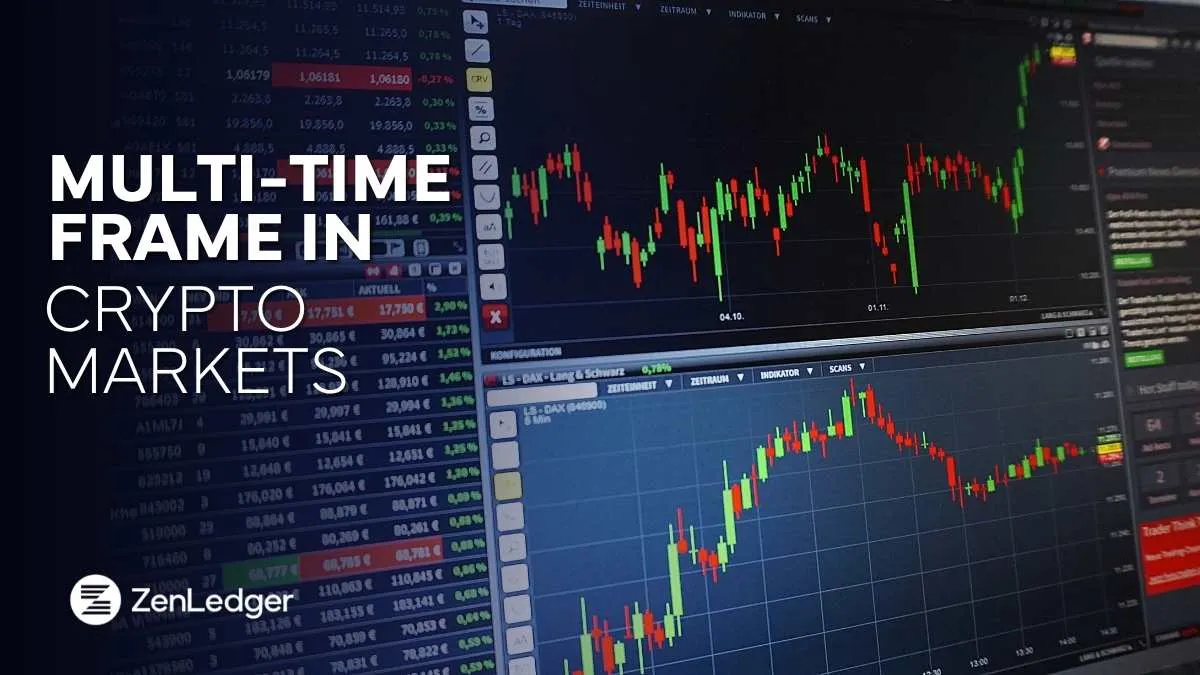
In Conclusion: Elevate Your Trading Routine with Screenshot Macros
At the crossroads of technology and trading expertise lies the potential to work smarter—not harder. Integrating trading screenshot macros into your workflow is not just a productivity hack; it’s an investment into your professional image and audience trust.
So next time you execute a trade or prepare educational content, ask yourself: Am I presenting my work the best way possible? If the answer isn’t a resounding yes, it may be time to harness the power of an easy, efficient screenshot macro tool.
Explore how the Trading Screenshot Generator can help you start generating compelling, professional trading visuals effortlessly—because your audience deserves the best representation of your skill and dedication.
Behind the Screens: Why Your Trading Visuals Could Make or Break Your Sales
Imagine this: you’re scrolling through a trading educator’s Instagram feed. One post shows a complex candlestick chart, painted in reds and greens, packed with technical indicators and an array of trend lines. Another post offers a clean, crisp screenshot of a real trade, complete with entry and exit points, profit, loss, and timeframe, looking like a snapshot straight from their MetaTrader platform. Which one compels you to trust the educator more? Which one motivates you to hit that “subscribe” or “buy” button?
For trading educators, signal providers, or financial influencers, this subtle distinction between raw charts and polished screenshots can translate into meaningful differences in engagement, credibility, and ultimately sales.
Trading Visuals: More Than Just Eye Candy
Charts have been the backbone of technical analysis since the dawn of trading. Their appeal lies in the amount of information conveyed — price action, volume, indicators, patterns — all wrapped in a multilayered graph. But does this complexity always work in your favor when you want to attract and convert followers into customers?
On the other hand, screenshots—especially those created with modern, specialized tools—offer a curated, digestible snapshot of a trading moment. They don’t overwhelm but rather highlight key aspects of the trade in a professional and easy-to-understand way.
What Are Charts Offering?
- Raw Data Transparency: The full spectrum of price movements in an unaltered format.
- Analytical Depth: Ability to showcase your analysis skills by plotting custom indicators and patterns.
- Learning Curve: Great for advanced traders who appreciate nuance.
However, this depth can be a double-edged sword. For newcomers or casual followers, complex charts can feel intimidating or indecipherable, ultimately discouraging engagement or conversion.
The Power of Screenshots
In contrast, screenshots serve as visual stories capturing the essence of your trading expertise. With tools like Trading Screenshot Generator, these images are tailored for clarity and persuasion:
- Customization: You can add labels, profit/loss stats, timeframe, and annotations.
- Professionalism: Clean, branded visuals that look credible and polished.
- Accessibility: Easy to understand for all skill levels.
Screenshot Stories vs. Charts: Head-to-Head
Trust Factor
Trust is paramount in the trading education world. How do you visually build it? While charts demonstrate your technical acumen, they often lack context or narrative. This is where screenshots step in—they act like a story snapshot, essentially saying: “See this winning trade? Here’s exactly how I executed it.”
“When I switched from posting raw charts to well-crafted screenshots, my engagement jumped by nearly 40%. People appreciated the clarity and real-world proof.” — A trading educator’s testimonial
Conversion Rates
Engagement is the first step, but what about actual conversions? Studies show that visuals which focus on a clear message and trust reinforcement perform better in sales funnels. Screenshots that highlight performance metrics, annotate trade setups, and reflect authenticity generally convert better than complex charts that require heavy interpretation.
User Experience
- Charts: Risk overwhelming users unfamiliar with technical jargon.
- Screenshots: Offer concise, digestible stories that invite curiosity and confidence.
How to Use Screenshots Effectively in Trading Education and Signal Selling
Simply posting screenshots isn’t enough. Their power lies in strategic use and presentation.
1. Showcase Specific Trades with Context
Don’t just slap on a screenshot. Illustrate the setup, entry point, risk management, and outcome. Your audience should feel like they’ve been on the trade with you.
2. Include Performance Summaries
Aggregate wins and losses visually — this transparency builds credibility and helps manage expectations realistically.
3. Brand Your Visuals
Consistent logos, color schemes, and taglines turn these screenshots into authentic brand ambassadors.
4. Use Calls-to-Action
Encourage viewers to sign up, subscribe, or follow through subtle cues embedded within or alongside your images.
Tools That Make Screenshot Creation Effortless and Impactful
Years ago, creating such polished visuals might have required tedious manual editing. But today, platforms like Trading Screenshot Generator simplify the entire process into a matter of clicks.
- Instantly generate high-quality screenshots from MetaTrader.
- Customize them with annotations, timestamps, and branding.
- Produce visually consistent images useful for all social media platforms.
FAQ: Common Questions About Trading Visuals
Are screenshots better than live charts for building an audience?
For most educators and influencers, yes. Screenshots simplify complex information into trust-building stories that appeal across experience levels.
Can I use screenshots for signal selling?
Absolutely. Transparency and clear evidence of your signal performance delivered via screenshots increase credibility and sales.
Should I completely abandon charts?
No, use them strategically for deep-dive educational content. Screenshots and charts can complement each other beautifully.
Final Thoughts: Which Visual Wins the Sale?
While charts have their irreplaceable place in trading analysis, when it comes to selling education, signals, or influencer brands, screenshots tell a more trustworthy and persuasive story. They provide clean, factual, and branded evidence of your trading prowess without drowning your audience in data overload.
If you haven’t yet explored integrating high-quality screenshots into your trading content, now is the perfect time to start. Try Trading Screenshot Generator and watch how your engagement and conversions begin to soar.
Remember, in the noisy world of trading content, clarity sells, and authenticity builds lasting relationships. Screenshots provide both in one elegant package.
The Power of Visual Storytelling in PR and Outreach
In today’s digital-first world, where audiences are bombarded with an avalanche of information every second, capturing attention is more challenging than ever. Whether you’re a PR professional, marketer, or brand ambassador, one element has consistently proven to be a game-changer in outreach campaigns: screenshots. But why do these simple static images hold such power? And how exactly can you leverage them to boost your PR efforts?
What Makes Screenshots Irresistible in PR?
Screenshots function as instant visual proof — they showcase real-time results, authentic user experiences, or live data snapshots that textual content alone struggles to convey. When a brand or influencer shares a screenshot of a live trade or performance metric, it lends undeniable credibility, offering transparent insight into their successes or processes.
Think about it for a second: when was the last time you scrolled through your social media feed and stopped for a screenshot of a compelling chart or graph? You don’t have to be a trader or data geek to appreciate a clear, neat visual that tells a story instantly.
Strategic Uses of Screenshots in PR and Outreach Campaigns
To understand the true impact of screenshots, let’s break down the main contexts where they shine the brightest in PR and outreach:
- Authenticating Testimonials and Performance Claims
Brands and influencers often publish testimonials or performance numbers. Backing these up with screenshots from platforms like MetaTrader can instantly dispel skepticism. - Showcasing Educational Content
For educators and mentors, screenshots illustrate trades, charts, and key setups, making complex financial concepts more digestible and engaging. - Humanizing the Brand
Real screenshots provide a human touch — authentic, behind-the-scenes views that highlight transparency and build trust with followers. - Boosting Social Proof
In outreach emails or pitches, incorporating relevant screenshots can enhance the perceived value of your offerings and improve conversion rates.
How Do Screenshots Enhance Trust?
Trust remains the foundation for any meaningful PR relationship, especially in industries prone to skepticism, like finance or trading. Sharing meticulous, professional screenshots can be the difference between sounding like just another voice or being perceived as the expert.
“I remember when I first integrated trade screenshots into my client proposals — the conversion rate leapt by over 30%! It was a clear sign that visuals were speaking louder than words.” — Maria J., PR Consultant
Such firsthand accounts underscore why visuals, particularly screenshots, have become indispensable in strong outreach strategies.
Creating Impactful Screenshots: Best Practices
While screenshots offer immense value, there is an art to creating them effectively. Here are essential tips to maximize their impact in your PR and outreach activities:
- Clarity is Key: Avoid cluttered images. Crop to focus on the main content and use tools to enhance readability.
- Brand Consistency: Incorporate your brand colors, logos, or watermarks to underscore professionalism and protect your content.
- Update Regularly: Outdated or irrelevant screenshots can harm credibility. Always present the latest data.
- Complement Screenshots with Context: A strong caption, description, or call-to-action ensures viewers fully understand and engage with the snapshot.
Why Trading Screenshot Generator is a Game Changer
If you’re a trading educator, signal seller, or financial influencer, you know how tedious it can be to create polished screenshots from raw data. Trading Screenshot Generator steps in to simplify this process. This innovative web tool helps users quickly generate professional, customized screenshots directly from MetaTrader, perfect for:
- Highlighting previous trades with clean visuals
- Showing educational setups that your audience can easily follow
- Enhancing performance highlights to boost credibility
Just a few clicks and you have a visually stunning proof piece ready for your next outreach email, Instagram post, or blog article.
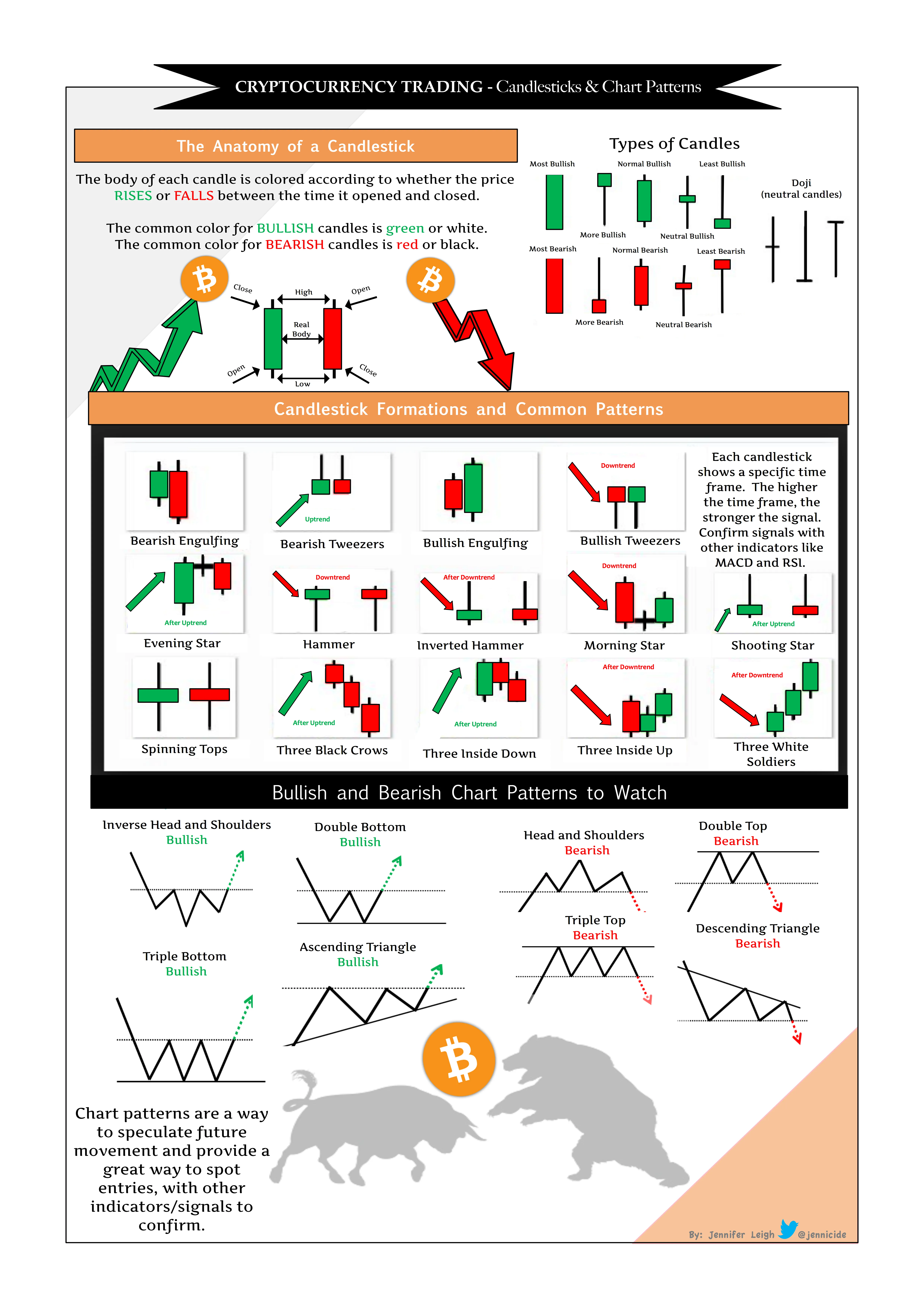
Integrating Screenshots Seamlessly in Your PR Strategy
Now that you know the “why” and “how,” let’s talk integration. Where should screenshots be strategically placed for maximum effect?
- Press Releases: Attach relevant screenshots as inline visuals to reinforce claims made in your text.
- Email Campaigns: Embed screenshots in newsletters or pitch emails to grab editors’ or journalists’ attention instantly.
- Social Media: Create engaging posts or stories featuring your screenshots to generate higher interaction rates.
- Webinars and Tutorials: Use visual proof in your teaching materials to establish authority and make lessons more relatable.
The SEO Benefits of Using Screenshots
Beyond engagement and trust, screenshots can contribute positively to your SEO strategy. When accompanied by optimized alt-text and shared on relevant platforms, they:
- Increase user dwell time by making content visually appealing
- Improve keyword relevance through descriptive captions and metadata
- Encourage backlinks when other sites reference your detailed, original visuals
Pro tip: Always write clear, keyword-rich alt-text for your screenshots, like “MetaTrader trading screenshot showing bullish breakout pattern”. This small step can amplify your organic search visibility considerably.
Overcoming Common Challenges with Screenshots
While screenshots are a fantastic tool, some hurdles might arise:
- Quality Consistency: Low-resolution or poorly cropped images might reflect badly on your professionalism.
- Data Sensitivity: Sharing too much proprietary or client-sensitive data can lead to compliance issues.
- Automation Complexities: Manually creating screenshots can be time-consuming and prone to errors.
Thankfully, tools like Trading Screenshot Generator address many of these pain points by offering high-quality, customizable, and quick screenshot generation tailored for the trading community, ensuring you stay compliant and professional.
Final Thoughts
Incorporating high-quality, relevant screenshots into your PR and outreach campaigns is no longer optional—it’s imperative. These snapshots of real data and live performance not only enhance trust but also make your communications more engaging and believable. Whether you’re pitching to a journalist, educating your followers, or showcasing your trading credentials, a well-crafted screenshot can dramatically tip the scales in your favor.
Ready to start transforming the way you present your trading stories? Try Trading Screenshot Generator today and watch your outreach effectiveness soar.