
Understanding the Power of Visual Proof in Trading
Have you ever wondered why some trading educators and signal sellers skyrocket their sales while others struggle to gain even a handful of clients? It’s not always about having the perfect strategy or the most complex setups. Sometimes, the secret lies in how you present your trades. In the digital age, trust and credibility are everything, and nothing conveys that more powerfully than clean, professional screenshots from trusted platforms like MetaTrader.
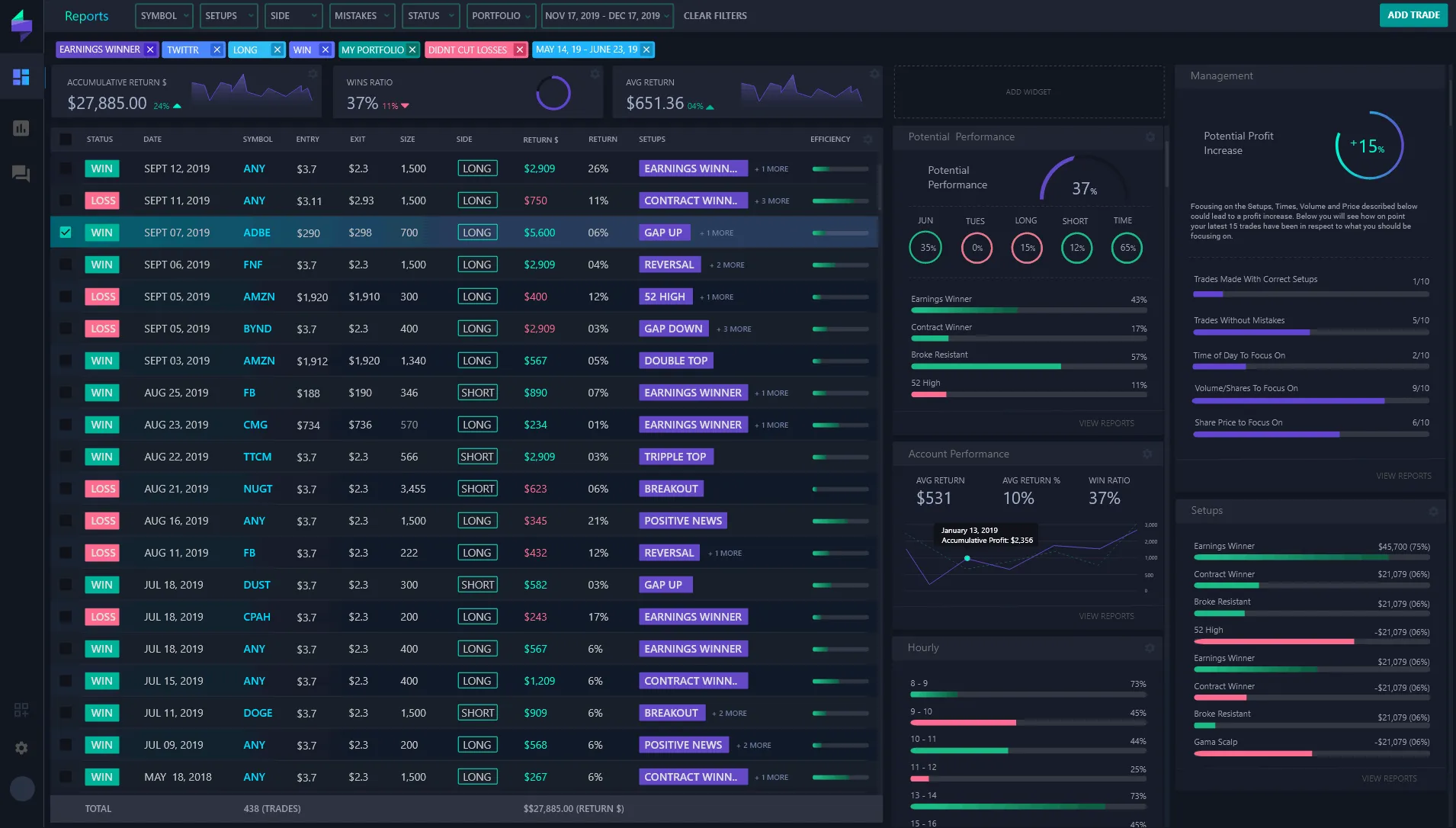
We’re about to dive deep into a fascinating case study that reveals how one trading educator leveraged these visual testimonials — via Trading Screenshot Generator — to boost sales by an incredible 300%. Ready to discover the magic behind this transformation?
Why Screenshots Matter More Than Ever
Before dissecting the case study, let’s explore why screenshots make such a massive difference in the trading education and signal-selling world.
- Instant credibility: A carefully composed screenshot of a profitable trade says, “I know what I’m doing.”
- Visual learning: Many traders engage more effectively when they see actual setups rather than abstract descriptions.
- Trust building: Real past results reduce skepticism and build confidence among potential clients.
- Branding opportunities: Customized, branded screenshots make your educational material uniquely yours and more memorable.
But let’s be honest: raw MetaTrader screenshots often look cluttered or plain — definitely not the kind of content you’d confidently showcase on your sales pages or social media. This is where Trading Screenshot Generator shines.
The Client: Meet Jake, the Trading Educator
Jake is a passionate forex coach with a following of a few thousand on Instagram and YouTube. Despite his knowledge and free educational content, his paid course sales were stagnant. What was missing?
“I was great at teaching but bad at showcasing proof. I knew trades worked, but my screenshots looked messy. Nobody trusted those blurry images.” – Jake, trading educator
Determined to break through, Jake decided to try the Trading Screenshot Generator. Within a few days, the transformation was remarkable.
How Jake Used the Tool to Turbocharge His Sales
1. Creating High-Quality, Customizable Screenshots
Before, Jake manually took screenshots on MetaTrader, which included unwanted menu bars, clutter, and lacked branding. Using the tool, he:
– Selected only the relevant sections of his MetaTrader charts
– Added his logo and consistent color schemes
– Included annotations highlighting entry and exit points
– Tagged exact timestamps and trade details in neat, clear fonts
This process took only minutes, allowing Jake to generate multiple polished visuals daily.

2. Integrating Screenshots into Marketing Channels
Jake embedded these visuals strategically:
- On his sales landing page, showcasing recent successful trades
- In social media posts to engage followers and demonstrate real results
- Within email newsletters to increase open rates and click-throughs
- In video course previews as proof of concept
Each visual served as a trust signal, helping prospects overcome doubts and encouraging them to buy.
3. Streamlining Customer Testimonials with Screenshots
Jake combined client success stories with matching screenshots generated with the tool, crafting compelling posts like:
“Jake’s strategy turned around my trading — just like this screenshot shows!”
— Verified customer Sarah K.
This synergy amplified authenticity, making testimonials more believable and actionable.
Results: The Jaw-Dropping 300% Sales Increase
Within 90 days, here’s what Jake’s data showed:
| Metric | Before Using Screenshots | After Using Screenshots | Growth |
|---|---|---|---|
| Monthly Sales | 50 course enrollments | 200 course enrollments | +300% |
| Social Media Engagement | Average 500 likes/post | Average 2,000 likes/post | +300% |
| Email Click-Through Rate | 2.5% | 8.0% | +220% |
This surge was undeniably tied to the visual social proof Jake consistently delivered using professional, branded MetaTrader screenshots.

What Makes Trading Screenshot Generator Stand Out?
You might ask, what sets this tool apart from just taking a simple screenshot? Here’s why it’s a game-changer:
- Speed & Simplicity: No complicated editing needed — generate polished images with a few clicks.
- Customization: Add your own branding, change colors, and annotate screenshots effortlessly.
- Optimized for Conversions: Designed to craft visuals that boost trust and buyer confidence.
- Perfect for All Traders: Whether you’re a signal seller, educator, or influencer, it fits seamlessly into your content strategy.
In other words, it provides the kind of visual content every serious trader needs to differentiate themselves in a crowded, skeptical market.
How You Can Replicate Jake’s Success
If you work in trading education or signals, here are practical steps to harness the power of screenshots like Jake:
- Choose your key trades: Pick those with clear, strong outcomes to share.
- Use Trading Screenshot Generator: Trim, brand, and annotate for clarity.
- Place screenshots strategically: On sales pages, social media, and emails to maximize trust.
- Combine with testimonials: Add client feedback alongside proof for social validation.
- Consistently update: Show recent performance to maintain credibility.
Not sure where to start? Visit Trading Screenshot Generator and try their demo. You might be amazed how a simple visual upgrade can transform your business overnight.
The Takeaway
In trading, performance matters — but so does proof. Professional screenshots become your silent sales force, speaking volumes about your expertise and results. Jake’s journey shows us that investing in better visual content is not just cosmetic; it’s strategic.
So, are you ready to take your trading education or signals business to the next level? Don’t underestimate the compelling power of well-crafted visuals. They help you build trust faster, engage better, and ultimately sell more effectively.

Remember, every successful trading influencer was once where you are now — and their secret was showing, not just telling. Leverage the power of high-quality MetaTrader screenshots today, and watch your sales soar.
Unlocking the Power of Trading Screenshots: Why Visual Proof Matters
If you’re immersed in the world of trading education, financial influencing, or signal selling, you already know one thing for sure: trust is everything. But how do you build it effectively online, where skepticism runs high and competition is fierce? The answer lies in transparency, and there’s no better way to showcase that than with well-crafted trading screenshots.
Consider this: a follower scrolling through their feed is swamped with posts making bold claims. Wouldn’t a polished, verifiable screenshot of your MetaTrader trades be the difference between “another promise” and genuine proof of skill? That’s exactly why integrating trading screenshots into your marketing strategy can transform casual viewers into loyal clients.
How Trading Screenshot Generator Can Supercharge Your Visual Content
The challenge often lies in creating screenshots that are not just snapshots, but compelling stories. Enter Trading Screenshot Generator — a game-changing web tool tailor-made for traders and educators.
This platform removes the hassle from generating polished screenshots directly from MetaTrader, offering a suite of customization options that let you:
- Highlight key trades with clear annotations and time stamps
- Create cohesive visuals consistent with your brand colors and style
- Emphasize important metrics like profit percentages, entry and exit points
- Build visual stories for educational use or performance showcases
Imagine the impact of presenting your community with clean, professional trading visuals that don’t just show numbers, but inspire confidence and engagement. It’s like giving your marketing a first-class upgrade — without the typical design headaches.
The Role of Visual Storytelling in Trading Education and Marketing
You might wonder, why does visual storytelling hold so much sway in a field brimming with data and charts? Simply put, humans process images much faster than text, and memorable visuals improve comprehension.
Think of a scenario: Sarah, a trading mentor, used to share dense charts and verbose explanations. While informative, many of her posts barely earned engagement. When she started sharing customized screenshots generated with Trading Screenshot Generator — showing clear trade setups and results — the response was palpable. Her followers engaged more, asked questions, and eventually converted into premium clients.
This proves a key marketing truth: Visuals that tell a story sell better.
Tips to Craft Effective Trading Screenshots for Your Brand
Before you jump in, consider these best practices to maximize the impact of your screenshots:
- Keep it clean and uncluttered. Remove unnecessary toolbars or distractions from the capture.
- Use branding elements. Incorporate your logo, brand colors, or watermarks subtly to reinforce identity.
- Highlight critical data. Use arrows, boxes, or color codes to draw attention to trade specifics.
- Include context. Add brief captions or annotations explaining the setup or outcome.
- Optimize for platform. Resize and format images to look great on Instagram, YouTube thumbnails, or blogs.
Integrating Screenshots into Your Marketing Funnel
Let’s dive into concrete ways to embed your trading screenshots across the marketing journey for maximum conversions.
1. Social Media: Building Credibility and Engagement
Social channels are your frontline for brand awareness. Regularly sharing impactful trade screenshots can:
- Reinforce your expertise through transparent performance
- Create conversation starters with educational overlays
- Attract followers interested in authentic trading journeys
Pro tip: Pair screenshots with engaging captions that ask questions or share trading insights. Encourage followers to comment or share their opinions.

2. Educational Content: Enhancing Learning Experience
Whether you’re developing blog articles, webinars, or email courses, screenshots help learners visualize setups in action. This boosts retention and perceived value.
- Use step-by-step screenshots to break down complex strategies
- Include before-and-after trade outcomes for clarity
- Showcase multiple timeframes and indicators to deepen understanding
Remember, a well-designed visual can replace paragraphs of text, making your lessons more digestible and appealing.
3. Sales Pages and Landing Pages: Building Trust for Conversions
Potential clients hesitate without proof. Testimonials paired with transparent trade screenshots can tip the scales.
Integrate high-quality screenshots:
- Next to client testimonials showcasing actual signals or setups
- In performance summary sections, highlighting consistent returns
- Within demo videos or interactive elements to demonstrate usability
Trust signals like these are proven to boost conversion rates by up to 30%—a metric well worth optimizing.
Common Pitfalls to Avoid When Using Trading Screenshots
Not all screenshots are created equal. To maintain integrity and effectiveness, watch out for these traps:
- Overloading with data: Too much information confuses rather than convinces.
- Editing to mislead: Never manipulate screenshots falsely; authenticity builds lasting trust.
- Ignoring mobile compatibility: Ensure screenshots display well on all devices.
- Skipping branding: Generic images miss out on reinforcing your unique identity.
Keeping these in mind ensures your visuals serve as assets rather than liabilities.
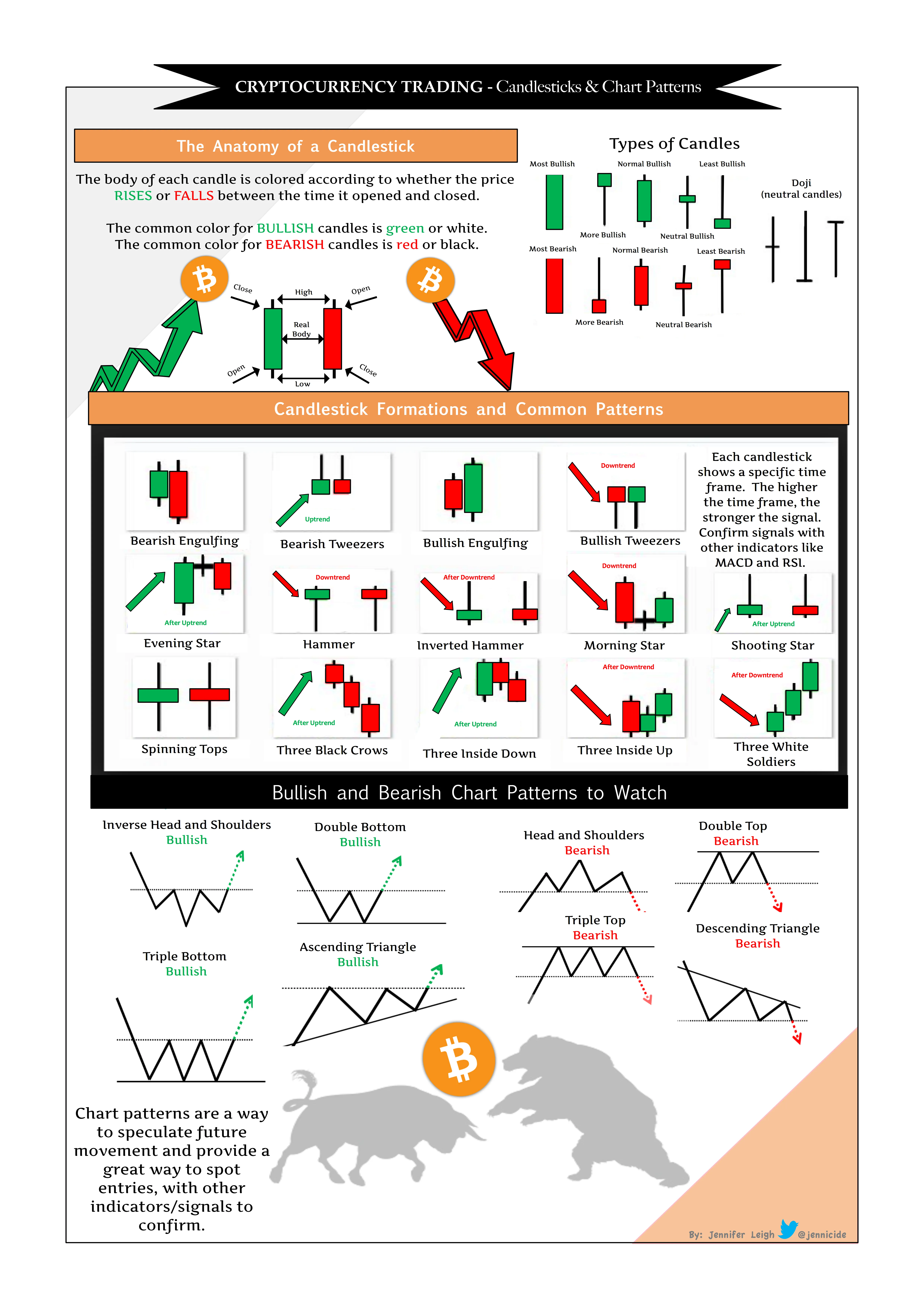
SEO Benefits of Using Trading Screenshots in Your Content
Incorporating screenshots strategically not only elevates user experience but also enhances SEO:
- Improved user engagement: Lower bounce rates as visitors linger on richer content.
- Better page rankings: Search engines favor pages with diverse media elements.
- Opportunity for keyword-rich alt text: Use descriptive alt attributes (e.g., “MetaTrader trade screenshot showing bullish breakout on EUR/USD”) to boost relevance.
- Increased social shares: Visual content drives sharing, increasing backlinks and domain authority.
Ultimately, trading screenshots merge visual appeal with SEO savvy, amplifying your online presence.
Ready to Elevate Your Trading Brand? Here’s How to Start
Now that you understand the critical role that high-quality trading screenshots play in effective marketing, the next step is simple but impactful:
- Visit Trading Screenshot Generator
- Upload or connect your MetaTrader data effortlessly
- Customize the look and feel to match your brand
- Preview, download, and start sharing your professional screenshots instantly
With just a few clicks, you’ll move beyond generic posts to content that inspires trust, educates your audience, and converts leads into committed clients.

Final Thoughts
In the competitive landscape of financial education and trading signals, visual proof isn’t just helpful – it’s essential. Integrating professional, customized trading screenshots generated from your own MetaTrader platform creates an authentic connection with your audience.
Whether your goal is to build authority, nurture your community, or boost conversions, these screenshots become the missing piece in your marketing puzzle — turning skepticism into trust, and viewers into clients.
So ask yourself: Are your current visuals telling the right story? If not, it’s time to leverage modern tools like Trading Screenshot Generator and elevate your trading brand to new heights.
Why Use Screenshots for SlideShare Presentations?
If you’ve ever attended a trading seminar or followed a financial influencer online, you know how compelling visuals can be. Screenshots from trading platforms, especially from MetaTrader, serve a critical role in illustrating trading strategies, showcasing past trades, or simply making complex financial data more digestible. So why not harness their potential for your SlideShare presentations?
SlideShare is an ideal platform to distribute visual content that educates, engages, and builds trust with your audience. When you combine SlideShare’s wide reach with clear, professional trading screenshots, you create content that stands out in an ocean of text-heavy slides.

Benefits of Incorporating Trading Screenshots into SlideShare
- Builds Credibility: Real screenshots from the MetaTrader platform prove you’re not just talking theory.
- Enhances Understanding: Visuals help learners grasp intricate setups or market conditions better.
- Boosts Engagement: Slides with images retain attention far longer than text-only decks.
- Professionalism: Clean, high-quality screenshots elevate your brand image.
- Trust Factor: Transparency about past trades can convert leads into customers.
Imagine Sarah, a budding trading coach who struggled for months to attract clients. When she started integrating customized, clear screenshots into her SlideShare tutorials, her followers began to trust her expertise more. This simple shift had a 30% positive impact on her course sign-ups within weeks.
Challenges of Using MetaTrader Screenshots and How to Overcome Them
Raw MetaTrader screenshots often come cluttered with irrelevant UI elements, timestamps, or confidential info. Without proper editing, these can dilute the professional look you want, or worse, expose sensitive data.
Most trading educators face these hurdles:
- **Too much visual noise:** Indicators, chat windows, or toolbars can distract viewers.
- **Inconsistent branding:** Screenshots without your logo or style reduce recognizability.
- **Technical difficulty:** Cropping and annotating manually can be time-consuming and imprecise.
The solution? Tools like the Trading Screenshot Generator simplify the entire process by letting you create clean, branded screenshots in just a few clicks. More on this later.
Key Elements of Perfect Trading Screenshots for SlideShare
When crafting screenshots especially for SlideShare, here are some points to keep in mind:
- Clarity: The main trading action or educational point should be the focus. Remove distractions.
- Annotations: Use arrows, highlights, or notes to guide your viewer’s eyes.
- Consistency: Employ the same color schemes, fonts, and styles throughout your deck.
- Branding: Add watermarks or logos to reinforce your identity.
- Resolution: Screenshots must be high quality to avoid pixelation on large screens.
Here’s a practical checklist before finalizing each screenshot:
- Is the screenshot cropped to show only the relevant info?
- Are your explanations readable and clear?
- Does the image match your overall SlideShare theme?
- Have you hidden any sensitive or personal data?

Step-by-Step Guide: Creating Compelling SlideShare Presentations with Trading Screenshots
Let’s break down the process in digestible steps:
1. Define Your Presentation Goal
Are you aiming to educate beginners on candlestick patterns? Or maybe showcase your signal service’s reliability? Identifying your objective will guide what kind of screenshots you capture.
2. Capture Clean, Relevant Screenshots
Use MetaTrader’s platform to open the charts or trade history relevant to your topic. Instead of using basic screen captures, try a specialized tool like Trading Screenshot Generator that lets you customize screenshots effortlessly. This tool removes clutter and allows branding—exactly what you need for polished SlideShare decks.
3. Edit and Annotate for Clarity
Add arrows pointing to entry or exit points, highlight important indicators, and insert short notes directly on the screenshot. This step transforms raw visuals into powerful learning tools.
4. Build Your Slides in SlideShare or PowerPoint
Integrate your optimized screenshots seamlessly into your slide deck. Use whitespace wisely to avoid overcrowding and maintain consistent branding.
5. Add a Clear Narrative
Remember, screenshots alone don’t tell the entire story. Pair visuals with concise, insightful commentary that guides your audience through the trade logic or lessons.
6. Optimize for SEO and Sharing
Title your SlideShare decks with relevant keywords like “trading setup,” “forex strategy,” or “trade analysis.” And when uploading, add a compelling description—making your content discoverable within SlideShare and search engines.
Tips to Maximize Impact on SlideShare
- Use consistent color schemes that reflect your brand for a cohesive feel.
- Limit text: Visual simplicity increases viewer retention.
- Embed clickable links: Drive traffic directly to your website or trading signal service.
- Include a CTA (Call to Action): Encourage viewers to subscribe, follow, or contact you.
- Leverage analytics: Monitor which slides get the most engagement and refine accordingly.
“Visual learners retain 80% of what they see, compared to just 20% of what they read.” – Source: 3M Research
The Role of Trading Screenshot Generator in Elevating Your Presentations
Imagine cutting hours of tedious editing into a few minutes. The Trading Screenshot Generator is specifically designed for trading professionals who want clean, branded visuals without hassle. Features worth noting:
- Easy MetaTrader integration
- Custom branding options (logos, color schemes)
- Automated removal of unnecessary UI elements
- Options for annotations and highlights
- Quick export in high resolution for presentations
Why not try it for yourself and see how effortless creating professional-grade trading screenshots can be? It’s a game-changer, especially if SlideShare presentations are part of your marketing toolkit.

Frequently Asked Questions
Can I use screenshots from other trading platforms?
While technically possible, MetaTrader remains the industry standard for many trading educators and signal providers, mainly due to its rich features and global popularity. Using a tool tailored for MetaTrader ensures higher quality and better customization tailored to your audience.
How do I maintain compliance when sharing trade screenshots?
Always ensure no private or client-sensitive data appears on your screenshots. Also, avoid implying guaranteed profits; focus on transparent, educational content.
Will using screenshots make my SlideShare presentations too cluttered?
Effective use involves balancing visuals with text. Use annotations and selective cropping to keep slides clean. Less is more — don’t overload each slide.
Conclusion
In the world of trading education and financial influencing, authenticity and clarity are your best allies. Leveraging high-quality, customized trading screenshots within your SlideShare presentations not only boosts your professionalism but also builds lasting trust with your audience.
If you haven’t already, explore the Trading Screenshot Generator. It’s designed to help you create impactful visuals fast — so you can focus on what really matters: sharing your expertise and growing your brand.
Why Gamifying Screenshot Submissions Matters in Trading Communities
Imagine this: You run a thriving trading community where members constantly share their trade ideas, win big, and learn from losses. But engagement feels stagnant. Members post sporadically, and the energy you used to feel is waning. What if you could transform this dynamic?
This is where the innovative concept of gamifying screenshot submissions comes into play—especially when powered by tools like the Trading Screenshot Generator. By turning screenshot sharing into a fun, rewarding activity, communities can skyrocket engagement, build trust, and foster healthy competition.

The Psychology Behind Gamification in Trading Communities
If you’ve ever wondered why some online communities thrive with seemingly simple mechanics, gamification is usually the secret sauce. It taps into fundamental human desires:
- Achievement: People love to feel progress, accomplishment, and mastery.
- Recognition: Public acknowledgment of skills boosts morale and motivates continued contribution.
- Competition: Friendly rivalry sparks excitement and encourages members to push themselves.
- Social Connection: Shared goals and participatory challenges create a sense of belonging.
When applied to the habitual sharing of trade screenshots, gamification can turn a passive act into a dynamic, celebrated event within the community.
Step-by-Step Guide: How to Gamify Screenshot Submissions
Gamification doesn’t have to be complicated. Here’s a practical roadmap to get you started:
1. Establish Clear Submission Guidelines
Members need to know exactly what kind of screenshots count. Using a tool like the Trading Screenshot Generator, you can encourage submissions that are clean, standardized, and professionally presented.
- Specify that screenshots must come from MetaTrader using the tool for consistency.
- Encourage sharing trade setups, results, or educational insights.
- Set a minimum quality bar — blurry or incomplete screenshots don’t count.
2. Create a Points or Badges System
Reward members for submitting screenshots with points, badges, or levels. For example:
– 10 points for every screenshot submitted
– Bonus 20 points for profitable trade screenshots
– Exclusive badges for milestones like “First 10 Submissions” or “High Precision Trader”
This system motivates participation by giving instant gratification and longer-term goals.
3. Host Themed Challenges and Contests
Spice things up with periodic challenges:
– “Most Consistent Profitable Setup” of the week
– “Best Educational Screenshot” contest
– “High-Risk, High-Reward” themed trades submissions
Winners can receive tangible rewards like free access to premium educational content, shout-outs, or even tangible prizes.

4. Showcase Top Submissions Publicly
Everyone loves their 15 minutes of fame. Set up a featured section or weekly newsletter highlighting the best screenshots, perhaps with short testimonials or insights.
This not only encourages others to step up but also establishes credibility and trust within the community.
5. Encourage Peer Feedback and Interaction
Allow members to comment on or vote for screenshots. Social validation amplifies intrinsic motivation, while constructive feedback fosters improvement and bonds.
Case Study: How “TradeSmart Community” Boosted Engagement by 150%
Take the fictional example of “TradeSmart Community,” a mid-sized group of active retail traders. Before implementing gamification, their screenshot sharing was sporadic and uninspiring.
Once they introduced a gamified screenshot contest powered by Trading Screenshot Generator, engagement skyrocketed:
- Members submitted 3x more screenshots within the first month.
- User retention improved as people logged in daily to check leaderboards.
- The quality of screenshots improved dramatically, boosting the community’s overall professionalism.
“Using the tailored screenshots helped standardize our community content and the friendly competition made sharing fun and consistent,” said Elena, the community manager.

Why Use Trading Screenshot Generator for Gamification?
Consistency and quality matter in gamification. This is where the Trading Screenshot Generator shines by offering:
- Effortless screenshot creation directly from MetaTrader, ensuring authenticity and accuracy.
- Customizable templates that help maintain a professional, unified look.
- Speed and simplicity, meaning even novice traders can participate without hassle.
- Enhanced credibility: Professional visuals build trust among new and existing members alike.
Such features reduce friction and elevate the overall experience, crucial factors when gamifying community participation.
Additional Tips to Maximize the Impact of Gamification
Stay Transparent and Fair
Make scoring and rewards transparent. Use clear rules to avoid confusion or feelings of favoritism.
Celebrate All Progress, Not Just Winners
Recognize effort and improvement, not just top performers. This encourages newcomers to feel welcomed.
Leverage Feedback Loops
Gather feedback frequently and iterate on the gamification design. What excites one community might bore another.
Integrate Social Sharing
Make it easy for members to share their earned badges or leaderboard positions on social media. This extends your community’s reach and attracts new members.

Boost Your Trading Community Today
Gamifying screenshot submissions isn’t just a trendy gimmick—it’s a proven method to enhance participation, foster goodwill, and build a vibrant, trusted trading community. By harnessing the Trading Screenshot Generator, you empower your members to showcase authentic performance in a sleek, standardized, and professional manner.
Ready to see the transformation? Encourage your members to start creating and submitting high-quality screenshots with this intuitive tool and watch your community spirit soar.
After all, in the fast-paced world of trading, trust and engagement aren’t optional—they’re essentials.
Why Screenshots Are Game-Changers in Trading Case Studies
If you’ve ever tried to explain a trading strategy through text alone, you know how challenging it can be to convey the nuances of market moves, entry and exit points, or risk management decisions. That’s where screenshots step in as powerful storytelling tools. They offer readers an immediate visual context that text often fails to provide, making your case studies not just informative but also engaging and trustworthy.
Imagine this: You’re a trading educator who wants to demonstrate a successful USD/EUR swing trade. Describing the setup, the indicators you used, and your profit targets in words can be dry or confusing. But showing a clean, annotated screenshot that pinpoints the exact trade moment helps your audience instantly grasp the concept and boosts your credibility. Screenshots transform abstract ideas into concrete examples that resonate deeply with readers.

Getting Started: Selecting the Right Screenshot for Your Case Study
Before diving into crafting your case study, consider the quality and relevance of your screenshots. Not every image captures the essence of your trade or lesson equally well. Here are some tips to pick the most compelling visuals:
- Highlight clarity: Choose images with clean, uncluttered layouts where the key data points stand out.
- Focus on milestones: Select screenshots that show critical stages of the trade – such as entry, mid-trade adjustments, and exit.
- Use annotated images: Adding arrows, notes, or highlights can dramatically increase reader understanding.
- Match visuals to the story: Each screenshot should reinforce the narrative you’re building.
It’s worth investing time to prepare these images professionally. Tools like the Trading Screenshot Generator can streamline this process, allowing you to generate clear and attractive screenshots directly from MetaTrader with just a few clicks.
Pro Tip:
“I used to spend hours cropping and editing images manually. Since adopting screenshot generators, not only has my workflow improved, but my audience engagement has skyrocketed.” – Rebecca T., trading coach
Structuring Your Case Study Around Screenshots
Great case studies have a logical flow—they tell a story. Your screenshots should punctuate this narrative and provide concrete evidence. Here’s a suggested structure to leverage screenshots effectively:
1. Introduction and Context
Begin with a brief description of the trade or strategy. Set the scene: What was the market environment? What made this case interesting or challenging? Consider including an overview screenshot showing the broader chart setup before entering the trade.
2. Trade Setup and Entry
Present your first screenshot here, ideally zoomed in on the decisive entry point. Accompany this with a detailed explanation of your rationale—why did you choose this moment? What technical or fundamental factors were in play?
3. Trade Management
As markets rarely move in a straight line, illustrate how you managed the position with subsequent screenshots showing stop-loss adjustments, partial closes, or trailing stops. Use annotations to draw attention to those key decisions.
4. Trade Exit and Outcome
Show the final screenshot highlighting your exit point. Discuss the outcome, including profits or losses, and lessons learned. Being transparent here builds trust and authenticity.
5. Key Takeaways
Summarize what your audience should remember. Use bullet points or call-outs to emphasize critical learning points and encourage application.

Optimizing Your Screenshots for Search Engines and Readers
While screenshots boost visual appeal, integrating them smartly improves SEO and user experience. Here’s how to do it:
- Use descriptive alt-text: Search engines rely on alt attributes to understand images. Instead of a generic “chart,” write something like “EUR/USD chart showing bullish breakout with moving average crossover on May 5th.”
- Compress images: Prevent slow loading times by optimizing image sizes without compromising quality.
- Caption your images: Helpful captions assist readers and add contextual keywords naturally.
- Place images near relevant text: This alignment enhances topical relevance and reader comprehension.
Example of a strong alt-text optimization:
“Clean, customized MetaTrader screenshot highlighting a successful breakout trade in GBP/USD with RSI confirmation, generated using Trading Screenshot Generator.”
Common Pitfalls to Avoid When Using Screenshots in Trading Content
Even the best visuals can lose impact if handled poorly. Here are pitfalls that can undermine your case studies and how to sidestep them:
- Overloading with screenshots: Too many images clutter the narrative and distract readers. Choose quality over quantity.
- Poor image quality or resolution: Blurry or pixelated images erode professionalism.
- Lack of context or explanation: Never post a screenshot without clear commentary to guide your audience.
- Ignoring mobile users: Ensure your images and layout are mobile-friendly, as an increasing number of traders consume content on smartphones.
How Trading Screenshot Generator Elevates Your Case Studies Effortlessly
If you’re wondering how to create these polished screenshots without wrestling with complex editing software, the Trading Screenshot Generator is your secret weapon. It’s tailored specifically for trading professionals and educators who want to share their insights effectively.
- Seamless integration: Directly pull charts from MetaTrader with precise customization options.
- Clean, professional templates: Designed to highlight important trade details without distractions.
- Time saver: Generate multiple screenshots quickly, freeing up more time for content creation and interaction.
- Custom branding: Add your logo or watermark easily to protect your content and promote your brand.
By incorporating these professional visuals into your case studies, you boost credibility, engagement, and conversion rates—essential ingredients for growing your audience or client base.

Tips for Writing Case Study Copy That Complements Your Screenshots
Remember, the text and visuals should work hand-in-hand. Some effective copywriting tips include:
– Use clear, concise language that traders of your target skill level can understand.
– Engage readers with questions like, “Have you ever wondered why some trades consistently outperform?”
– Share personal anecdotes or challenges to make your case studies relatable.
– Vary sentence length to maintain rhythm and avoid monotony.
– Incorporate keywords naturally like “trading strategy,” “MetaTrader screenshots,” and “trade analysis” to boost SEO.
Final Thought
Creating compelling case studies using screenshots isn’t just a nice-to-have—it’s an essential strategy for anyone aiming to stand out in the crowded trading education space. When your audience can see your thought process clearly, trust builds naturally.
Ready to elevate your case studies with professional, customized screenshots generated in seconds? Try Trading Screenshot Generator today and watch your content shine.
Why Embracing Fake PnL Scenarios Can Transform Your Trading Education
Imagine this: you’re a trading educator or a financial influencer. You want to teach your audience how to analyze market behavior, execute strategies, and manage risk — but without subjecting them to the harsh realities of live trading losses. What if you could simulate the thrill and the grind of real trading, yet keep the stakes entirely virtual? That’s where fake PnL scenarios come in.
In this comprehensive article, we’ll dive into the concept of fake Profit and Loss (PnL) scenarios, how they can revolutionize the learning journey, and why they’re crucial for risk-free practice. Plus, you’ll discover how tools like Trading Screenshot Generator make it easier than ever to create convincing and professional trade visuals to support your educational content or marketing efforts.
What Exactly Are Fake PnL Scenarios?
To put it simply, fake PnL scenarios are simulated trading outcomes created to mimic real trading results, without the financial risk. Instead of relying on live or historical trades, this method generates hypothetical trade outcomes—profit or loss—based on assumed market conditions or educational objectives.
Consider fake PnL scenarios as a “sandbox” for traders and learners, providing:
- A safe environment to experiment with strategies
- Insight into trade management and decision-making processes
- Engagement with realistic market emotions but no real money on the line
This approach is particularly valuable for newcomers and educators alike who want to enhance understanding without exposing themselves or their community to actual financial exposure.
Why Use Fake PnL Scenarios? The Learning Benefits Explained
Have you ever wondered why so many successful traders talk about the importance of practice before committing capital? The truth is that trading can be unforgiving, and “learning by doing” with real money can be very costly.
“I remember losing thousands when I first started trading live. If only I had the chance to test my approach in a risk-free environment with accurate feedback.” – A common regret among traders
Fake PnL scenarios offer a powerful alternative by enabling:
1. Building Confidence Without Financial Stress
Experiencing winning and losing trades—albeit simulated—helps build emotional resilience. Learners can make mistakes and learn from them, understanding their reactions to losses or gains without any actual money lost.
2. Sharpening Strategy Tweaks and Timing
Fine-tuning entry and exit points, setting stop losses, or adjusting take profits in mock environments gives you the ability to truly understand what works or doesn’t in various market conditions.
3. Enhancing Teaching Material with Clear Visuals
Educators and financial influencers can use simulated trade screenshots to illustrate key concepts clearly. Without exposing real client data or risking privacy issues, these visuals lend credibility and professionalism to lessons or marketing pitches.
Don’t underestimate the power of visual proof! Clean, accurate screenshots of trade setups—even if generated—can increase trust and boost conversions by making your content more tangible.
How to Create Convincing Fake PnL Scenarios
Generating realistic fake PnL scenarios might sound complicated, but the right approach and tools can simplify the process considerably. Here’s a quick roadmap:
- Choose the trading platform: MetaTrader is widely used for its familiarity and robust features.
- Define scenario parameters: Select instruments, entry/exit points, lot size, stop losses, and take profits.
- Simulate market reactions: Incorporate realistic price fluctuations and slippage.
- Generate visuals: Use tools like Trading Screenshot Generator to create clean, professional screenshots of your simulated trades.
- Annotate and explain: Add clear explanations or charts to connect the visuals to your lessons.
This workflow ensures that the final product looks just like actual trade screenshots you’d see on MetaTrader, but with results tailored for educational purposes.
Why the Trading Screenshot Generator Is a Game-Changer
If you’re serious about integrating fake PnL scenarios into your content, having a reliable tool to generate professional screenshots is essential. The Trading Screenshot Generator platform allows you to:
- Create customized MetaTrader screenshots within minutes
- Adjust PnL values, timeframes, and assets seamlessly
- Produce visuals that build credibility with your audience
- Save time and avoid the hassle of manual editing or screenshot manipulations
For educators, signal providers or financial influencers, this tool not only saves time but also provides a genuine edge in the competitive trading education market.
Real-Life Anecdote: How Fake PnL Scenario Helped Sophia Pitch Her Trading Course
Sophia, a financial influencer from London, wanted to launch her first online trading course but was worried about sharing real trade screenshots — she feared being judged over poor past results. Her solution? She created fake PnL screenshots of well-executed trades using the Trading Screenshot Generator.
Her course launch campaign included sleek visuals of winning and losing trades that perfectly illustrated key lessons. The reaction was phenomenal — new followers reached out, eager to learn her approach, trusting her transparency and professionalism.
Her takeaway: “Fake PnL doesn’t mean fake expertise. It’s a tool to communicate effectively and protect your personal trading privacy while building trust.”
Addressing the Ethics: Are Fake PnL Scenarios Misleading?
This question often arises in trading communities. It’s crucial to differentiate between fake PnL for educational purposes and fake claims to deceive clients. Transparency is key. Here are some ethical guidelines to consider:
- Disclose the simulated nature when appropriate – especially in teaching contexts
- Use fake PnL as a teaching aid, not as falsified marketing proofs of live results
- Focus on the value they bring—simulated trades enhance understanding and skill-building
In fact, many renowned trading educators endorse simulated trading as a legitimate and necessary phase of skill acquisition. For more on this, see the [Investopedia guide on simulated trading](https://www.investopedia.com/terms/s/simulated-trading.asp).
Closing Thoughts: Start Exploring Fake PnL Scenarios Today
If you’re in the trading education space or building a brand around financial content, incorporating fake PnL scenarios can be a game-changer. They enable captivating storytelling, risk-free learning, and professional-looking visuals that resonate with your audience.
Feeling inspired? Don’t wait to enhance your educational material or social media posts. Visit Trading Screenshot Generator and see how easy it is to bring your fake PnL scenarios to life—with just a few clicks.

Summary: Key Takeaways
- Fake PnL scenarios offer a realistic yet risk-free way to practice and learn trading.
- They help educators create impactful, trustworthy content that captivates learners.
- Using tools like Trading Screenshot Generator streamlines the creation of professional trade visuals.
- Ethical transparency ensures these scenarios empower rather than mislead.
What’s stopping you from giving your audience the perfect blend of realism and safety? *Your next breakthrough in trading education starts with embracing fake PnL scenarios.*
Why Screenshot Design Matters in Your Trading Funnel
Picture this: you’re browsing through a trading educator’s website. Everything looks professional, but something’s missing — the screenshots of their trades and setups feel cluttered, uninspiring, or downright confusing. You hesitate. Do you trust this person’s expertise enough to sign up for their course or buy their signals?
That hesitation? It’s the subtle but powerful screenshot design effect at work. In today’s competitive trading education market, your visuals aren’t just eye candy — they are trust builders and conversion catalysts.
But what exactly makes a screenshot convert better? How can you design trading screenshots that are both credible and compelling, nudging your prospects closer to action?
Understanding Your Funnel Needs: Tailoring Screenshots for Every Stage
Before diving into design tricks, it’s crucial to understand how screenshots fit into different parts of your funnel:
- Top of Funnel (TOFU): Here, screenshots should evoke curiosity and provide educational value. Think annotated charts showing a clear setup pattern.
- Middle of Funnel (MOFU): At this stage, potential customers want proof. Screenshots highlighting successful trades with performance metrics work well.
- Bottom of Funnel (BOFU): A clean, professional screenshot showcasing clear results and easy-to-follow signals can seal the deal.
Matching screenshot design to funnel stage boosts relevance and impact — and if you’re selling signal subscriptions or courses, that means more sign-ups!
Screenshot Design Tricks That Boost Funnel Conversions
1. Keep It Clean and Focused
Trading platforms like MetaTrader often display a lot of extraneous info: multiple indicators, trade history, cluttered menus, and technical jargon. When you capture a screenshot directly, you risk overwhelming your audience.
Pro tip: Use web tools like Trading Screenshot Generator to customize and crop your MetaTrader screenshots, highlighting only the critical trade details and removing distractions.

2. Use Clear Annotations and Callouts
Don’t leave your audience guessing. Add arrows, circles, and brief labels to pinpoint trade entries, exits, and key indicators. This helps even beginner traders understand your setup and reinforces your role as an educator or trusted signal provider.
“Adding clear annotations transformed my subscribers’ understanding. Suddenly, my screenshots were teaching tools — not just proof of profits.” — Emily K., Trading Influencer
3. Apply Consistent Branding
Are your screenshots part of your personal brand? Make sure you include logos, colors, and fonts that match your website and marketing materials.
Consistency builds familiarity, which fosters trust — a key factor when people decide to pay for trading education or signals.
4. Showcase Performance Highlights with Data
In MOFU and BOFU, numbers matter. Consider adding:
- Win rate percentages
- Return on investment (ROI)
- Relevant trade statistics
- Timeframe context
A screenshot with raw trade data + contextual performance metrics reads as authentic, transparent, and compelling.

The Psychology Behind Effective Screenshot Design
Ever wondered why some traders’ screenshots convince more than others? It’s psychology in play.
Here’s what works:
- Clarity reduces cognitive load. Simple, uncluttered images help your visitors grasp information faster, making them more likely to believe your expertise.
- Transparency builds credibility. Showing both winning and losing trades (with honest explanations) fosters trust.
- Visual storytelling engages emotions. Annotated setups that walk the viewer through your thought process create connection and inspire confidence.
How to Use Storytelling in Your Screenshots
For example, instead of just showing a trade screenshot, narrate its rationale:
“This was a classic breakout from a resistance line on the 1-hour chart. I spot the volume spike, confirmed with RSI divergence — signaling a strong buy opportunity. Entry at 1.2345 with a target at 1.2450, stop loss at 1.2300.”
This mini-narrative can be either added as a caption or embedded as text overlay right on the screenshot.
Common Mistakes to Avoid With Trading Screenshots
Just as important as what to do, here are pitfalls that kill conversions:
- Overloading screenshots with data: Resist the urge to cram everything into one image. Too much info = overwhelm.
- Ignoring mobile viewers: Screenshots should be legible on smaller screens — test responsiveness!
- Lack of authenticity: Using flashy but unrealistic screenshots (e.g., edited to hide losses) will eventually erode trust.
- Generic styling: Using default platform screenshots without customization loses brand impact.
Leverage Technology: The Power of a Screenshot Generator
If you’re manually cropping and annotating screenshots, you’re wasting precious time and risking inconsistency.
Trading Screenshot Generator is tailored exactly to your needs. It lets you create professional, branded MetaTrader screenshots with just a few clicks:
- Choose which trades and charts to display
- Add annotations, labels, and performance stats easily
- Ensure consistent branding with custom themes
- Download ready-to-use images optimized for marketing funnels

The result? More credible communications, faster content creation, and ultimately higher conversions in your trading funnel.
Craft Your Next Screenshot With Funnel Conversions in Mind
In the fast-paced world of trading education and signal selling, your screenshots aren’t just static images — they are subtle but powerful voices in your marketing narrative.
By focusing on clean design, clear annotations, authentic data presentation, and consistent branding, your trading screenshots become far more than just proof; they become persuasive instruments driving engagement and conversions.
So, next time you think about showcasing a trade, ask yourself:
- Is this screenshot telling a clear, believable story?
- Does it align with where my prospect is in the funnel?
- Have I removed distractions to spotlight the essentials?
- Does it reinforce my brand credibility?
If you hesitate, consider streamlining the process with Trading Screenshot Generator. It’s more than a tool — it’s your shortcut to professional-grade trading visuals that convert.
Final Thoughts
Designing screenshots with your funnel in mind isn’t just about aesthetics, it’s about crafting a message that resonates, educates, and persuades. When done right, your trading visuals can be the difference between a curious visitor and a committed customer.
Remember, every screenshot you share tells the story of your expertise and professionalism. Make sure it speaks clearly, authentically, and powerfully.
Mastering Screenshot Presentation: Elevate Your Webinar Impact
Have you ever sat through a trading webinar where the presenter showed cluttered screenshots, leaving you squinting to decipher the data? It’s frustrating, right? In the fast-paced world of financial education, your visuals must be as clear and convincing as your verbal explanations. This is where effective presentation of screenshot data becomes not just helpful, but essential.
Today, we’ll explore the best ways to present screenshot data in webinars—unlocking techniques that not only captivate your audience but boost trust and conversions. Whether you’re a trading educator, financial influencer, or signal seller, these insights will help you craft compelling webinars with professional-grade visuals.
Why Are Screenshots Crucial in Trading Webinars?
Let’s be honest — charts, numbers, and market setups can be dry or overwhelming. Screenshots serve as an anchor, turning abstract concepts into tangible proof. They:
- Verify Results: Proof of past trades builds your credibility.
- Visualize Strategies: Viewers grasp setups and entries more intuitively.
- Enhance Engagement: Visuals break monotony and keep attention.
- Boost Conversion: Well-presented data nurtures trust and inspires action.
Imagine a trader named Alice who struggled for months to grow her audience. After she started incorporating high-quality, tailored screenshots in her webinars, attendees increased by 30%, and her course sales skyrocketed. Her story is a testament to the power of clean, professional visuals.
Choosing the Right Screenshot Content
Not all screenshots are created equal. The content you choose to display should serve your webinar’s core message. Here’s what to consider:
1. Highlight Key Trades and Setups
Don’t overwhelm your audience with every single trade. Select screenshots that showcase well-executed strategies or significant market moves with clear annotations.
2. Show Before-and-After Scenarios
Displaying how a trade evolved over time—entry, exit, and profit/loss—helps attendees appreciate your method’s effectiveness.
3. Incorporate Performance Metrics
Charts alone tell part of the story. Supplement screenshots with data points like win rate, risk/reward ratios, and drawdowns.

Tips for Creating and Presenting High-Quality Screenshots
Quality matters when it comes to professionalism. Here are practical tips for screenshot preparation and presentation:
- Use a Consistent Format: Uniform styles, fonts, and colors make your visuals cohesive across your webinar slides.
- Opt for Clean Layouts: Remove distracting background elements or irrelevant indicators from screenshots.
- Leverage Annotations: Arrows, circles, and highlights guide viewers’ attention to critical points.
- Maintain High Resolution: Blurry images erode trust and dilute clarity.
- Keep Data Recent: Outdated screenshots reduce credibility; aim to showcase your latest trades.
Integrating Screenshots Smoothly into Your Webinar Flow
Presenting screenshots isn’t about dumping images on your slide deck but weaving them seamlessly into the learning journey. Here’s how:
Use Storytelling
Frame each screenshot with a brief story. For example:
“Here’s a trade I took last Tuesday when the EUR/USD formed a double bottom pattern. Notice how the entry point aligns perfectly with our trend reversal criteria.”
Encourage Interaction
Pause and ask questions like:
- “What do you notice about the candle patterns here?”
- “How would you adjust your stop loss based on this screenshot?”
This transforms passive viewing into active learning.
Provide Downloadable Resources
Offering attendees access to these screenshots enhances retention. A downloadable booklet or cheat sheet with annotated images adds value.

Technology Tools That Make Screenshot Generation Effortless
Gone are the days when capturing and editing trading screenshots meant juggling multiple apps or spending hours in Photoshop. Modern web tools, like Trading Screenshot Generator, empower you to create compelling, clean screenshots directly from the MetaTrader platform with minimal effort.
Why should you consider such a tool?
- Speed: Generate professional-grade images in just a few clicks.
- Customization: Add personalized branding, annotations, and select exactly which data to show.
- Consistency: Maintain a uniform look across all visual content.
- Trust-building: Sharp, verified screenshots reduce skepticism and build your authority.
Imagine running your next webinar with smoothly integrated, perfectly tailored screenshots enhancing every point you make—no fumbling, no awkward screen shares. The boost in audience engagement and conversions can be game-changing.
Avoiding Common Pitfalls When Presenting Screenshot Data
Even seasoned educators sometimes fall into traps when using screenshots. To keep your webinars impactful, steer clear of these mistakes:
- Overloading Slides: Crowding a slide with too many screenshots or data can confuse rather than clarify.
- Ignoring Accessibility: Make sure text in your screenshots is readable for everyone, including visually impaired participants.
- Lack of Context: Never assume the audience immediately understands the significance—always explain.
- Neglecting Mobile Viewers: Test your visuals on different screen sizes; many join webinars on phones or tablets.
- Skipping Practice: Rehearse transitions involving screenshots to avoid technical hiccups.
Final Thoughts: Transform Your Webinars with Powerful Screenshot Presentations
In a crowded market where trust is king, your ability to present clear, convincing trade data visually can set you apart. High-quality, well-annotated screenshots don’t just prove your expertise—they make your lessons more engaging, memorable, and actionable.
If you’re passionate about delivering compelling trading webinars, discover how the Trading Screenshot Generator can simplify your workflow and elevate your entire presentation.
Ready to captivate your audience with stunning, reliable visuals? Don’t just tell your story—show it with confidence.
Why Screenshot Carousels are a Game-Changer for LinkedIn Authority
In today’s digital age, building authority on LinkedIn goes beyond just posting articles or sharing thoughts. Imagine a feed where your audience can swipe through a series of crisp, informative screenshots that tell a compelling story—whether it’s about your latest trading setup, performance results, or educational insights. Screenshot carousels have emerged as one of the most powerful formats for engagement, especially for professionals in the finance and trading sectors.
But what exactly makes these carousels so effective? And how can you leverage them to maximize your LinkedIn influence? Let’s dive into the magic of screenshot carousels and how you can use them to skyrocket your authority.
Understanding the Power of Visual Storytelling on LinkedIn
LinkedIn users have become increasingly selective about the content they engage with. The platform now rewards posts that keep users scrolling, interacting, and coming back for more. Screenshot carousels accomplish exactly this with several advantages:
- Multi-Point Storytelling: Instead of a single image or paragraph, carousels unfold your message across several slides, making it easier to convey complex ideas.
- Higher Engagement: LinkedIn’s algorithm favors posts that generate longer engagement times—carousels invite users to swipe through, increasing time on post.
- Proof and Credibility: Screenshots from trading platforms, such as MetaTrader, show authentic evidence of your performance or teaching methods, instantly building trust.
Think about it. When was the last time you stopped to carefully review a lengthy article versus a quick carousel breaking down key points? Chances are, the carousel won.
How Professionals Use Screenshot Carousels to Cement Authority
Take a hypothetical case: Jane, a trading educator, decided to use screenshot carousels for her weekly market breakdown posts. Instead of just explaining her setups with text, she showcased actual trade screenshots illustrating entry points, stop losses, and take profit targets.
The result? Her engagement soared by 40%, and she started getting more inquiries for her courses. People weren’t just hearing about her strategy—they were seeing its results firsthand.
Similarly, financial influencers frequently leverage these carousels to share before-and-after screenshots, highlighting their portfolio’s growth or demonstrating how educational tips have been applied.
Step-by-Step Guide: Creating Effective Screenshot Carousels for LinkedIn
Ready to craft your own powerful carousel? Here’s a roadmap tailored for trading educators, signal sellers, and financial influencers:
1. Plan Your Content Flow
Decide what story you want to tell. Are you sharing recent trades, illustrating a trading strategy, or building trust with performance highlights? Map out 4 to 7 key points or slides to keep your carousel concise yet impactful.
2. Capture Professional Screenshots
Raw screenshots can look cluttered or unprofessional. This is where Trading Screenshot Generator shines. It enables you to:
- Generate clean, customized images directly from MetaTrader.
- Add contextual information like trade date, pairs, and key stats.
- Ensure uniformity in style and format for a polished visual narrative.
3. Sequence Your Screenshots Logically
Think of each slide as a chapter in your story. Start with an intriguing hook—like a summary or a challenge you overcame—then move to details such as chart patterns or trade execution. Finally, end with a strong conclusion or clear call to action.
4. Write Compelling Captions
Don’t rely solely on visuals. Each screenshot benefits from an insightful caption explaining the key takeaway. For example, “Notice the pullback at resistance before the breakout – a classic entry signal.”
5. Format Your LinkedIn Post
Upload your screenshots in the correct order and add a post description that teases the carousel content. Remember to include relevant hashtags like #tradingtips, #financialeducation, and #MetaTrader to expand your reach.
Tips for Maximizing SEO and Engagement with Carousels
You might wonder, can these carousels improve my SEO and LinkedIn visibility? Absolutely. Here’s how:
- Optimize Image Alt-Texts: Include keywords like “MetaTrader trade screenshots” or “trading setup visuals” in your image descriptions.
- Natural Keyword Integration: Use flexible phrasing around terms important to your niche such as “trading educator tools,” “signal performance,” or “financial influencer strategies.”
- Engagement Hooks: Ask questions in your captions to invite comments, like “What’s your favorite entry technique?”
- Tag Relevant People and Groups: Connect with finance communities and collaborators to widen your post’s impact.
These strategies work hand-in-hand with the visual appeal of carousels to boost your personal brand and search rankings.
Common Pitfalls to Avoid When Using Screenshot Carousels
Like any tool, misuse can hamper results. Watch out for these errors:
- Overloading Slides: Don’t cram too much info into each screenshot. Keep it clean and digestible.
- Inconsistent Design: Mixing different screenshot styles or fonts disrupts cohesion.
- Lack of Context: If viewers don’t understand what they’re seeing, they’ll quickly scroll away.
By steering clear of these mistakes, your carousel becomes a compelling learning experience, not just another cluttered post.
Real-Life Example: How Trading Educators Benefit from Screenshot Carousels
“Since I started using screenshot carousels with the help of Trading Screenshot Generator, my student engagement has practically doubled. They appreciate seeing the step-by-step trades rather than just reading theory. It’s like bringing the classroom to their feed.” – Sarah L., Trading Coach
Sarah’s story highlights an essential truth: visuals create trust and relatability. They transform abstract concepts into tangible proof of your expertise.
How to Get Started Today
If you’re ready to elevate your LinkedIn presence and establish yourself as a serious trading authority, start incorporating screenshot carousels now. The key tools and best practices are at your fingertips, and with the Trading Screenshot Generator, the creation process becomes effortless.
Why wait? Generate your next professional trading screenshot carousel today and watch as your LinkedIn engagement and influence grow exponentially.
Wrapping Up
LinkedIn equality is no longer about flat posts or generic content. Screenshot carousels offer a rich, dynamic medium to tell your trading story with authenticity. By visually showcasing evidence, breaking down complex trades, and engaging audiences with sequential storytelling, you build both trust and authority.
Remember, the best traders and educators know how to combine actionable data with easy-to-absorb visuals—and you can too. Use screenshot carousels armed with tools like the Trading Screenshot Generator to stand out on LinkedIn and become the go-to expert your industry needs.
Why Telegram is the Go-To Platform for Signal Channels
If you’re a signal provider, trading educator, or financial influencer, chances are you’ve tapped into Telegram for building your community and sharing vital trading signals. But what makes Telegram so popular among traders? Simply put, Telegram’s robust privacy features, fast message delivery, and user-friendly interface create the perfect environment for signal channels that require rapid, reliable communication.
However, managing a Telegram signal channel is no small feat. From delivering accurate signals and managing subscribers to preventing spam and tracking analytics, it can quickly get overwhelming.

Enter Telegram Bots: The Hidden Gems for Signal Channel Success
Telegram bots are automated programs designed to simplify intricate tasks and improve user experience in channels and groups. Rather than toggling through multiple tools or manually sending signals, these bots help streamline communication, automate workflows, and ensure accuracy.
Here’s the reality: As a signal channel admin, juggling signal updates, subscriber management, and feedback can feel like spinning plates. But with the right bots, you gain efficiency, professionalism, and enhanced subscriber trust.
Must-Have Telegram Bots for Managing Your Signal Channel
Let’s explore the essential Telegram bots that every trading signal channel should consider integrating.
1. Signal Delivery Bot
This is the backbone of your channel. Signal Delivery Bots automate the entire process of sending trade signals — entries, stop-loss, take-profit levels — at scheduled or triggered times.
- Key Benefits: Instant distribution of accurate signals, reducing human error.
- Popular Bots: Many custom-built bots exist with varying degrees of complexity. Some can even parse trading setups directly from platforms like MetaTrader.
By using tools like the Trading Screenshot Generator, you can enhance your signals with clean, professional screenshots extracted directly from MetaTrader, lending greater credibility to your alerts.

2. Subscriber Management Bot
Dealing with hundreds or thousands of subscribers can be daunting. Subscriber Management Bots handle membership approvals, subscription status, payments (if you offer paid signals), and even anti-spam protections.
- Why it Matters: Prevents unauthorized access and reduces churn by automating subscriber-related tasks.
- Example Feature: Auto-removal of inactive members, personalized welcome messages, and manual curation options.
3. Analytics and Reporting Bot
Ever wondered which signals perform best or what time most users engage with your content? Analytics Bots provide actionable insights — track open rates, click-throughs, and subscriber engagement to tailor your strategy.
“Data-driven decisions boost trust and conversion. It’s not enough to send signals; you need to know their impact.”
Integrating analytics into your channel helps refine your approach, increasing both retention and subscription sales over time.

4. Feedback and Support Bot
Maintaining an active dialogue with your community strengthens loyalty. Feedback Bots enable subscribers to report issues, ask questions, or submit trade results directly through Telegram, all streamlined into easily manageable tickets.
- Benefit: Efficient, centralized user support without switching platforms.
- Use Case: Quickly address user concerns about signals or clarify trade set-ups.
How to Choose the Right Bots for Your Signal Channel
With a myriad of bots available—many offering overlapping features—selecting the best tools requires understanding your channel’s size, complexity, and subscriber expectations. Here are some pointers:
- Assess Your Needs: Are your signals live and time-sensitive? Do you offer paid subscriptions? Are you focusing on educational content or simple trade alerts?
- Integration Compatibility: Ensure the bots can be integrated seamlessly into your existing setup, including linking with payment processors or trading platforms.
- User Experience: The easier the bot is to interact with, the better the retention and subscriber satisfaction.
- Security & Privacy: Confirm how the bot handles user data and prevents spam or malicious activity.
Before you commit, test bots in limited groups or sandboxes to see how they perform under real circumstances.
Tips for Leveraging Bots to Build a Trusted Signal Brand
Beyond automation, bots help establish your channel’s professionalism and authenticity. Here are some tried-and-true tips:
- Use Visual Proof: Attach high-quality screenshots of your trades, generated effortlessly via the Trading Screenshot Generator, alongside your signals. Seeing is believing!
- Maintain Transparency: Share your performance analytics openly to improve trust.
- Engage Subscribers: Use Feedback Bots to foster two-way conversations, not just broadcasts.
- Automate without Overdoing It: Balance automated signals with personalized messages or occasional live calls to humanize the channel.
Real-Life Anecdote: From Chaos to Order with Telegram Bots
Take Sarah, a professional trader who started a Telegram signal channel out of passion. Initially, she sent signals manually and replied to dozens of subscriber messages daily. Within weeks, managing the channel consumed all her time, leading to errors and subscriber complaints.
After integrating a Signal Delivery Bot, a Subscriber Management Bot, and an Analytics Bot, Sarah saved hours daily — her signals became timely and precise, subscriber churn dropped, and her channel grew by 150% in six months. Visual content powered by tools like the Trading Screenshot Generator further boosted her credibility almost overnight.
Final Thoughts: Are You Ready to Supercharge Your Signal Channel?
Telegram bots are more than just fancy add-ons — they’re essential instruments in the toolkit of any savvy trading signal provider. By choosing the right bots and leveraging professional visuals, you don’t just deliver signals, you build a brand trusted by traders worldwide.
Don’t leave your channel’s growth to chance or manual hustle. Automate your communication, manage subscribers effortlessly, collect insightful data, and build a loyal community ready to follow your every trade.
Remember, combining automation with authenticity — like showcasing your real trades with high-quality MetaTrader screenshots — is the secret sauce to long-term success in the trading signal space.