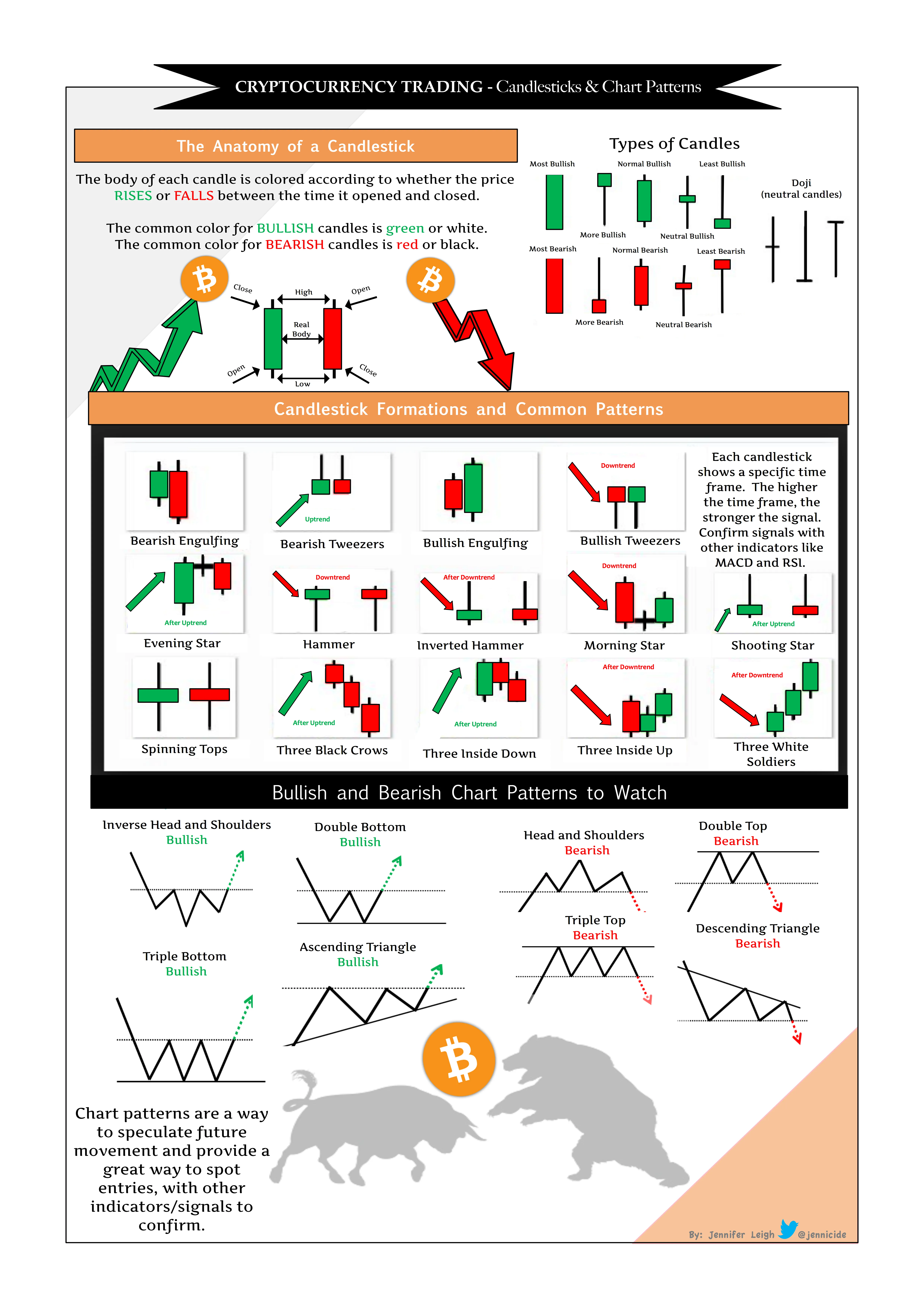
Why Order Book Analysis Matters in Trading
If you’re diving into the depths of financial markets, you’ve probably heard the buzz around order book analysis. But why is it such a pivotal tool for traders and analysts alike?
Simply put, the order book provides a live snapshot of all buy and sell orders for a particular asset. By observing it, traders can gauge market sentiment, potential support and resistance levels, and even anticipate price movements before they happen.
Imagine standing at the edge of a busy marketplace, watching buyers and sellers negotiate in real-time. The volume, intensity, and direction of these negotiations offer clues about what’s likely to unfold next. That’s exactly what an order book analysis helps you visualize in the digital trading world.

Challenges of Sharing Order Book Insights
Order book data is inherently dynamic. Prices move quickly, orders get filled or canceled, and the depth of the book often changes by the second. Capturing this fluidity for educational purposes or social sharing is no small feat.
Many traders struggle with presenting their order book analysis clearly to their students, clients, or followers. Screenshots of raw platforms often come with cluttered interfaces, extraneous tabs, and elements that distract from the core message.
This is where purpose-built tools become crucial.
“You can’t expect your audience to grasp the intricacies of order book data if your visuals don’t communicate effectively.”
— Emma Taylor, Professional Trading Educator
How High-Quality Screenshots Elevate Order Book Analysis
Embedding clean, customized screenshots in your content can be a game changer. Why?
- Clarity: Highlight specific price levels, order clusters, or anomalies with callouts and annotations.
- Trustworthiness: Professional-looking visuals suggest transparency and bolster your credibility.
- Engagement: Visual aids make complex concepts easier to digest, keeping readers hooked.
- Branding: Tailored screenshots reinforce your personal or business brand with consistent styling and logos.

Think about Sarah, a trading mentor who struggled to explain her strategies using the default screenshots from MetaTrader. Once she started using enhanced screenshots, her students reported better comprehension, and her social media engagements skyrocketed.
Best Practices for Showcasing Order Book Analysis Using Screenshots
When sharing screenshots of order book data, consider the following guidelines for maximum impact:
- Focus on Relevant Data: Crop or highlight the sections that illustrate your key points. Don’t overwhelm viewers with the entire interface.
- Use Annotations: Arrows, circles, and text boxes can direct attention and clarify your analysis.
- Maintain Consistency: Use the same visual style for all your screenshots to build a recognizable brand aesthetic.
- Keep It Updated: Always ensure your screenshots reflect the most recent data to demonstrate relevance and accuracy.
- Add Context: Accompany visuals with concise explanations — numbers alone rarely tell the full story.

Leveraging Tools Designed for Traders: Trading Screenshot Generator
Manually capturing and editing order book screenshots can be tedious and time-consuming, especially when dealing with live trading platforms like MetaTrader.
That’s why innovative solutions like the Trading Screenshot Generator exist to streamline this process. This web tool allows educators, signal providers, and financial influencers to effortlessly generate clean, customizable screenshots from MetaTrader in just a few clicks.
Imagine this scenario: You’ve just identified a fascinating order book setup that perfectly illustrates market dynamics. Instead of fumbling through screenshot edits or relying on generic images, you use the Trading Screenshot Generator to create a polished, branded visual instantly. The result? Enhanced trust, better engagement, and a professionally crafted image that elevates your authority.

Examples of Effective Order Book Screenshot Use
Order book screenshots can serve multiple purposes depending on your audience and goals:
- Educational Content: Tutors can highlight how to interpret order flow and liquidity zones.
- Performance Showcases: Signal sellers might display past orders with exact price levels and timing to prove reliability.
- Market Commentary: Financial influencers can provide real-time analysis backed by vivid visuals.
Take this breakdown from a popular trading channel where a beautifully customized screenshot of the order book helped clarify a complex price manipulation example. The combination of visuals and expert commentary resulted in widespread acclaim and an influx of new subscribers.
SEO Tips: Optimizing Your Content Around Order Book Screenshots
While crafting compelling content is crucial, don’t overlook the power of SEO to ensure your knowledge reaches the biggest possible audience.
Here are some handy tips:
- Integrate Long-Tail Keywords: Use phrases like “order book analysis screenshots,” “MetaTrader order book visuals,” or “custom trading screenshots” naturally in your text.
- Optimize Image Alt Text: Include descriptive keywords related to order book analysis for each screenshot.
- Use Headers Strategically: Break down content with
<h2>and<h3>tags featuring primary and secondary keywords. - Link to Authoritative Sources: For example, referencing MetaTrader’s official site when discussing platform features.
- Encourage Engagement: Ask readers questions, invite comments, or suggest sharing to improve dwell time.
Wrapping Up: The Power of Visual Storytelling in Trading
The financial markets can often feel like a maze — complex and fast-moving. But visuals, especially well-crafted order book screenshots, act as signposts guiding traders toward informed decisions.
Whether you’re an educator trying to make your lessons clearer, a signal seller wanting to demonstrate transparency, or an influencer aiming to build a trustworthy brand, investing time in creating quality screenshots pays dividends.
Ready to take your order book analysis presentations to the next level? Discover how the Trading Screenshot Generator can simplify and enhance your visuals today.